LCR-800 Series User Manual
16
4-4-4. Nominal Value
Allows entry of a “Nominal Value” for the primary parameter which is the basis
for the measurement result in “DELTA” or “DELTA %”. Accepts numerical entry
up to five digits with decimal. Units are depended on which measurement
displays selected.
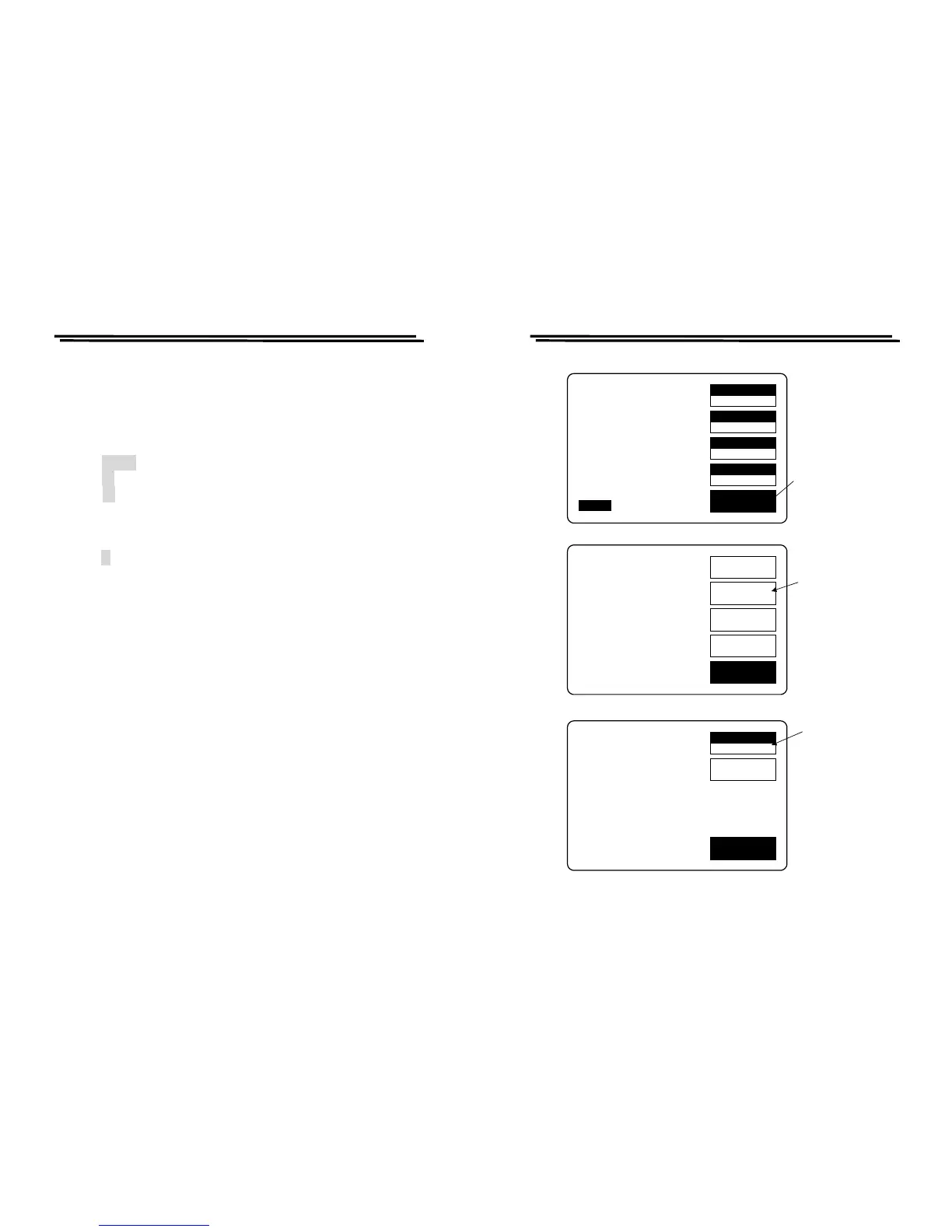
Steps of “Nominal Value” input (Figure 4-6):
z Press MENU key.
z Press F2 key to select “SORT” menu.
z Press F1 key to select “Nominal Value” (the “NOM.VAL” is indicated on
the adjacent LCD monitor).
z Input the nominal value via the numeral keys (5 digits with decimal
maximum).
z Press ↵ key
z After the BAR at the bottom of LCD monitor is filled fully, the “Nominal
Value” input is done.
4-4-5. Selection of Measurement Speed
One of three measurement speeds SLOW, MEDIUM, or FAST could be
selected (Figure 4-7). The continuous mode speeds are about 1, 5, and 12
measurement per second respectively. The trade-off is accuracy vs. speed. LCR-
817/819 will take a more accurate measurement at a slower rate. The trade-off is
as follows
SLOW speed : More than 1 measurement per second, at 0.05% accuracy
(or better)
MEDIUM speed : More than 3 measurements per second, at 0.1% accuracy
(or better)
FAST speed : More than 7 measurements per second, at 0.24% accuracy
(or better)
* For the details of accuracy, please refer to the specifications.
* Regarding the models LCR-826/827/829, please refer to 4-5-10 Handler
Interface Timing.
LCR-800 Series User Manual
17
SPEED
SLOW
DISPLAY
VALUE
MODE
L/Q
CIRCUIT
SERIES
MENU
L 1.2345H
Q 0.6789
TESTING
F : 1.000 kHz
V : 1.000 V
AUTO MANU INT.B OFF
R.H OFF
C.V OFF
OFFSET
SORT
SETTING
CALBRAT
EXIT
CAP. R/L OFFSET
SET SORT
SET PARAMETER
CALIBRATION
Press menu
key
Press F2 key
to the sort
menu
NOM.VAL
24.870
HANDLER
EXIT
NOM.VAL = 77.000pF
OPTION 1
Press F1 key to
input the
nominal value
Figure 4-6. Steps of “Nominal Value” input.



 To Next Page