LCR-800 Series User Manual
50
8-2. BIN setting conditions:
MODE setting:
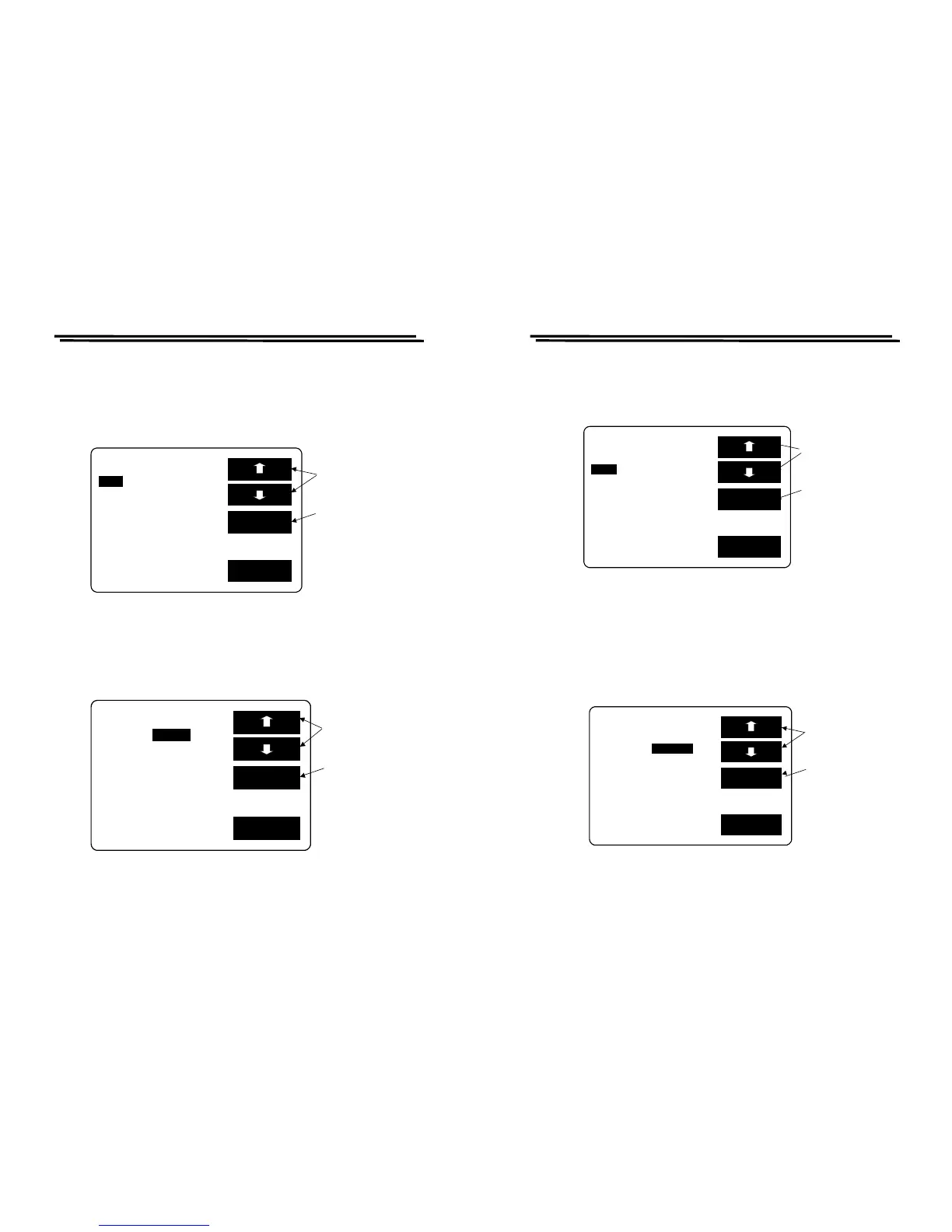
z Press F1/F2 key to select the white inverted characters “MODE”.
z Press F3 key to select C/D or C/R or L/Q or R/Q shown as Figure 8-2 below.
For further detailed description, please refer to 4-4-1.
Figure 8-2
CIRCUIT setting:
z Press F1/F2 key to select the white inverted characters “CIRCUIT”.
z Press F3 key to select SER or PAR shown as Figure 8-3 below. For further
details, please refer to 4-4-2
Figure 8-3
EXIT
SET BIN BIN SUM
:C/D CIRCUIT:SER.
SPEED:SLOW DISPLAY:BIN
C D
BIN
F:1.0000kHz MANU
to the SER.
PAR
LCR-800 Series User Manual
51
SPEED setting:
z Press F1/F2 key to select the white inverted characters “SPEED”.
z Press F3 key to select FAST, SLOW or MEDI shown as Figure 8-4 below.
For further details, please refer to 4-4-5.
Figure 8-4
DISPLAY setting:
z Press F1/F2 key to select the white inverted characters “DISPLAY”.
z Press F3 key to select BIN, VAL or OFF shown as Figure 8-5 (When the
BIN is selected, BIN1~BIN13 represents PASS, while PHI, PLO, and SREJ
represents FAIL result. The VAL is to display test value while the OFF
represents as non-display.)
※The display speed for above three selections is different from one another.
Figure 8-5
EXIT
SET BIN BIN SUM



 To Next Page