LCR-800 Series User Manual
52
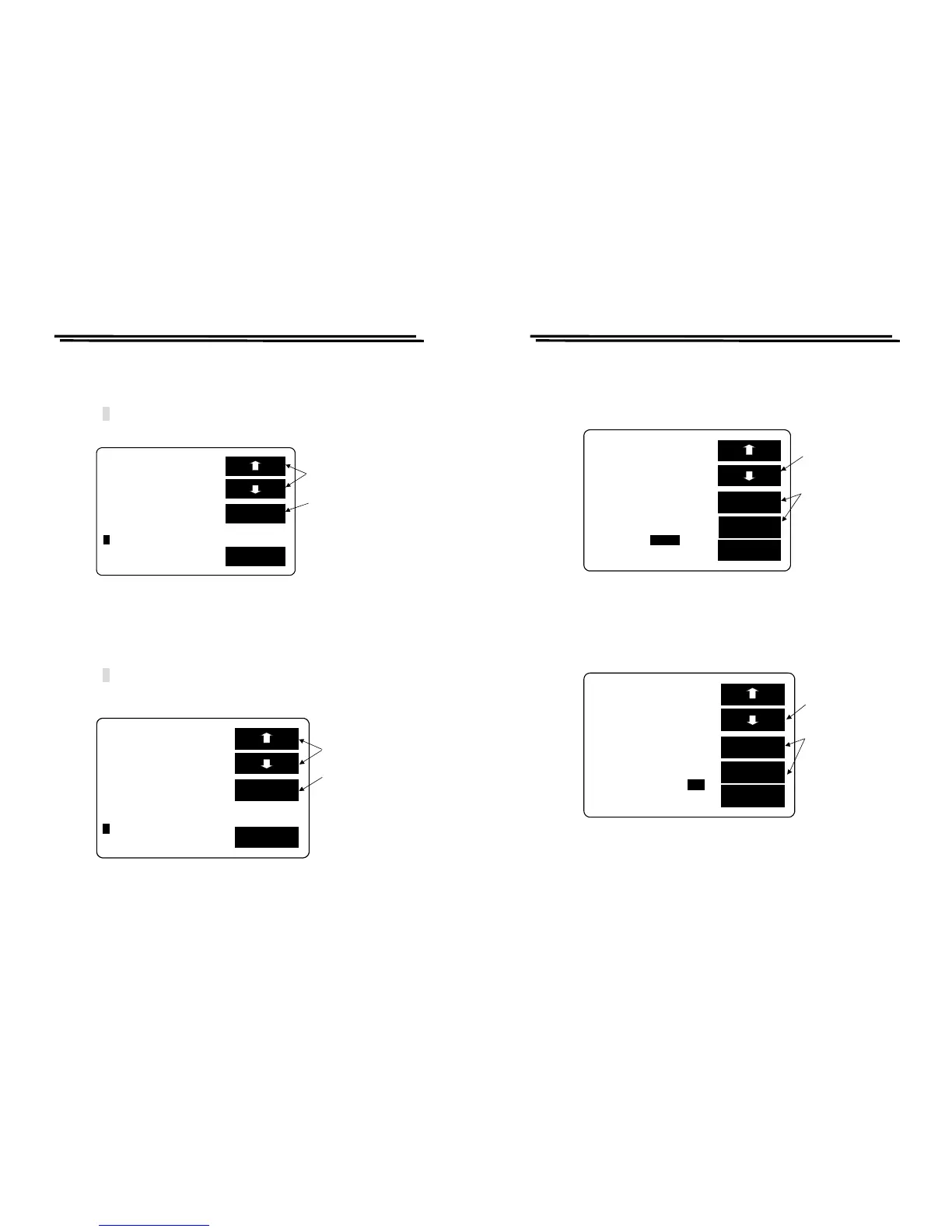
F setting (FREQUENCY):
z Press F1/F2 key to select the white inverted characters “F”.
z Key-in testing frequency through panel keyboard.
z Press ↵ key shown as Figure 8-6 below. For further details, please refer to
4-5-2.
Figure 8-6
V setting (VOLTAGE):
z Press F1/F2 key to select the white inverted characters “V”.
z Key-in testing voltage through panel keyboard.
z Press ↵ key shown as Figure 8-7 below. For further details, please refer to
4-5-4.
Figure 8-7
EXIT
SET BIN BIN SUM
LCR-800 Series User Manual
53
INT.B setting:
z Press F1/F2 key to select the white inverted characters “INT.B”.
z Press F3 or F4 key to select INT or ENT shown as Figure 8-8 below. For
further details, please refer to 4-5-1.
Figure 8-8
INT.B ON OFF setting:
z Press F1/F2 key to select the white inverted characters “ON/OFF” of INT.B.
z Press F3 or F4 key to select ON or OFF shown as Figure 8-9 below.
Figure 8-9
EXIT
SET BIN BIN SUM



 To Next Page