LCR-800 Series User Manual
46
7-3. Recall Calibration
When the measured value is inaccurate, you can use the Recall Calibration
function to rework by proceeding the steps as follows:
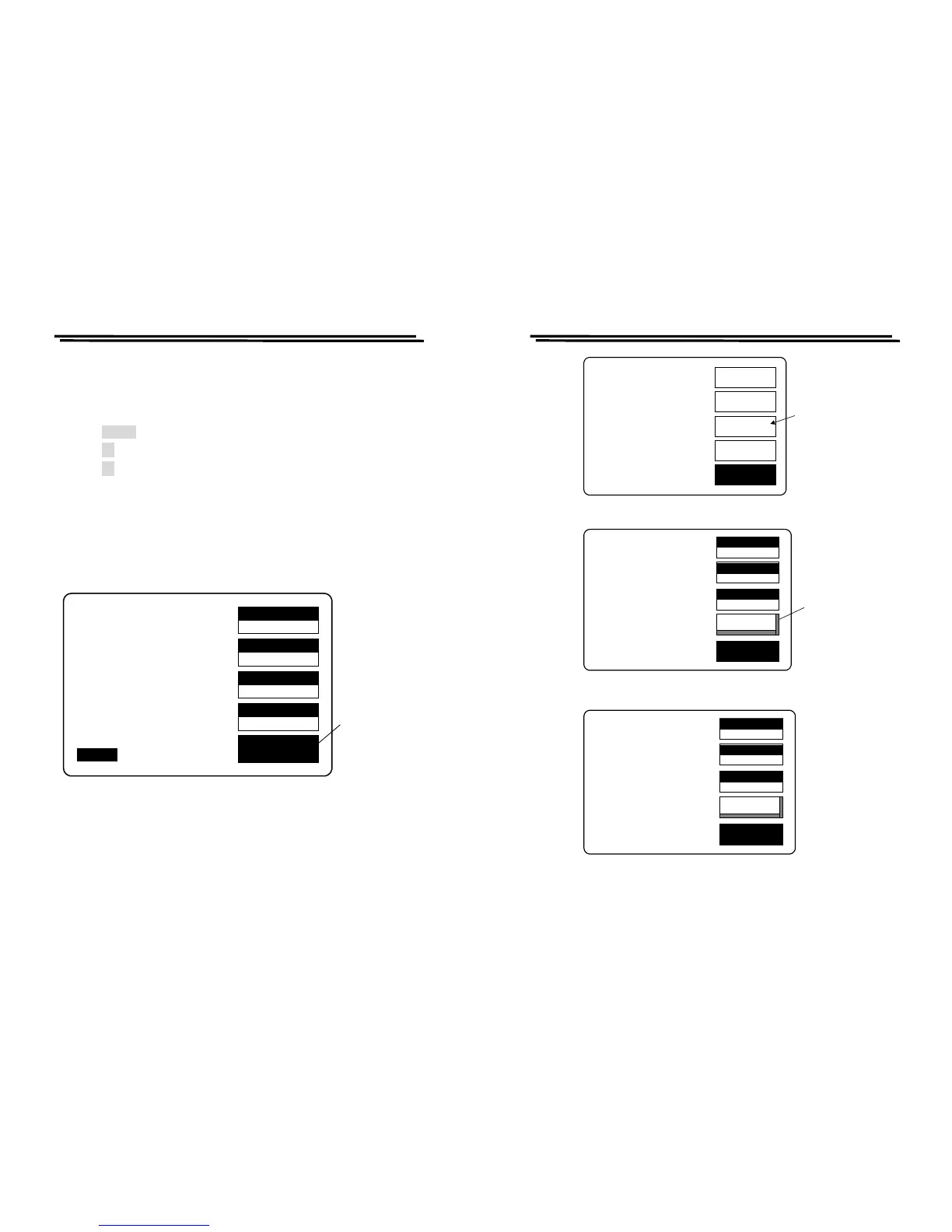
z Press MENU key. (Figure 7-1)
z Press F3 key to select “SET PARAMETER” function.(Figure 7-2)
z Press F4 key to select “RECALL CALIBRATION” function.(Figure 7-3)
z Press compound Key 1 to select the “Yes” to start recall calibration.
(Figure 7-4)
z Press compound Key 2 to select the “No” to stop recall calibration.
(Figure 7-4)
※ If the function keys are not active, do not power off and wait another 2
minutes, then try again.
Figure 7-1
SPEED
SLOW
DISPLAY
VALUE
MODE
C/D
CIRCUIT
SERIES
MENU
C 13.450uF
D .1652
TESTING
F :1.0000 kHz
V :1.000 V
AUTO MANU INT.B OFF
R.H OFF
C.V OFF
Press menu
key
LCR-800 Series User Manual
47
OFFSET
SORT
SETTING
CALBRAT
EXIT
CAP. C/D OFFSET
SET SORT
SET PARAMETER
CALIBRATION
Press F3 key
to the setting
menu
VOLT
77.000
EXIT
MEMMORY NO: 0
VOLTAGE= 1.000 V
AVERAGE= 1
RECALL CALIBRATION
Press F4 key to
input the recall
function
RECALL
NOM.VAL
1
MEMORY
0
1.000
VOLT
77.000
EXIT
MEMMORY NO: 0
VOLTAGE= 1.000 V
AVERAGE= 1
RECALL CALIBRATION
Are you sure?(1)Yes
(2)No
RECALL
NOM.VAL
1
MEMORY
0
1.000
MEMORY
Figure 7-2
Figure 7-3
Figure 7-4



 To Next Page