5. Daily Test:
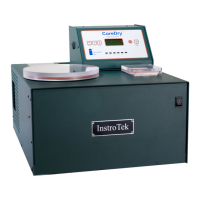
a) Every day before starting operation, dry the cold trap
and the sample chamber using a lint free cloth. Do not
use paper towel as pieces of paper can get left in the
system and subsequently be pulled into the vacuum
pump.
b) Place the appropriate lids on the sample chamber and
the cold trap. Press start to begin a test without any
samples. The vacuum reading on the display should be
6 mmHg or less when complete. If the vacuum without
a sample is higher than 6 mmHg, refer to the trouble
shooting section or call InstroTek for service information.
Note: When you receive the CoreDry or after transport to
other locations, you might have to run the CoreDry several
cycles to achieve 6 mmHg. Moisture from humidity might
build up within the vacuum lines. By running the unit several
times, the CoreDry eliminates the moisture in the pipes and
reduces the pressure within the chamber to 6 mmHg.
Note: This indicates sample is
dry. Do not press enter until you
are ready for another sample.
Note: This screen indicates
sample is not dry. Rotate the
sample 180°, dry cold trap and
press enter to continue drying.


 To Next Page