5
ENG
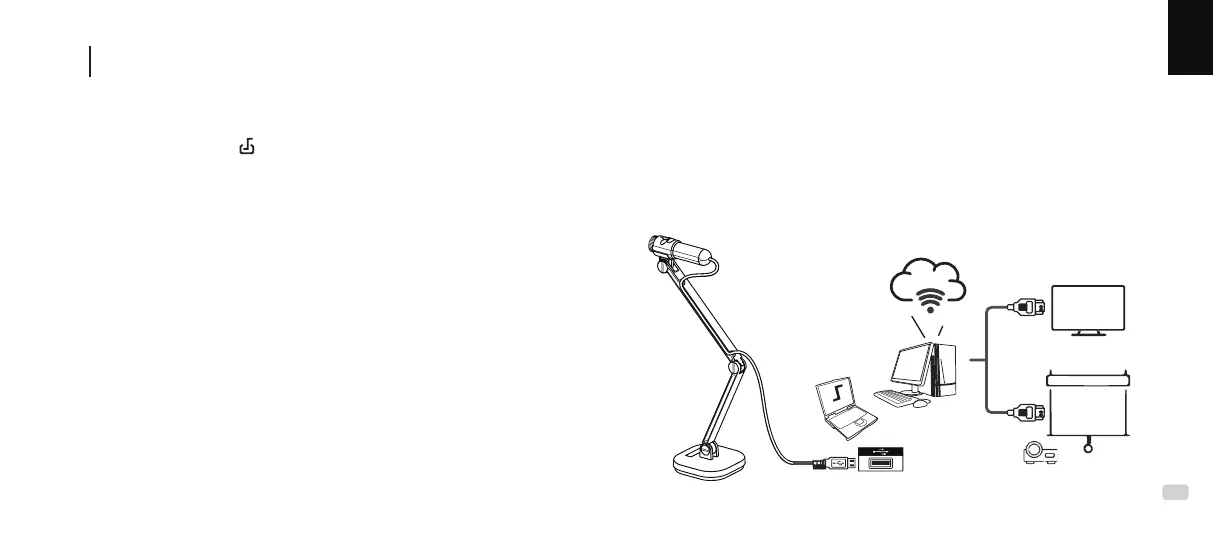
Connect the INS-3 and PC or laptop for remote teaching,
web conferencing, or in-class teaching
D
TV
Large Monito
r
1. Connect the INS-3 USB cable to your PC or laptop via the USB slot.
2. Open Documate ( ) to display the camera view.
3. Use screen sharing in the webinar applicaon for high-engagement
remote teaching or web conferencing. (More detailed instrucons are
available at www.inswan.com.)
4. Connect your PC or laptop to a large screen/projector for in-class
teaching.
HDMI



 To Next Page