71
Front Panel≫ Rear Panel≫ Remote≫
Contents
≫
Connections
≫
Playback
≫
Setup
≫
Connecting External Control Devices
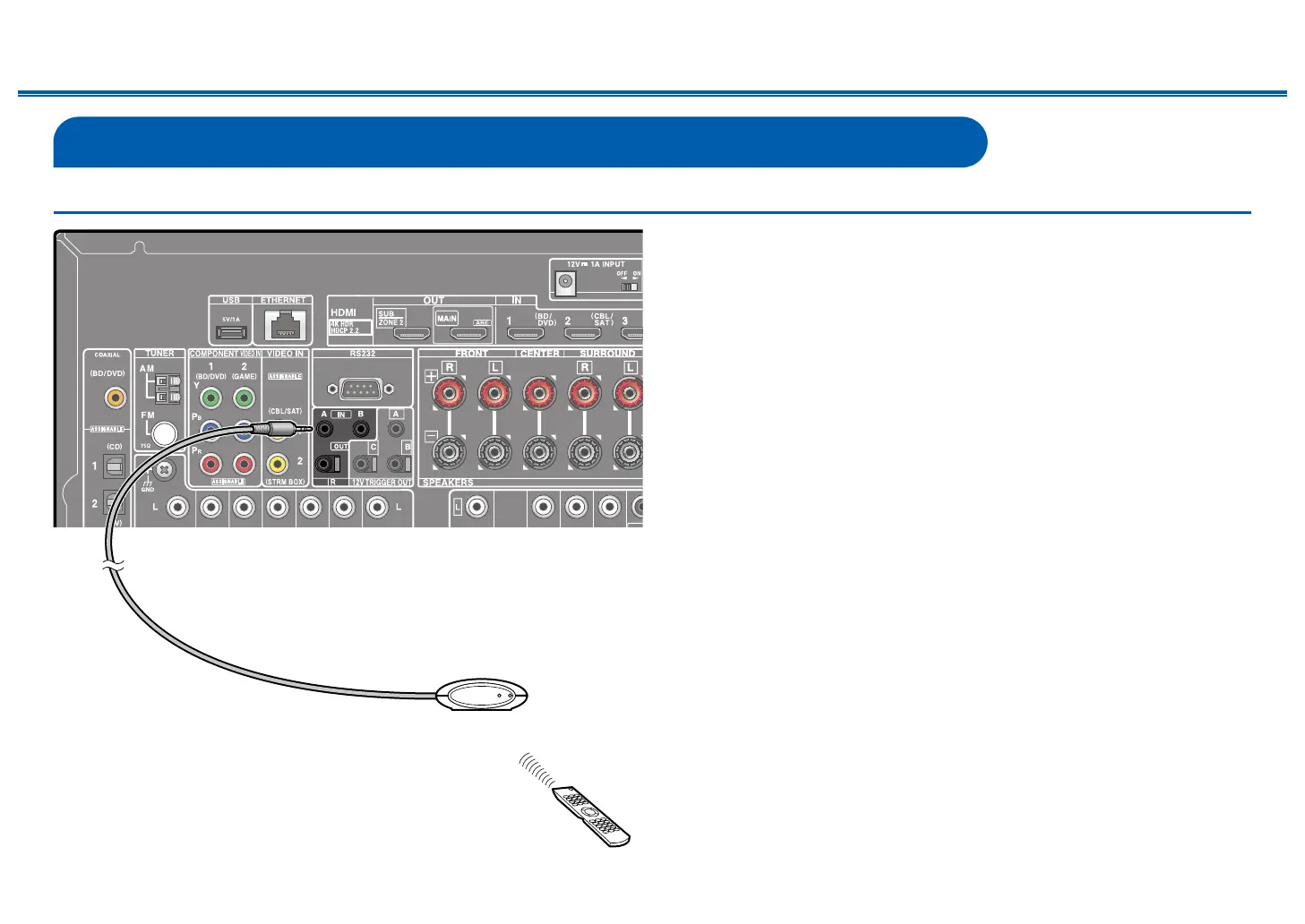
IR IN/OUT port
When connecting a remote control receiver unit consisting of an IR Receiver, etc.
to this unit, operation using the remote controller is possible even if the remote
control signal is dicult to reach (due to installation in the cabinet, etc.). It is
also possible to operate this unit from other room such as ZONE 2 with a remote
controller, or operate other devices with the remote controller by connecting
other devices to this unit. For adopting a remote control receiver unit, contact the
specialized stores.
• For the type of cable required for connection, refer to the operation manual,
etc. of the remote control receiver unit.
IR Receiver



 To Next Page