Icons Used for Bluetooth Devices and Services
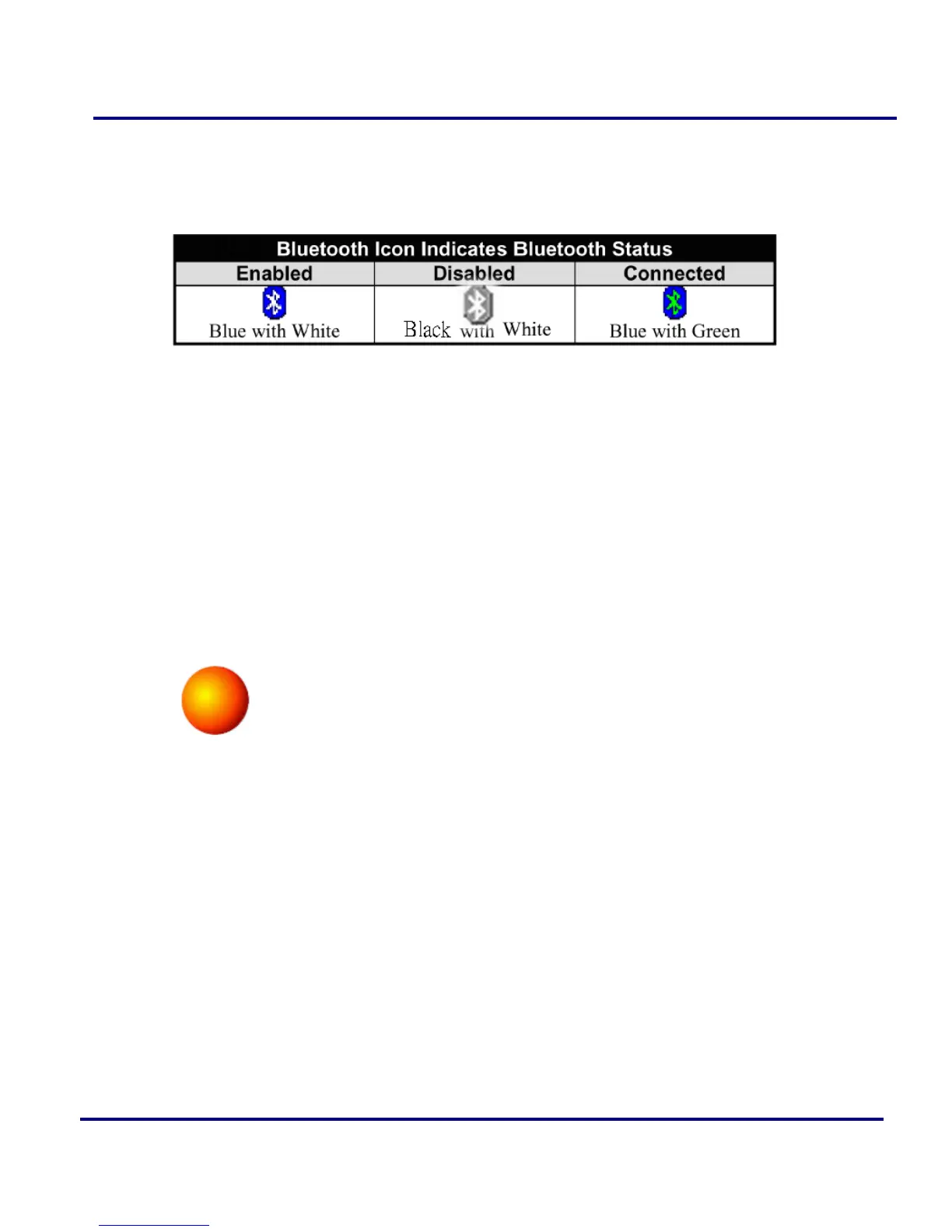
Bluetooth icons provide at-a-glance feedback about a device or service’s status by
changing appearance. The Bluetooth icon in the Windows system tray provides
feedback about Bluetooth status.
Figure 2-3: Bluetooth Icon on BlueSoleil to provide Bluetooth Status
Local Bluetooth Device
The Local Bluetooth enabled device, known as "My Device", represents the user's
computer that is running BlueSoleil.
Operations:
Hover mouse to display the local Bluetooth device's name or address (if without
name).
Click on the red ball to start or stop searching for Bluetooth devices in range.
Right-click on the red ball to display a pop-up menu of related operations (e.g.,
General Inquiry, My Services, Security, etc.).
Figure 2-4: Local Bluetooth Device
Remote Bluetooth Devices
Remote devices are other Bluetooth enabled devices that are in the Bluetooth radio
range of your local device. BlueSoleil uses different icons to indicated different types
of remote devices.
Icon Meanings:
Remote devices can be in any of three states, which BlueSoleil indicates
with different colors.
White- Idle. The normal state of the device.
Yellow- Selected. You have selected the device.



 To Next Page