Controls and operation
- 9 -
English
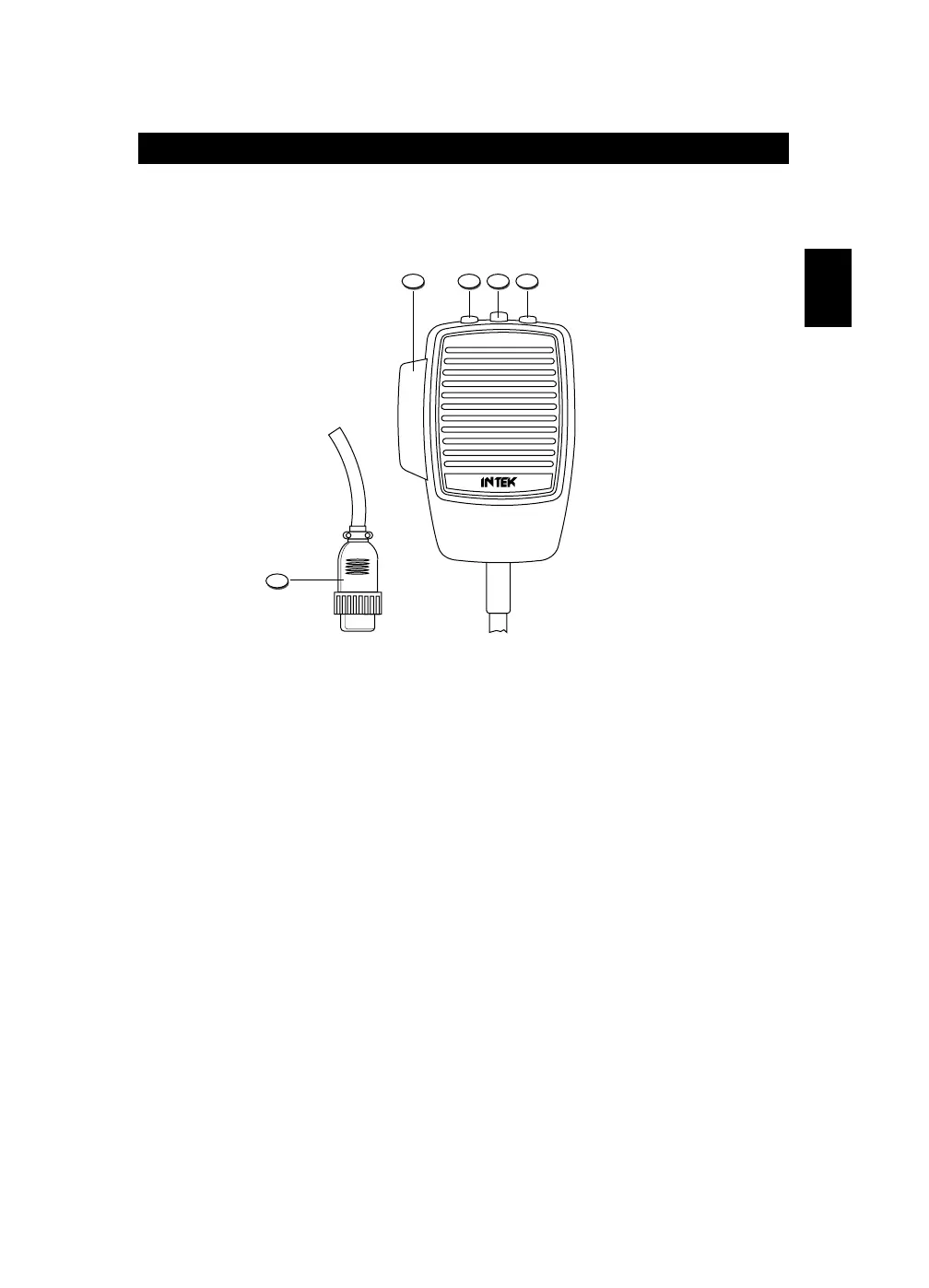
Microphone
17. PTT (Push-to-Talk) Key
Connect the supplied dynamic microphone to this connector, locking it by tightening
the ring nut.
18. UP (Channel Selector) Key
Each time this key is pressed, the channel number will move upward by one channel.
19. LOCK (Keypad Lock) Key
The LOCK function is enabled when pressing this key, in order lock the keypad and
prevent entering unwanted commands. When the LOCK function is enabled, the
LOCK icon (L) appears on the LCD display.
20. DOWN (Channel Selector) Key
Each time this key is pressed, the channel number will move downward by one
channel.
21. MICROPHONE Plug
6-pole microphone plug with locking ring nut, to be connected to the microphone
connector (21) located on the front side of the radio.


 To Next Page