Installing and Replacing Desktop Board Components
47
Connecting the Serial ATA (SATA) Cables
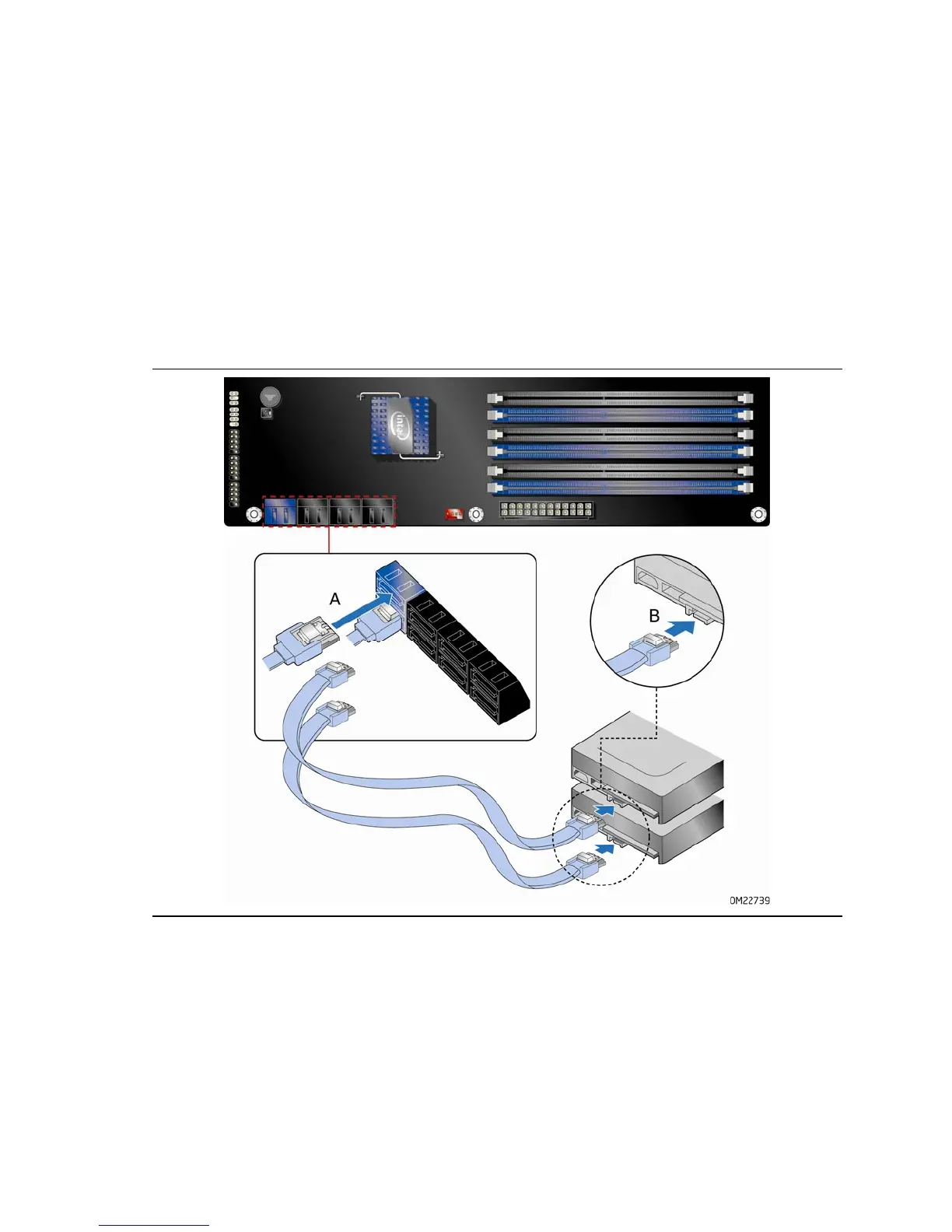
SATA cables support the Serial ATA protocol. Each cable can be used to connect one
internal SATA drive to the Desktop Board. The blue connectors support SATA 6 Gb/s
and lower transfer rates and the black connectors support SATA 3 Gb/s and lower
transfer rates. For correct cable function:
1. Observe the precaution in “Before You Begin” on page 31.
2. Attach
one end of the SATA cable to one of the SATA connectors on the board
(Figure 22, A) and attach the other end of the
cable to the SATA drive
(Figure 22, B).
Figure 22. Connecting the Serial ATA Cables



 To Next Page