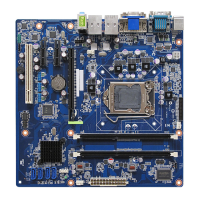
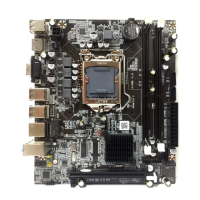
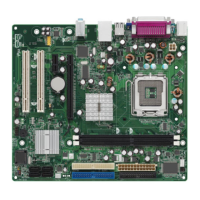
EasyManua.ls Logo

Intel H61 - User Manual

Intel H61
37 pages
Print Icon
To Next Page IconTo Next Page
Loading...
USER'S MANUAL
Of
Intel H61 Express Chipset
Based
M/B for LGA 1155 Intel Core
Processor
No. G03-NLH61-F
Rev: 2.0
Release date: December 15, 2017
Trademark:
* Specifications and Information contained in this documentation are furnished for information use only, and are
subject to change at any time without notice, and should not be construed as a commitment by manufacturer.

Questions and Answers

  • E
    Erica ByrdAug 1, 2025
    How to fix Intel H61 Motherboard not booting after installing second hard drive?
    • J
      Joseph WebsterAug 2, 2025
      If you can't boot your Intel Motherboard system after installing a second hard drive, set the master/slave jumpers correctly. Next, run the SETUP program and select the correct drive types.
  • A
    allison50Aug 8, 2025
    Why does my Intel H61 Motherboard show “Invalid Configuration”?
    • S
      spearspaulaAug 8, 2025
      If your Intel Motherboard displays an “Invalid Configuration” or “CMOS Failure” message, review your system’s equipment and ensure the correct information is in the setup.
  • D
    Debbie MatthewsAug 15, 2025
    What to do if Intel H61 Motherboard has no power?
    • T
      Todd WilliamsAug 15, 2025
      If your Intel Motherboard system shows no power, with no lights and the power supply fan not working, first ensure the power cable is securely plugged in. If the issue persists, try replacing the power cable. If neither of these steps works, it is advised to contact technical support for further assistance.
  • Z
    Zachary TranAug 25, 2025
    What to do if Intel H61 system is inoperative but keyboard lights are on?
    • C
      Courtney MeyerAug 25, 2025
      If your Intel Motherboard system is inoperative but the keyboard lights are on, the power indicator is lit, and the hard drive is spinning, apply even pressure on both ends of the DIMM (memory module). Press down firmly until the module snaps into place.

Summary

Environmental Safety Instruction

Users Notice and Legal Information

Manual Revision Information

Details about the manual's revision history and update date.

Item Checklist

List of included motherboard package contents.

Motherboard Introduction and Specifications

1-1 Motherboard Specification

Comprehensive technical specifications for the motherboard.

1-2 Layout Diagram Overview

Visual overview of motherboard layout and component placement.

Hardware Installation Guide

2-1 Jumper Settings Configuration

Guide to configuring motherboard jumpers for specific functions.

Rear I;O Back Panel Connectors

Details and diagram of the motherboard's rear panel ports.

Motherboard Internal Connectors and Headers

Explanation of internal headers and power connectors on the motherboard.

Header Pin Definitions

Specific pin assignments for various motherboard headers.

BIOS Introduction and Setup Utility

3-1 Entering BIOS Setup

Steps to access and enter the system's BIOS setup.

3-2 BIOS Menu Screen Overview

Visual guide to the BIOS setup interface and its elements.

BIOS Function Key Guide

Explanation of function keys for navigating and controlling BIOS.

BIOS Help Information

How to access context-sensitive help within the BIOS setup.

BIOS Menu Bar Navigation

Understanding the main menu bar options in the BIOS.

Main BIOS Menu Details

Information and settings presented in the BIOS main menu.

Advanced BIOS Settings

Configuration options within the Advanced BIOS settings section.

Chipset Configuration Menu

Settings related to the motherboard's chipset and its parameters.

Boot Menu Configuration

Options for customizing system boot order and behavior.

Security Menu Settings

Options for setting administrator and user passwords for BIOS.

Save and Exit BIOS Menu

Options for saving BIOS changes and exiting the setup utility.

Intel H61 Specifications

General IconGeneral
SocketLGA 1155
Memory TypeDDR3
PCI Express Version2.0
RAID SupportNo
ChipsetIntel H61
Memory Slots2
Max Memory Supported16 GB (depending on the manufacturer)
SATA Ports4 x SATA 3Gb/s
USB Ports10 (USB 2.0)
Form FactorMicro-ATX
Integrated GraphicsYes (requires CPU with integrated graphics)
Graphics OutputsVGA, DVI, HDMI (depending on the manufacturer)

Related product manuals