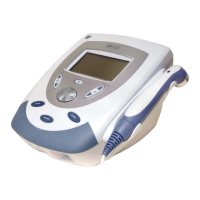
INTELECT LEGEND STIM USER MANUAL
11
Changing Parameters – To change parameters, use the UP/DOWN arrows to select
the parameter, then press
ENTER. If there are two options, pressing ENTER will
toggle between those choices. If there are three or more options, pressing
ENTER
will display a pop-up window with the choices listed. Use the UP/DOWN arrows to
choose an option and then press
ENTER to accept.
Enter
– The
UP/DOWN arrows control the Select Highlight box and the ENTER button
confirms the change.
Main Menu/Escape – (On Model 4S only) This button will return you to Main Menu
or allow you to escape from a pop-up menu.
Channel – (On Model 2S only) This button also allows you to change parameter
display from Channel 1 to Channel 2.
Time – The
UP/DOWN arrows increase or decrease the default treatment time.
Power/Intensity –
The
UP
/
DOWN
arrows increase or decrease the intensity/power.
Treatment Selection– There are four waveform selections, plus Ultrasound and
Combo.
Start – This button will start the treatment on the selected channel.
Stop – This button will stop the treatment on the selected channel.
Pause – This button will pause the treatment on the selected channel.
Operating Channels
–
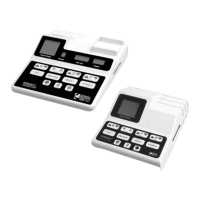
Model 2S of the Intelect
®
Legend Stim provides two
channels or electrical stimulation, while Model 4S provides four channels.
Stimulation Output Channels – The lead wires connect to these ports.
Left Side Panel of 2S and 4S
Operating Channels
1/2
Right Side Panel of 4S
Operating Channels
3/4


 To Next Page