INTELECT LEGEND STIM USER MANUAL
18
Muscle Contraction
Two waveforms are available for muscle contraction therapy; Twin-Peak High Volt and Russian. The appropriate selection of a
waveform for relaxing muscle spasms, increasing local circulation, re-educating muscles that have atrophied from disuse or injury,
or to maintain or improve joint range of motion can be difficult. Both models 2S and 4S of the Intelect
®
Legend Stimprovide the
needed waveforms to address these clinical problems.
High Volt
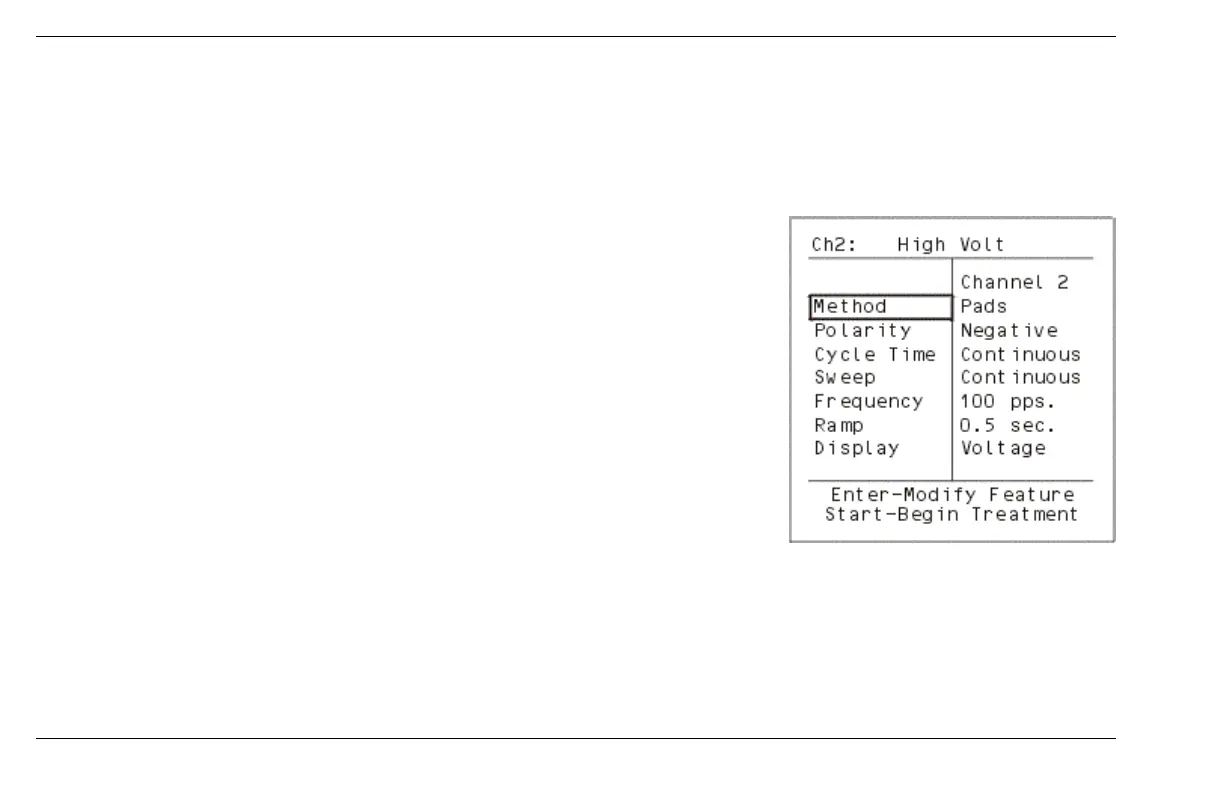
High Volt stimulation has output ranges between 300 and 500 volts. True Twin-Peak High
Volt is designed to deliver very short-duration pulses, which are very low in pulse charge. High
Volt is available through channel 2 and 4 on the model 4S and channel 2 on the model 2S.
Method gives you the option of delivering High Volt to the patient either by Pads (default) or
Probe application.
Polarity of the active electrode can be changed from Positive (default) to Negative by
selecting
POLARITY and pressing the ENTER button. When Positive (default) polarity is selected,
the Red leadwire is positive polarity and the Black leadwire is negative polarity. IF YOU
SELECT NEGATIVE POLARITY, the Red leadwire becomes negative polarity and the Black
leadwire becomes positive polarity.
Cycle Time
parameter controls the on/off cycle time of the current. There are 7 available
options: 5/5, 10/10, 10/20, 4/12, 10/30, 10/50 and Continuous (default).
Sweep is frequency modulation of the High Volt current. When you select SWEEP and press the ENTER button, 4 options are displayed.
They are Continuous (default at 100 pps), 1-10 Hz, 80-150 Hz and 1-150 Hz. The Continuous option allows you to select a continuous
fixed frequency from 1-120 pps.
Frequency is the number of pulses per second of the waveform. To change the Frequency select
FREQUENCY and press ENTER,
then use the
UP or DOWN arrows to change the frequency, from 1-120 pps.
Method


 To Next Page