9
4.3 Connect lead wires to unit:
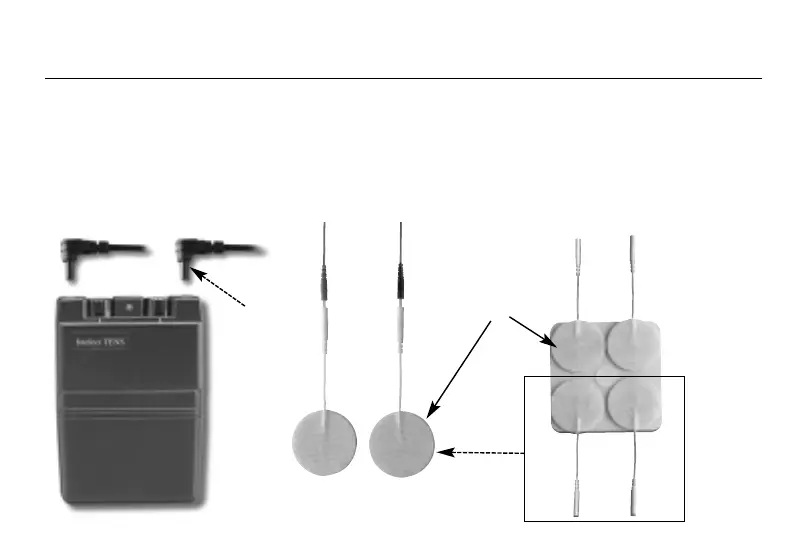
Before proceeding to this step, be sure the unit is completely turned OFF. Holding the insulated portion of the lead
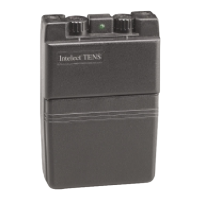
wire connector, insert the angled-"L" plug into the receptacle on the top of the main unit. Ensure the lead wires are
inserted correctly. The unit has two output receptacles controlled by Channel 1 and Channel 2 Amplitude Control
knobs at the top of the unit. You may choose to use one channel with one pair of lead wires or both channels with
two pairs of lead wires. Using both channels gives the user the advantage of stimulating two different areas at the
same time.
NOTE: Always read this instruction manual before use.
PREPARATION FOR USE
4.1 Check Battery:
Insert a fresh 9V alkaline or rechargeable battery into the battery compartment. Make
sure you are installing the battery properly. The battery is inserted in the casing on the
foot of the stimulator unit.
BE SURE TO MATCH THE POSITIVE AND NEGATIVE ENDS OF THE BATTERY TO
THE MARKINGS IN THE BATTERY COMPARTMENT OF UNIT.
CONNECTING THE STIMULATOR
4.2 Connect electrodes to lead wires:
Insert the lead wire connector into electrodes connector (standard 0.08 inch female
connection). MAKE SURE NO BARE METAL OF THE PINS IS EXPOSED
Caution:
Always use the electrodes with the requirements of the EN60601-1 and EN60601-2, such as with
CE mark, or which are legally marketed in the US under 510(K) procedure.
10
4. INSTRUCTIONS FOR USE
Self-adhesive
Electrodes Pads
Angle"L"-shape
plug


 To Next Page