Affinity
2.0
Additional Information Page 18
1.4 Binaural speech
It is only possible to test Speech binaurally in the Speech audiometry screen. This can be done if channel 1
and channel 2 are using the same air conduction transducer and only when a different output is chosen. E.g.
right ear in channel 1 and left ear in channel 2 or vice versa.
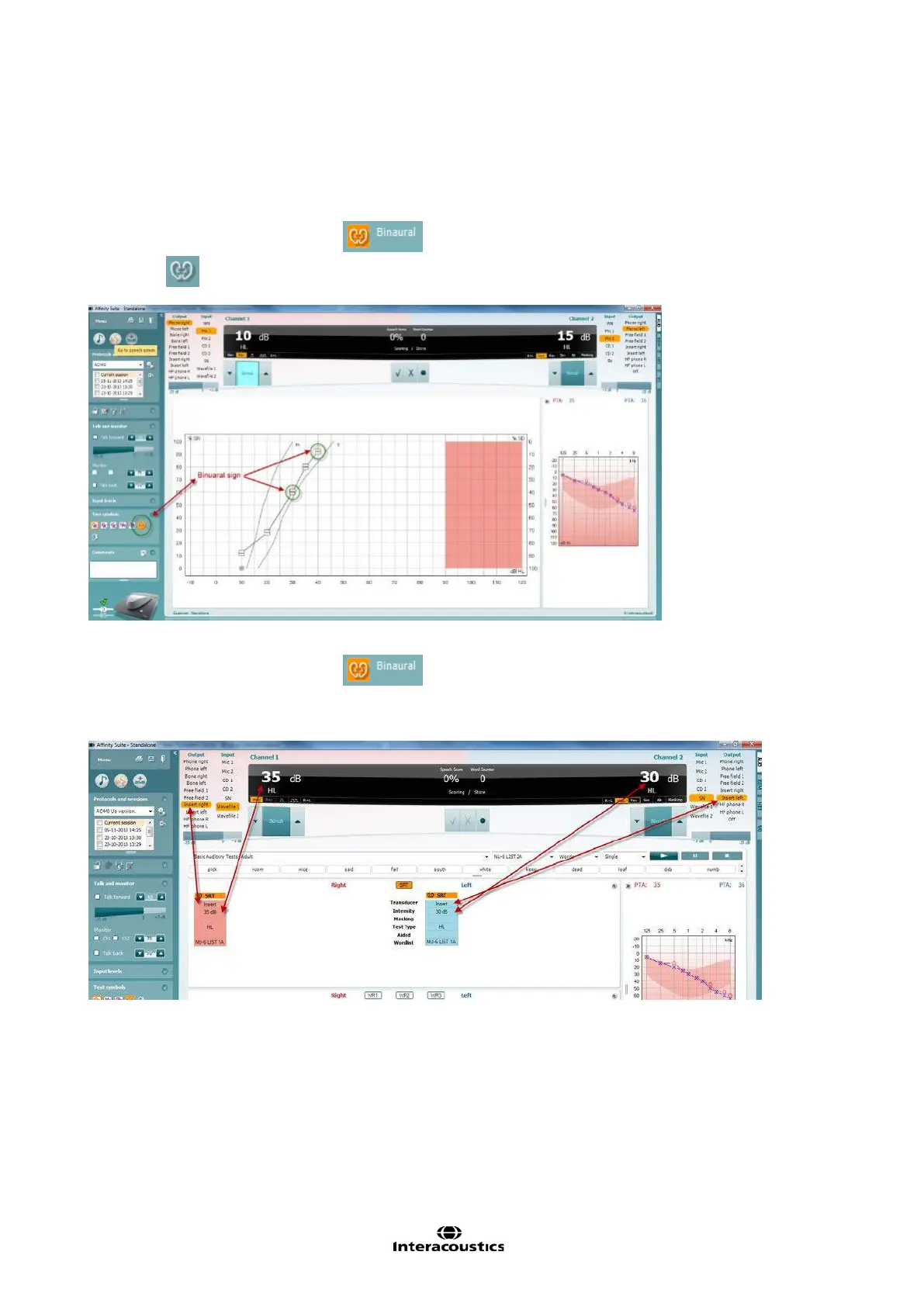
When the binaural mode is activated
in graph mode the stored symbol will be shown as a “B”
see below:
When the binaural mode is activated
in table both results will be stored even if the level is
different. This means when this is stored it will store the channel 2 level and display the results as well as
channel 1. See below:
In ‘Binaural mode’ the Pure Tone Average (PTA) calculations will be calculated monaurally only, although
the value will be displayed above each Audiogram.



 To Next Page