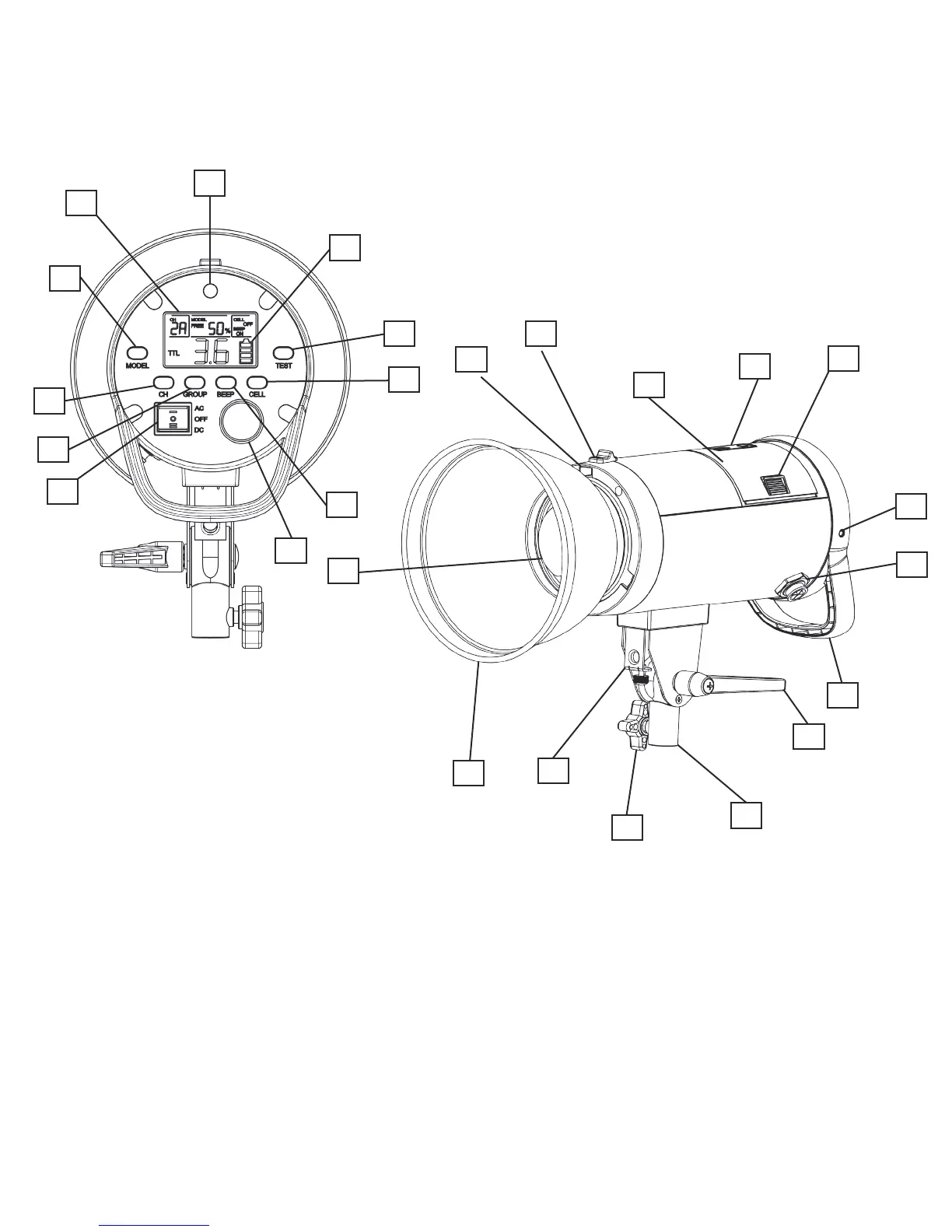
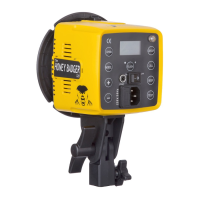
1. Optical Slave Cell
2. LCD Battery Indicator
3. Flash Test Button
4. Cell Button
5. Beep Button
6. Power Dial
7. 3-Way Power Switch
8. Group Selection Button
9. Channel Selection Button
10. Modeling Light Button
11. LCD Display
12. Bowens S-Type Mount
13. Modier Quick Release
14. Lithium Ion Battery
15. Physical Battery Indicator
16. Battery Quick Release Tab
17. Sync Port
18. AC Power Port
19. Grip Handle
20. Ratcheting Tilt Lock
21. Light Stand Mount
22. Light Stand Mount Lock
23. Umbrella Mount
24. 7” Standard Reector
25. Glass dome, Flash Tube and LED
Modeling Lamp
1
7
10
11
9
6
8
2
3
4
5
13
14
23
15
16
18
17
20
21
19
22
24
25
A Look at the S1
www.intertphotographic.com 3
12


 To Next Page