EasyManua.ls Logo

Intermatic ET2725C - User Manual

Intermatic ET2725C
8 pages
Print Icon
To Next Page IconTo Next Page
Loading...
Electronic 2-Circuit
7-Day Time Switch
Installation and Setup Instructions
With 100-Hour Backup
Federal Communications Commission (FCC) Notice for ET2000 Series Time Switches
Description
This document explains the setup and conguration of the Intermatic ET2725 2-Circuit
Electronic 7-Day Time Switch. The ET2725 time switch automatically switches loads
according to the entered weekly schedule. The time switch can support up to 48 xed ON
and 48 xed OFF events (96 total). Each xed event can be applied to any combination of
circuits and days.
The time switch features an LCD and panel-mounted control buttons to set, review, and
monitor the time switch functions, including setting date and time, schedule creation,
enabling or disabling Daylight Saving Time (DST) and conguring DST switchover dates.
Follow these instructions to complete the installation and programming of the ET2725 time
switch.
This device complies with part 15 of the FCC rules. Operation of this device is subject to the following two conditions: (1) This device
may not cause harmful interference, and (2) This device must accept any interference, including interference that may cause
undesired operation. This equipment has been tested and found to comply with the limits for a Class A digital device, pursuant to
Part 15 of the FCC Rules. These limits are designed to provide reasonable protection against harmful interference when the
equipment is operated in a commercial environment. This equipment generates, uses and radiates radio frequency energy and, if
not installed and used in accordance with instructions, may cause harmful interference to radio communications. Operation of this
equipment in a residential area is likely to cause harmful interference that requires the user to correct at his or her own expense.
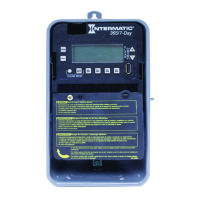
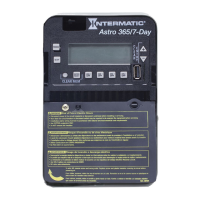
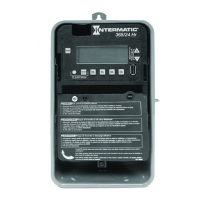
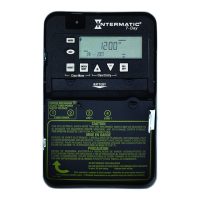
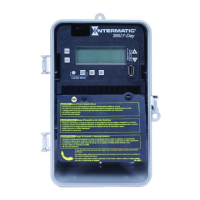
MODELS ET2725C, ET2725CR, ET2725CP
Shown in indoor/outdoor
lockable metal enclosure
NOTICE
Do NOT touch circuit board components, contact can create a static discharge, which can damage these electronic components.
Disconnect power at the circuit breaker(s) or disconnect switch(es) before installing or servicing.
More than one circuit breaker or disconnect switch may be required to de-energize the equipment before servicing.
For plastic enclosures, bonding between conduit connections is not automatic and must be provided as part of the installation.
Installation and/or wiring must be in accordance with National and Local Electrical Code requirements.
Use #14-#8 AWG wires, rated at least 105°C - COPPER conductors ONLY.
If the power disconnect point is out of sight, lock it in the OFF position and tag it to prevent unexpected application power.
Make sure there is no wire insulation under the terminal plate on the time switch connector. Firmly tighten terminal screws.
For outdoor locations, rainproof, or wet locations, conduit hubs that comply with requirements of the UL514B (standard for fitting conduit and
outlet boxes) are to be used.
Do not remove insulator that is covering terminals.
Do NOT exceed maximum current carrying capacity.
KEEP DOOR CLOSED AT ALL TIMES when not servicing.
Risk of Fire or Electric Shock
WARNING
Question and Answer IconNeed help?

Do you have a question about the Intermatic ET2725C and is the answer not in the manual?

Summary

Initial Setup and Programming

Setting The Output Configuration

Configure output circuits for SIM, IND, or PUL modes for load control.

Setting Date

Procedure to set the current date including month, day, and year.

Setting Time

Procedure to set the current time, including seconds adjustment.

Enable;Disable Daylight Saving Time

Configure automatic DST adjustment and select regional DST rules.

Setting Fixed Timed Events

Setting Fixed ON Events

Program fixed ON times for selected days and circuits.

Setting Fixed OFF Events

Program fixed OFF times for selected days and circuits.

Setting Holidays and Operating Mode

Setting Holidays

Program holiday blocks with start/end dates and ON/OFF events.

Setting Operating Mode

Select AUTO, ENERGY SAVER, or MANUAL operating modes.

Program Management

Deleting an Event

Procedure to delete fixed events from the time switch.

Clearing Time Switch Memory

Reset all programmed settings to factory defaults.

Writing Program Data to USB

Copy programmed data from time switch to a USB memory stick.

Reading Program Data from USB

Transfer programmed data from a USB memory stick to the time switch.

Specifications and Warranty

USB Error Codes

Descriptions of error codes that may appear during USB operations.

Product Specifications

Technical details including input voltage, power consumption, and switch ratings.

Limited Two-Year Warranty

Details of the product warranty, coverage, and claim procedures.

Overview

The Intermatic ET2725 series (ET2725C, ET2725CR, ET2725CP) is an Electronic 2-Circuit 7-Day Time Switch designed for automatically switching electrical loads based on a programmed weekly schedule. It features a 100-hour backup to maintain settings during power outages.

Function Description

The core function of the ET2725 time switch is to control two independent electrical circuits by turning them ON and OFF according to a user-defined schedule. It supports up to 48 fixed ON events and 48 fixed OFF events (a total of 96 events). Each programmed event can be applied to any combination of circuits and days of the week, offering significant flexibility in load management.

The time switch operates in three primary modes:

  • AUTO Mode (Default): In this mode, the time switch strictly follows the user-programmed events, turning circuits ON and OFF at their scheduled times. A temporary manual override is possible by pressing an ON/OFF button, but the switch will revert to the normal schedule at the next programmed event.
  • ENERGY SAVER Mode: Similar to AUTO mode, but with specific differences for manual activation. In this mode, ON/OFF buttons manually activate circuits for only a 2-hour period. Pressing an ON/OFF button again during an active 2-hour period extends it by another 2 hours. Holding an ON/OFF button for 3 seconds will turn OFF the associated circuit.
  • MANUAL Mode: In this mode, the time switch ignores all programmed events. Circuits are only activated or deactivated by pressing the ON/OFF buttons. This mode is the only available option if no scheduled events have been programmed.

The device also includes a Daylight Saving Time (DST) feature, allowing it to automatically adjust for time changes. Users can enable or disable DST and configure specific DST rules (e.g., US2007, MX1986, or custom start/end dates).

A holiday programming feature allows for up to 50 holiday blocks. For each holiday block, a start and end date can be set, along with one "on" and one "off" event. During these holiday periods, the relays will remain in the "OFF" state, and a "HOLIdy" indicator will appear on the display, ensuring loads are turned off for specified durations.

Usage Features

The ET2725 time switch is equipped with an LCD display and panel-mounted control buttons for intuitive setup, review, and monitoring of its functions.

  • Initial Setup: Upon initial power-up or after a memory clear, the device guides the user through setting the output configuration. This allows users to choose between controlling multiple loads simultaneously (SIM), independently (IND), or with a 2-second pulse (PUL). In PUL mode, an ON event or manual override causes circuit #1 to turn ON for two seconds then OFF, while an OFF event or manual override causes circuit #2 to turn ON for two seconds then OFF.
  • Date and Time Setting: Users can easily set the current month, day, and year, as well as the current time using the control buttons. The display flashes the digits being set, and holding the + or - buttons allows for rapid scrolling.
  • Event Programming: Fixed ON/OFF events are set by navigating to the "SET FIXED ON/OFF EVENTS" screen. Users can specify the time for each event and select the days of the week it applies to (e.g., MON-SUN, MON-FRI, SAT-SUN, or individually for each day). Circuits can be included or excluded from specific events.
  • Holiday Programming: Holiday blocks are set by defining a start and end date, and then programming "on" and "off" events for that holiday period.
  • Operating Mode Selection: The operating mode (AUTO, ENERGY SAVER, or MANUAL) can be selected via the MODE button.
  • USB Memory Stick Functionality: A significant feature is the ability to read and write program data (event schedules, holidays, output configuration, DST settings, geographical location) to and from a USB memory stick. This allows for easy transfer of settings between multiple units or for backing up configurations. The device displays specific messages (e.g., "wr USb," "rd USb," "SCHEdLxx.TXT," "REMOVE," "DONE") to guide the user through this process. Error codes are displayed if problems occur during USB operations, indicating issues such as a write-protected stick, full memory, defective stick, or incompatible file format.

Maintenance Features

  • Clearing Memory: The "Clear Time Switch Memory" operation resets all programmed settings to their factory default values. This is initiated by pressing and holding ENTER/NEXT while simultaneously pressing and releasing the RESET button. The display shows the model number, boot loader versions, firmware revision, Reset Reason Code, "MEMCLR," and "DONE" to confirm the operation.
  • Troubleshooting: The manual provides clear warnings regarding electrical safety, including disconnecting power before servicing, using appropriate wiring, and ensuring proper grounding. It also advises against touching circuit board components to prevent static discharge damage. The USB error codes provide diagnostic information if USB operations fail.
  • Physical Installation: The device is designed for secure mounting in a desired location, with knockouts for conduit connections. The mechanism can be pulled out of the enclosure for easier wiring, and a plastic insulator covers the terminal strip for safety. The enclosure door should be kept closed when not servicing.

Intermatic ET2725C Specifications

General IconGeneral
BrandIntermatic
CategoryTimer
ModelET2725C
Voltage120V
ProgrammableYes
DisplayLCD
EnclosureNEMA 3R
Number of Channels1
Shortest ON/OFF Time1 Minute
MountingWall
Battery BackupYes
TypeElectronic
Operating Temperature-40°F to 104°F (-40°C to 40°C)
Load Rating30 A Resistive, 20 A Inductive, 20 A Ballast

Related product manuals