7
4.1.2 Manual pairing
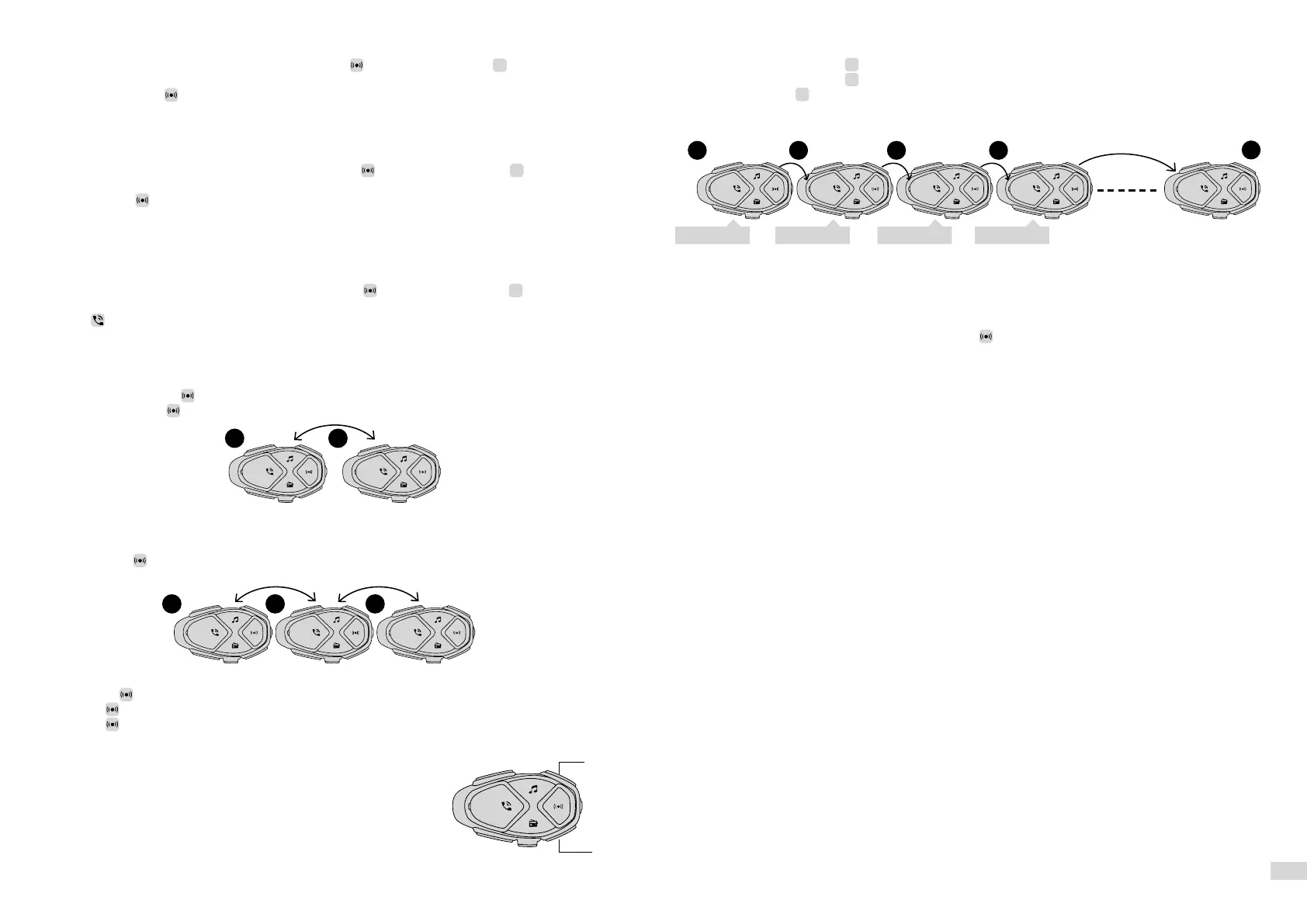
1. With the intercom off, on each unit, press and hold together with button
>
(UP) until the LED
flashes red/green.
2. Then briefly press only on one of the two units.
4.1.3 Pairing to a PREVIOUS SERIES INTERCOM or DIFFERENT MODEL device.
1. With the second Interphone unit off, press and hold the central MFB or ON/OFF button until alternate
red/blue flashing of the LEDs.
2. On Interphone AVANT off, keep pressed the button together with button
>
(UP) until the LED
flashes red/green.
3. Press briefly on Interphone AVANT.
4. After a few seconds the units will be paired and the intercom conversation will be started.
4.1.4 Pairing with a NON-Interphone (ANYCOM™) device.
1. In the NON-Interphone unit, start the telephone search/pairing mode; refer to the user manual of the
intercom to be paired.
2. On Interphone AVANT off, keep pressed the button together with button
>
(UP) until the LED
flashes red/green.
3. Press on Interphone AVANT.
4. After a few seconds the units will be paired and the intercom conversation will be started.
4.2 Two-way intercom conversation
1. Pair unit 1 with unit 2 (Chap. 4.1), operation only required the first time
2. Briefly press button on unit 1 or on unit 2.
3. Press again briefly on unit 1 or on unit 2 to stop communication.
4.3 Three-way intercom conversation
1. Pair unit 1 with unit 2 and then unit 2 with unit 3 (Chap. 4.1), operation only required the first time. 2.
2. Briefly press on unit 2 to start the conversation in conference between units 1, 2, 3.
Commands with conference active:
• Press again on unit 2 to stop the conversation in conference.
• Or press on unit 1 to stop conversation with other units.
• Or press on unit 3 to stop conversation with other units.
• From unit 2, it is possible to call only unit 3 by pressing the “UP” button until the second beep, or only
unit 1, by pressing the “DOWN” button until the second beep.
4.4 Multiuser Intercom conversation
1. Only the first time, pair unit 1 to 2, than unit 2 to 3, following this procedure up to the last unit of the
group (cap.4.1).
2. On unit 1 press the button
>
(UP) until the second beep, to connect to unit 2 (1+2).
3. On unit 2 press the button
>
(UP) until the second beep, to connect to unit 3 (1+2+3).
4. Perform pressing
>
(UP) until the second beep on every following units, until every person is con-
nected in the group.
4.5 Automatic Reconnection
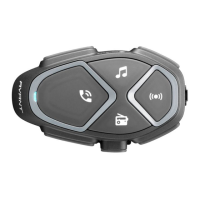
INTERPHONE AVANT has the function of auto reconnection. When the unit is out of range, it will attempt
to reconnect. During the search period, a sound alert message will be heard. After 10 minutes, if recon-
nection is not successful, the unit will go into Standby mode, interrupting the reconnection attempts.
To stop the reconnection attempts, press the button
of one of the units on which auto reconnection
is being attempted.
4.6 Warnings and suggestion
If the HD intercom function is active, it is not possible to participate in the conference. Switch to GROUP
INTERCOM for conference conversation.
You cannot listen to GPS instraction in the background during multi-user conference.
Optimum operation of group conversation is ensured by only using Interphone-branded devices.
The audio quality of the “INTERCOM” function is strongly influenced by:
• the correct installation of speakers and microphone inside the helmet.
• surrounding environment (electromagnetic disturbances, natural obstacles etc.).
• the aerodynamic protection features of the motorcycle.
• type of helmet being used.
1 2 3 4
8
Beep...beep Beep...beep Beep...beep Beep...beep
1 2
1 2 3
UP
DOWN


 To Next Page