da Vinci SP Port Accessories
da Vinci SP Instruments and Accessories
68
DRAFT/PRE-RELEASE/CONFIDENTIAL
12/5/19
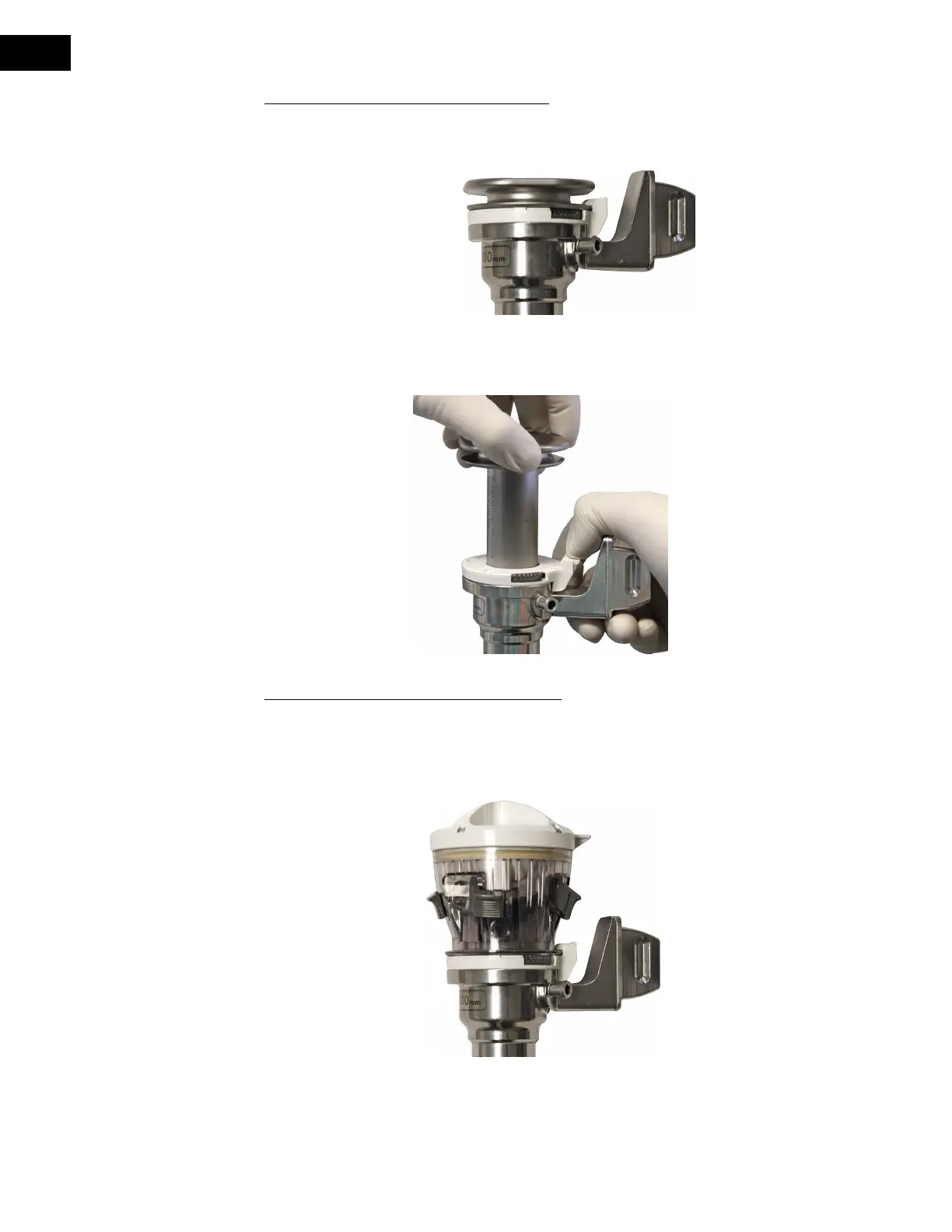
Attaching and Removing the Obturator
Before attaching the obturator, ensure that a SP Cannula Seal is attached to the cannula. Insert
the obturator fully into the SP Cannula Seal and through the SP Cannula until the latch on the
SP Cannula Seal locks the obturator into place with a tactile and audible click (Figure 9.9).
Figure 9.9 Obturator attached to SP Cannula Seal
To remove the obturator, pull back the latch on the SP Cannula Seal and gently pull the
obturator out of the SP Cannula (Figure 9.10).
Figure 9.10 Remove obturator from SP Cannula Seal
Attaching and Removing the Entry Guide
Before attaching the Entry Guide, ensure that a SP Cannula Seal is attached to the SP Cannula.
Insert the Entry Guide fully into the SP Cannula Seal and through the SP Cannula until the
latch on the SP Cannula Seal locks the Entry Guide into place with a tactile and audible click
(Figure 9.11).
Figure 9.11 Entry Guide attached to SP Cannula Seal and SP Cannula


 To Next Page