A4™AND A4™TITANIUM 46 Part No. 1110545
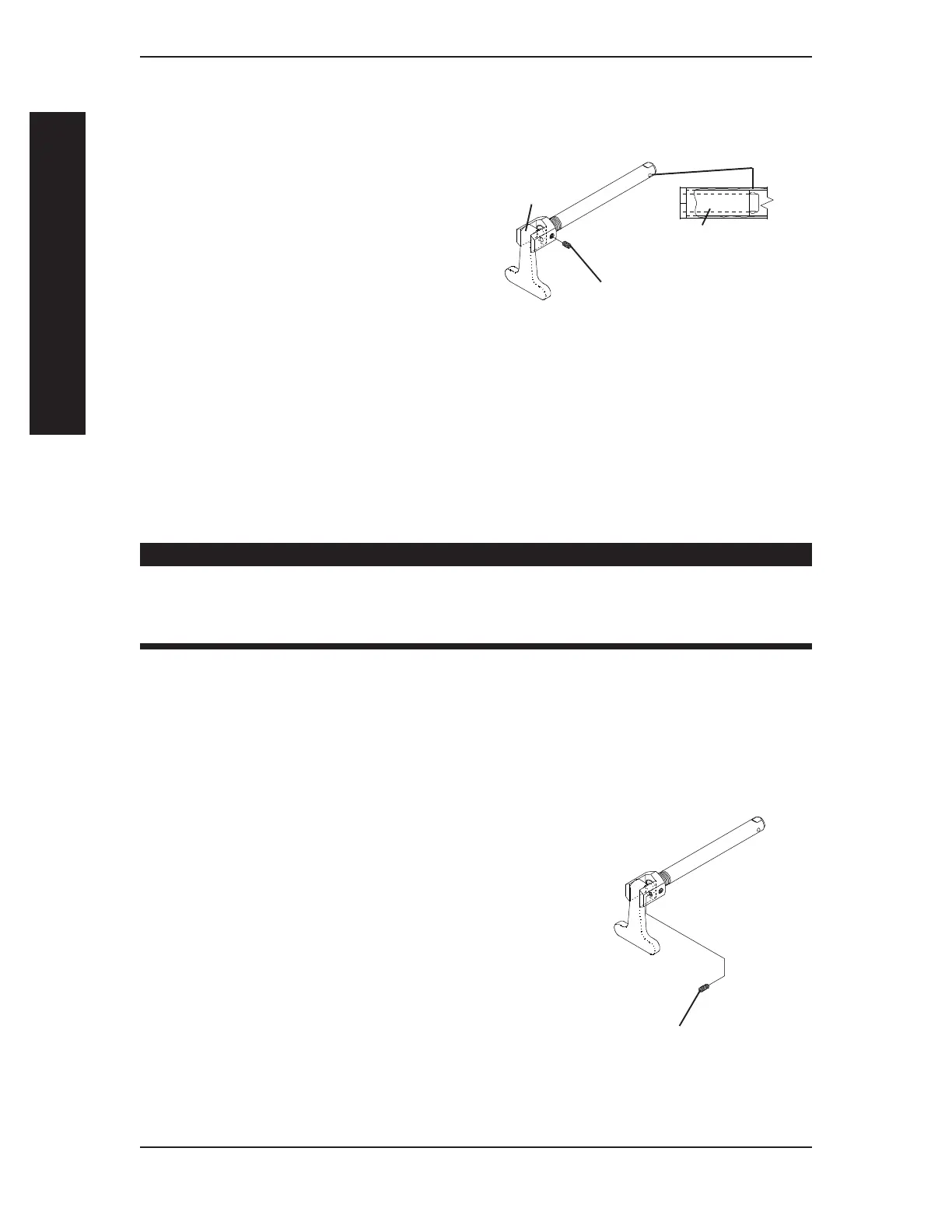
ADJUSTING THE QUAD-RELEASE HANDLE IN
AND/OR OUT (FIGURE 4)
1. Remove rear wheel and the
quad-release axle from the wheelchair.
2. Loosen the locking screw.
3. Make the following adjustments:
If the quad-release handle is not
releasing the locking pins
completely, rotate the
quad-release handle approximately
one-quarter (1/4) turn
CLOCKWISE.
If the quad-release handle hits the spokes of the rear wheel when assembled,
rotate the quad-release handle approximately one-quarter (1/4) turn
COUNTERCLOCKWISE.
4. Tighten the locking screw.
5. Reinstall the rear wheel and quad-release axle onto the wheelchair.
WARNING
Make sure the detent pin and locking pins of the quad-release axle are
fully released BEFORE operating the wheelchair.
Keep locking pins clean.
6. Flip the handle of the quad-release axle down to release the detent pin ensuring that
the locking pins are fully released.
7. Repeat the above procedures until the quad-release axle locks correctly.
Quad-Release
Handle
Locking Screw
Locking Pins
Camber Bushing
FIGURE 4 - ADJUSTING
QUAD- RELEASE HANDLE
IN AND/OR OUT
REMOVING THE PLAY FROM THE REAR WHEELS
(FIGURE 5)
NOTE: The adjusting nut on the quick-release
axles originally performed this function.
1. With the rear wheel and quad-release
axle still mounted onto the wheelchair,
tighten the length adjusting screw
until there is no in and out
movement of the quad-release
axle and rear wheel.
SECTION 5 WHEELS
WHEELS
Length Adjustment Screw
FIGURE 5 - REMOVING THE PLAY
FROM THE REAR WHEELS




 To Next Page