11 SETUP/MAINTENANCE
Invacare
3G Storm Series® 100 Part No 1143151
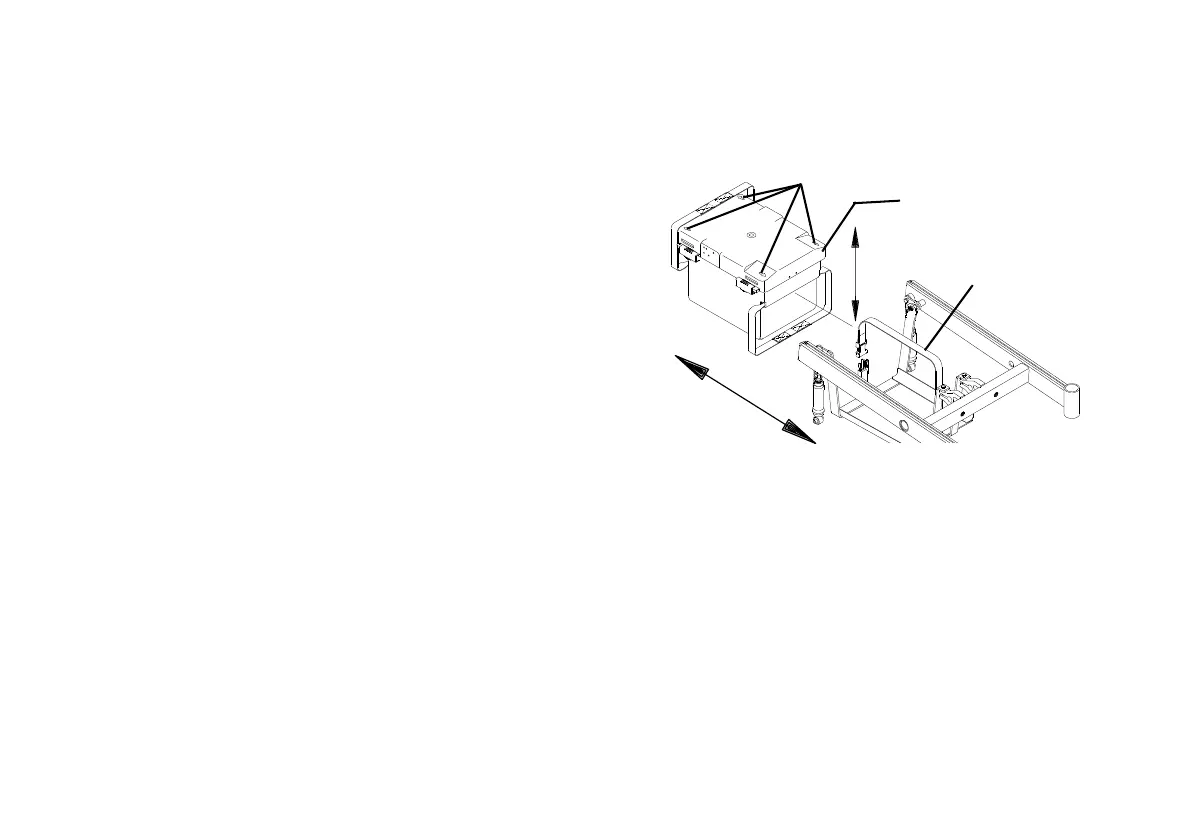
Removing/Installing the 22NF Battery Box
1. Place the wheelchair in a well ventilated area where work can be
performed without risking damage to carpeting or floor covering.
2. Verify the joystick On/Off switch is in the Off position.
3. Disconnect the battery cable from the outside of the battery box.
4. Disconnect the battery box retention strap.
5. Remove the battery box.
6. Slide the four clips that secure the battery box cover to the battery
box to the open position.
7. Remove battery box cover from the battery box.
FIGURE3 Removing/Installing the 22NF Battery Box
To install the battery box onto the wheelchair,
reverse the following steps.
Arrows on the battery box cover point to the
open position.
Arrows
Battery Box
Retention Strap
Battery Box







 To Next Page