12 TROUBLESHOOTING
Part No 1143151
123 Invacare
3G Storm Series®
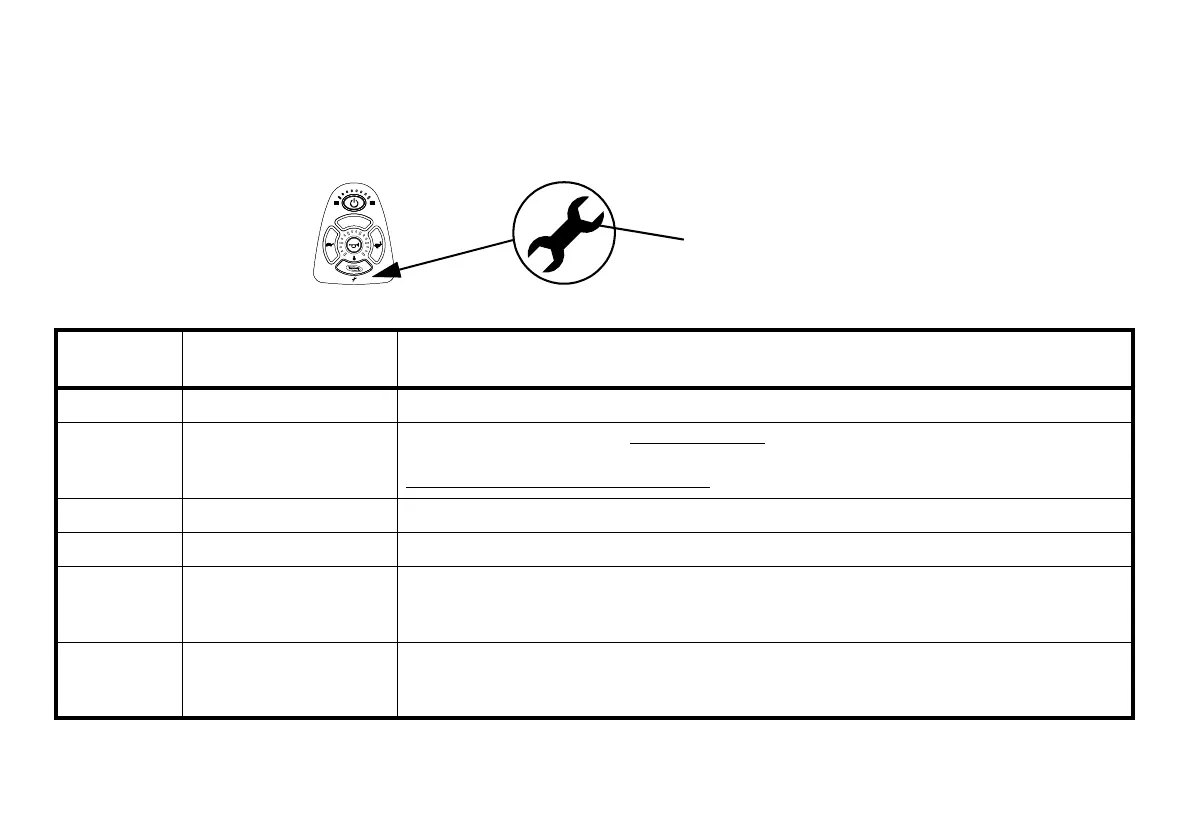
Service Indicator Light Diagnostics
FIGURE1 Service Indicator Light Diagnostics
For this procedure, refer to FIGURE1.
NUMBER OF
FLASHES
ERROR CODE
DESCRIPTION
POSSIBLE SOLUTION
1 User Fault
Release joystick to neutral and try again.
2 Battery Fault
Charge the batteries. Refer to Charging Batteries on page 66.
Check that battery cables are connected properly. If necessary, replace batteries. Refer to
Disconnecting/Connecting Battery Cables
on page 104.
3Left Motor Fault
Contact Invacare/Dealer for service.
4 Right Motor Fault
Contact Invacare/Dealer for service.
5 Left Park Brake Fault
Ensure brake lever is in the drive position before turning on the wheelchair. Ensure motor cable is
plugged into the controller.
Contact Invacare/Dealer for service.
6 Right Park Brake Fault
Ensure brake lever is in the drive position before turning on the wheelchair. Ensure motor cable is
plugged into the controller.
Contact Invacare/Dealer for service.






 To Next Page