EasyManua.ls Logo

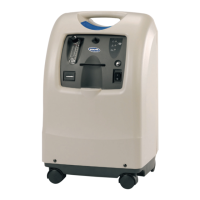
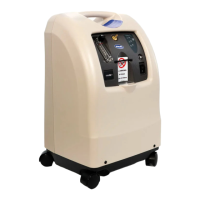
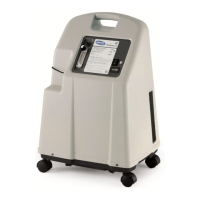
Invacare Perfecto 2 Series - User Manual

Invacare Perfecto 2 Series
164 pages
Print Icon
To Next Page IconTo Next Page
Loading...
Invacare®Perfecto
™Series
IRC5PO2AW,IRC5PO2VAW
enHomeFill®SystemCompatibleOxygen
ConcentratorswithSensO
UserManual................................3
daHomeFill®SystemKompatibel
iltkoncentratorermedSensO
Brugsanvisning..............................35
fiHomeFill®SystemyhteensopivaHappi
keskittimetkanssaSensO
Käyttöohje.................................67
noHomeFill®systemetkompatibelt
oksygenkonsentratorermedSensO
Bruksanvisning..............................99
svHomeFill®systemetkompatibelt
syrgaskoncentreraremedSensO
Bruksanvisning..............................131
ThismanualMUSTbegiventotheuseroftheproduct.
BEFOREusingthisproduct,readthismanualandsaveforfuturereference.

Table of Contents

Other manuals for Invacare Perfecto 2 Series

Questions and Answers

  • J
    James GarciaAug 20, 2025
    Why is my Invacare Medical Equipment losing power with both internal status indicators (red and green) off, even when plugged in and the power switch is on?
    • M
      Monique QuinnAug 20, 2025
      The issue might stem from a damaged P.C. board or a loose/damaged connector. In such cases, replacing the P.C. board or repairing/replacing the connector might resolve the problem.
  • R
    Rhonda DownsAug 22, 2025
    What to do if my Invacare Medical Equipment is excessively loud?
    • L
      Laurie HallAug 22, 2025
      An excessively loud unit could be due to several reasons: * A cracked, damaged, or missing muffler or disconnected/damaged muffler tubing. Consider replacing the muffler or reconnecting/replacing the tubing. * A missing compressor inlet filter. Replace the compressor inlet filter. * The compressor was removed. Replace the compressor. * An incorrect style of inlet filter (aftermarket). Replace with factory OEM sound reduced style inlet HEPA filter.
  • L
    leslie12Aug 25, 2025
    What to do if my Invacare Medical Equipment is overheating?
    • S
      Sarah LeeAug 25, 2025
      If your unit overheats, consider these possible causes and solutions: * Ensure the base exhaust vent isn't plugged or restricted by placing the unit at least 12 inches from any wall and avoiding placement on thick carpeting. * Clean or replace dirty/blocked cabinet filters. * Check the fan for disconnected leads (reconnect), defects (replace the fan), or incorrect installation (install with airflow arrow pointing down). * Clean or replace a dirty or damaged heat exchanger. * The compressor is defective. Replace the compressor. * Have line voltage inspected by a certified electrician.
  • B
    Bryan DavisAug 26, 2025
    What to do if my Invacare Medical Equipment has low oxygen concentration?
    • J
      Jessica GarciaAug 26, 2025
      Low oxygen concentration can arise from several factors: * Dirty cabinet filters: Clean or replace them. * Dirty compressor inlet filter: Replace it. * Defective compressor: Replace it. * Leaking heat exchanger: Replace or retighten. * Cracked or leaking regulator: Replace it. * Dirty or plugged exhaust muffler: Replace it. * Faulty fan: Reconnect leads or replace the fan. * Defective sieve beds: Replace them. * Kinked or blocked tubing: Repair or replace it.
  • C
    carrilloreginaAug 27, 2025
    Why is my Invacare Medical Equipment losing power (red and green internal status indicators off) with the unit unplugged?
    • Y
      youngjanetAug 27, 2025
      If your device shows a power loss with both internal status indicators off while unplugged, ensure the power cord is properly plugged in and the power switch is turned ON (I /) to initiate recharging. If the outlet isn't working, check it with another device or a voltmeter. If it's still not working, inspect your home's electrical panel or consult an electrician. Avoid using extension cords and try another outlet or circuit. Also, check the power cord for any damage (frayed, broken, or disconnected). Reattach or replace any damaged components.
  • T
    Teresa DavisAug 29, 2025
    What to do if my Invacare Medical Equipment shows defective parts (one red flash, five green flashes or two red flashes, three green flashes)?
    • P
      patrickburkeAug 29, 2025
      If your equipment indicates defective parts, it could be due to: * A defective main valve coil: Replace the main valve or its coil. * A loose connector: Reattach it. * A defective P.E. valve coil: Replace the P.E. coil if shorted or open. * A defective P.E. valve: Replace the P.E. valve. * A defective P.C. board: Replace the P.C. board.
  • K
    Katherine LewisAug 31, 2025
    What causes high pressure in my Invacare Medical Equipment and how to fix it?
    • L
      Lori MedinaAug 31, 2025
      High pressure in your equipment, indicated by one red flash and two green flashes, could be due to several reasons: * A malfunctioning P.C. board or disconnected wire: Set the flow to max L/min and check the voltage across Pilot Valve 1. Also, check spade connectors on pilot valves 1 or 2 and connectors on the P.C. board. If the valve is shifting at pressures greater than 25 p.s.i. for Perfecto2, replace the P.C. board. * A faulty 4-way valve: Check the voltage. Replace the valve if shorted or open. The coil should read 175 ohm ± 20. * A dirty or plugged compressor inlet filter: Replace the filter.
  • M
    Michael BullockSep 2, 2025
    What causes low pressure in Invacare Medical Equipment and how to resolve it?
    • J
      Jason StewartSep 2, 2025
      Low pressure, indicated by specific red and green flash patterns and a continuous alarm, may be caused by: * Compressor issues: Leaks at fittings/tubing, a leaking relief valve, insufficient voltage, or worn seals. Replace/repair leaks, ensure sufficient voltage, or rebuild the compressor. * Heat exchanger leaks: Replace/retighten tubing or the heat exchanger. * A cracked or leaking regulator: Replace the regulator. * A leaking P.E. valve: Replace the P.E. valve. Check for leaks throughout the pneumatic connections.
  • C
    Cynthia SalasSep 3, 2025
    What causes fluctuating flow in my Invacare Medical Equipment?
    • A
      Alice MejiaSep 4, 2025
      Fluctuating flow can be caused by: * Incorrectly set regulator or flowmeter malfunction: Check pressure at the oxygen outlet and adjust the regulator. If flow is still unstable, check for leaks. If no leaks are found and flow is still fluctuating, replace the regulator. If pressure at test point is within spec (5 p.s.i. ± 0.5 max. [34.4 kPa ± 6.89]), replace flowmeter. * Dirty or plugged outlet HEPA filter: Replace the outlet HEPA filter.
  • W
    wtateSep 5, 2025
    Why does my Invacare Medical Equipment have good oxygen purity but the yellow panel indicator is on?
    • J
      Jennifer LeonSep 5, 2025
      If your equipment shows good oxygen purity but the yellow panel indicator is illuminated, the P.C. board may be defective. Consider replacing it.

Summary

General

O2 Indicators

Details the oxygen purity indicators, their meaning, and corresponding light signals.

Safety

General Guidelines

Provides essential instructions for safe installation, assembly, and operation of the concentrator.

Components

Setup

Usage

Select a Location

Provides guidance on choosing a suitable location for the concentrator to ensure optimal performance and safety.

Setting Up the Concentrator

Details connecting the power cord and humidifier, with safety precautions for humidifier setup.

Turning the Concentrator On

Explains how to power on the oxygen concentrator and what to expect during startup.

Flowrate

Guides on setting the correct flow rate using the flowmeter and explains related alerts.

Initial Startup of the Concentrator

Explains that the concentrator can be used during its initial warm-up period for oxygen purity.

Maintenance

Cleaning the Cabinet

Provides instructions and safety warnings for cleaning the exterior of the oxygen concentrator.

Troubleshooting

Troubleshooting

Offers solutions for common symptoms and alarms, categorizing issues by probable cause.

Technical Data

Invacare Perfecto 2 Series Specifications

General IconGeneral
Operating AltitudeUp to 8, 000 ft (2, 438 m)
Operating Temperature55°F to 90°F (12.8°C to 32.2°C)
Operating HumidityUp to 95% non-condensing
Oxygen Concentration87% to 95.6%
Flow Rate0.5 to 5 LPM
Power Consumption280 W
Dimensions23 in (H) x 13 in (W) x 12 in (D) / 58.4 cm (H) x 33 cm (W) x 30.5 cm (D)
Electrical Requirements120 VAC, 60 Hz

Related product manuals