EasyManua.ls Logo

Invacare XPO100 - Service Manual

Invacare XPO100
20 pages
Print Icon
To Next Page IconTo Next Page
Loading...
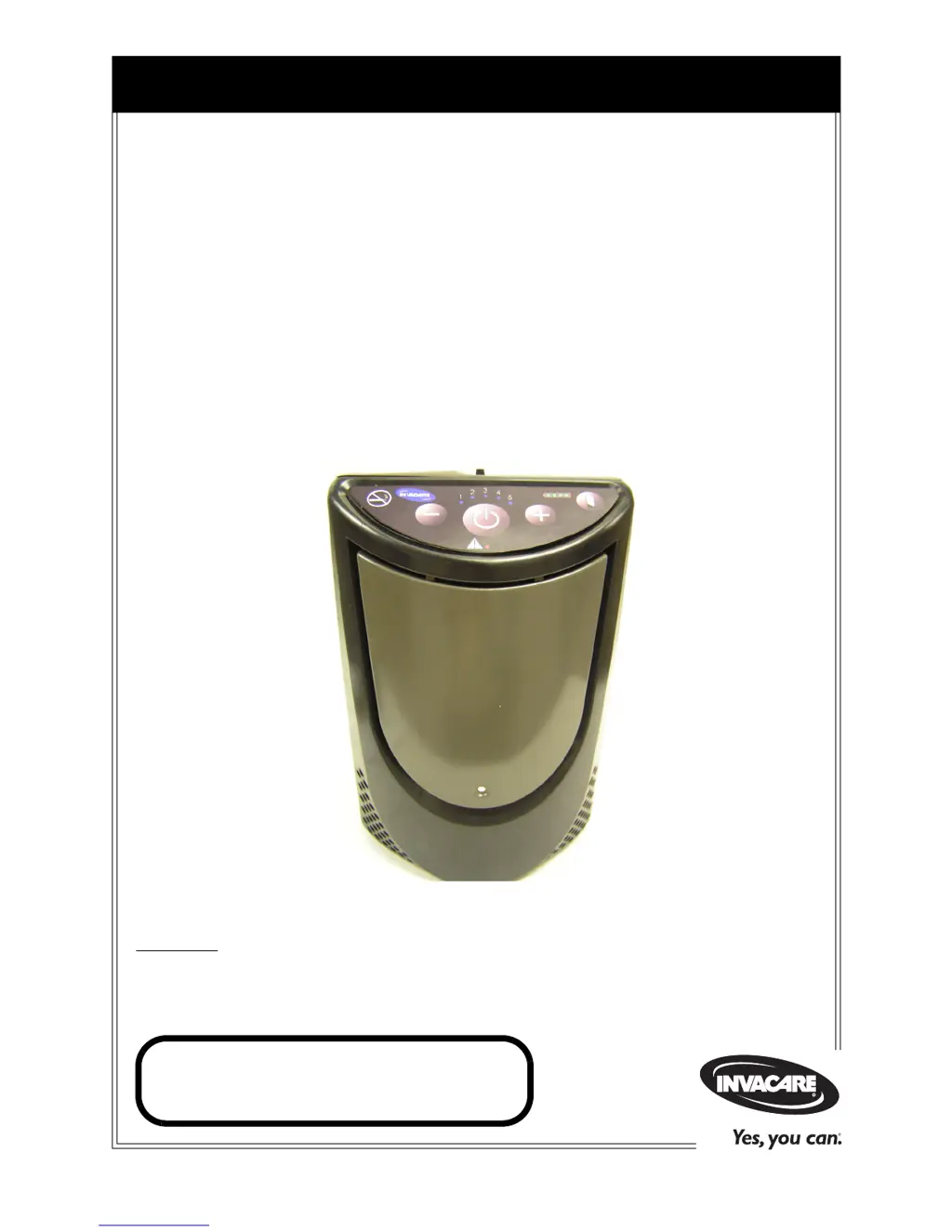
Service Manual
DEALER: Keep this manual. The procedures in this manual MUST be
performed by a qualified technician.
For more information regarding
Invacare products, parts, and services,
please visit www.invacare.com
XPO
2
Portable Oxygen
Concentrator
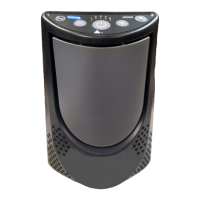
Models XPO100, XPO100B, XPO100B-EU, XPO100B-UK
and XPO100B-AU

Other manuals for Invacare XPO100

Questions and Answers

  • M
    Marissa GarrettSep 23, 2025
    What to do if Battery Gauge is dark when AC or DC charging adapter plugged into Invacare Oxygen Equipment?
    • M
      Michael PetersonSep 23, 2025
      If the Battery Gauge is dark when the AC or DC charging adapter is plugged into your Invacare oxygen concentrator, and no Battery Gauge segments are illuminated when the battery status button is pressed, consider the following: * Try another power outlet and check the connections to the charger and concentrator, as the power source may be faulty or there may be a loose connection. * Allow the unit to reach a charging temperature range (between 41ºF and 95ºF), as the internal battery might be outside the allowed temperature range for charging. * If using a DC adapter, change the fuse, using Invacare part number 1185420.
  • M
    Melissa KingAug 25, 2025
    What to do if Invacare Oxygen Equipment is beeping intermittently with a red alarm?
    • M
      Mitchell ArmstrongAug 25, 2025
      If your XPO unit is beeping intermittently and the red alarm indicator is lit, it means your breathing rate may be too high for the device. Immediately reduce your activity to slow your breath rate. If the alarm continues, switch to another oxygen source.
  • S
    sharon09Aug 25, 2025
    What to do if Invacare XPO100 Oxygen Equipment shows continuous beep, red alarm, and flow indicators 1 & 4?
    • J
      James PetersonAug 26, 2025
      If your XPO unit is beeping continuously, the red alarm is on, and flow indicators 1 & 4 are lit, the internal battery has become too hot or too cold during operation. Unplug the chargers if they are connected. Allow the unit to cool to below 95ºF or warm to above 50ºF before resuming charging or turning the unit off and then on again. If the alarm persists, use an alternative oxygen source and contact your equipment provider.
  • J
    Jennifer StarkAug 26, 2025
    What to do if Invacare XPO100 shows continuous beep, red alarm, and flow indicators 1 & 5?
    • A
      allenjohnAug 26, 2025
      If your XPO unit is beeping continuously, the red alarm is illuminated, and flow indicators 1 & 5 are lit, a stuck button is being detected upon power up. Turn off the unit. With the unit turned off, press each control button to check for a stuck button. Turn on the unit, ensuring you do not continue to hold the Power On/Off button once the lights begin to illuminate. If the alarm continues, change to another source of oxygen and contact your equipment provider.
  • P
    Paul ValdezAug 27, 2025
    What to do if Invacare XPO100 Oxygen Equipment shows continuous beep, red alarm, and flow indicators 3 & 4?
    • V
      Victor ParkerAug 27, 2025
      If your XPO unit is beeping continuously, the red alarm is illuminated, and flow indicators 3 & 4 are lit, abnormal operation has been detected. Turn off the unit, then turn it back on. If the alarm continues, switch to another source of oxygen and contact your equipment provider.
  • S
    Sheryl KrauseSep 13, 2025
    What to do if Invacare XPO100 Oxygen Equipment XPO does not operate when On/Off button pressed?
    • O
      ovargasSep 14, 2025
      If your XPO unit doesn't turn on when you press the On/Off button, make sure you hold the button down until the front panel lights illuminate, typically for 2-3 seconds. If that doesn't work, connect the XPO to an AC or DC charger, as the internal battery might be discharged. If the problem persists, switch to an alternate oxygen supply and contact your equipment provider.
  • J
    john61Sep 12, 2025
    What to do if Invacare Oxygen Equipment has single audible beep and green 25% battery indicator is rapidly blinking?
    • L
      Laura JonesSep 12, 2025
      If your Invacare XPO concentrator emits a single audible beep and the green 25% battery indicator is rapidly blinking, it indicates that the internal battery requires charging. To fix this: 1. Connect the XPO concentrator to its AC or DC power adapter, or to its supplemental battery pack. 2. If no other power source is available, switch to a reserve oxygen supply.
  • M
    Matthew JonesSep 12, 2025
    What to do if Invacare Oxygen Equipment has triple audible beep and green 25% battery indicator is blinking very rapidly?
    • H
      holderkimSep 13, 2025
      If your Invacare XPO concentrator emits a triple audible beep and the green 25% battery indicator is blinking very rapidly, it means the internal battery is completely discharged and needs to be recharged. Here’s what to do: 1. Connect the XPO concentrator to its AC or DC power adapter, or to its supplemental battery pack. 2. If no other power source is available, switch to a reserve oxygen supply.
  • R
    Ralph MaddenSep 4, 2025
    What to do if Invacare Oxygen Equipment has continuous audible beep and red alarm indicator is illuminated. AND Flow indicators 1 & 5 are illuminated?
    • T
      taylorcindySep 4, 2025
      If your Invacare oxygen concentrator is beeping continuously, the red alarm indicator is on, and flow indicators 1 & 5 are illuminated, it indicates a stuck button is being detected upon power up. Here’s how to address it: 1. Turn off the concentrator. 2. With the concentrator turned off, press each control button to check for a stuck button. 3. Turn on the concentrator, ensuring you are not holding the Power On/Off button once the lights begin to illuminate. If the alarm persists, switch to another source of oxygen and contact your equipment provider.
  • T
    Timothy RobinsonSep 2, 2025
    What to do if Invacare Oxygen Equipment has continuous audible beep and red alarm indicator is illuminated. Fan is On. AND Flow indicators 1 & 3 are illuminated?
    • M
      Meghan BrownSep 2, 2025
      If your Invacare oxygen concentrator is beeping continuously with a red alarm, the fan is on, and flow indicators 1 & 3 are illuminated, it means the concentrator has become too hot or too cold during operation. To resolve this: 1. Allow the concentrator to cool down to less than 95ºF (35°C), or warm up to 50ºF (10°C), before turning the concentrator off, then on again. If the alarm continues, switch to another source of oxygen and contact your equipment provider.

Summary

Special Notes

Signal Word Definitions

Defines DANGER, WARNING, and CAUTION signal words for hazard communication.

No Smoking Safety Warning

Emphasizes the extreme danger of smoking with oxygen use to prevent fire.

Federal Law Restriction Notice

States the legal restriction on device sale or rental by physicians.

Typical Product Parameters

Electrical and Power Specifications

Details AC/DC power requirements, current input, and voltage specifications.

Operational Specifications

Covers sound level, altitude limit, oxygen concentration, and flow delivery.

Battery and Environmental Specifications

Includes battery duration, recharge time, operating temperature, and humidity.

Regulatory Compliance Standards

Lists the standards and certifications the product complies with.

Important Safeguards

General Operating Safety

Provides essential operational guidelines for safe and effective device use.

Hazard Prevention Measures

Lists precautions against burns, electrocution, fire, and injury during operation.

Radio Frequency Interference Guidelines

Explains EMC compliance and methods to manage electromagnetic interference.

Component Replacement Procedures

Replacing Gross Particle Filter

Procedure for cleaning or replacing the gross particle filter.

Accessing and Removing Front Cover

Guides on opening the unit and safely removing the front cover.

Replacing Inlet Filter

Steps for replacing the inlet filter and connecting associated tubing.

Replacing the Battery

Instructions for safely removing and installing the internal battery.

Re-assembly and Replacement Parts

Details on re-assembling the unit and obtaining replacement parts.

Checking Oxygen Purity

Oxygen Purity Test Procedure

Step-by-step guide for checking oxygen purity using a handheld analyzer.

Troubleshooting and Maintenance

Troubleshooting Alarm Overview

Introduces alarm categories and methods for accessing sub-alarm codes.

Device Error Code Reference

Lists common, operating, compressor, and system error codes with indicators.

Preventive Maintenance Schedule

Outlines recommended maintenance tasks and their required frequencies.

Device Function Test Guide

Steps to perform a functional test to ensure the device operates correctly.

Limited Warranty Information

Invacare XPO100 Specifications

General IconGeneral
BrandInvacare
ModelXPO100
CategoryOxygen Equipment
LanguageEnglish

Related product manuals