6 | Optidrive ODE-3 User Guide | Version 2.00 www.invertekdrives.com
1.4. Quick Start Overview
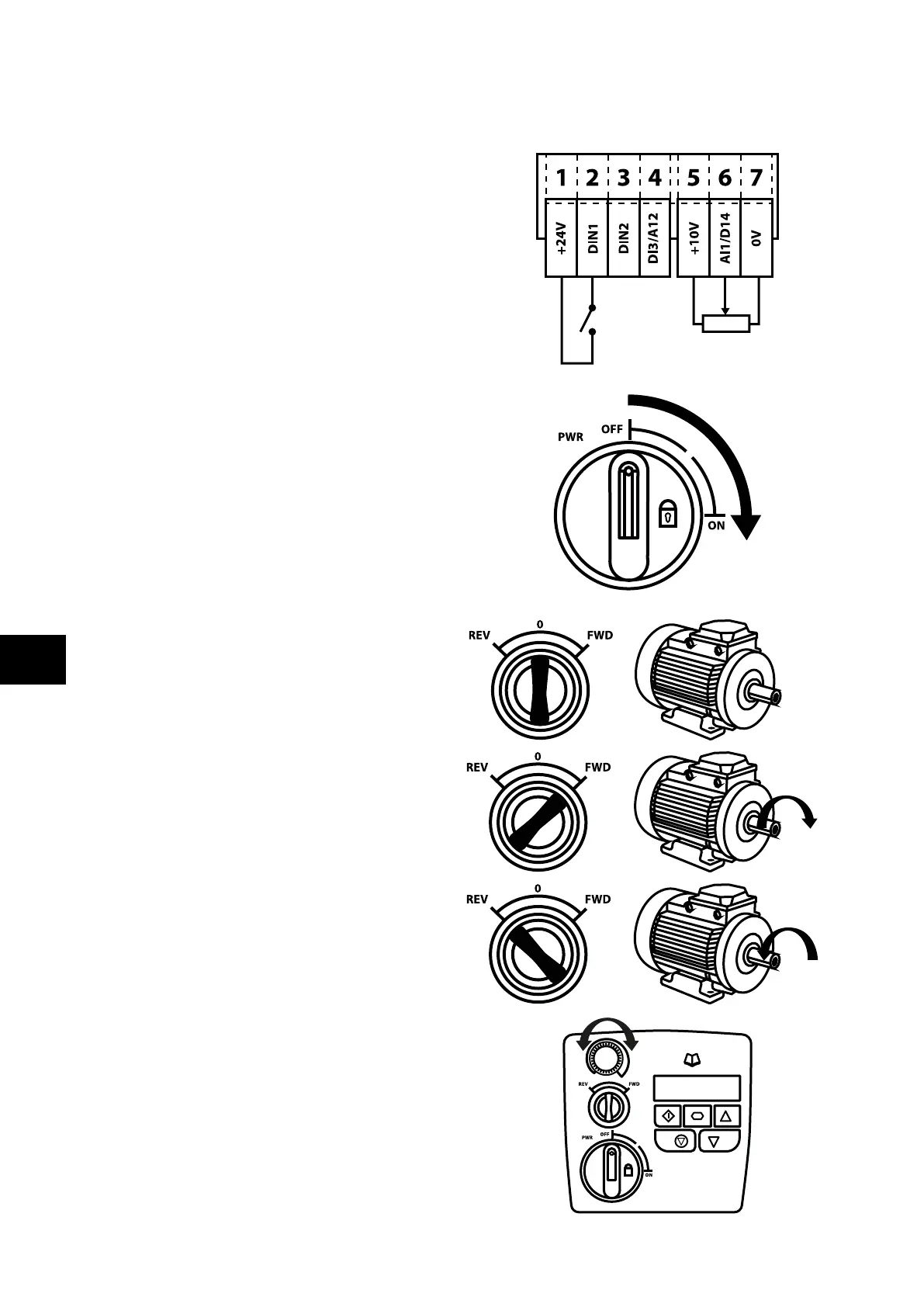
Quick Start – IP20 & IP66 Non Switched
Connect a Start / Stop switch between control
terminals 1 & 2
o Close the Switch to Start
o Open to Stop
Connect a potentiometer (5k – 10kΩ) between terminals 5,
6 and 7 as shown
o Adjust the potentiometer to vary the speed from P-02
(0Hz default) to P-01 (50 / 60 Hz default)
Quick Start – IP66 Switched
Switch the mains power on to the unit using the built in isolator
switch on the front panel.
The OFF/REV/FWD will enable the output and control the
direction of rotation of the motor.
The potentiometer will control the motor shaft rotational speed.
0
Quick Start Up
1



 To Next Page