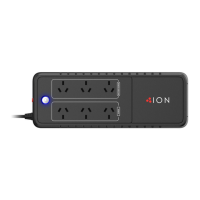
ION F10 850VA
4
Important Safety
Instrucon
The UPS must be connected to a grounded AC power outlet
with fuse or circuit breaker protecon. DO NOT plug the UPS
into an outlet that is not grounded. If you need to de-energize
this equipment, turn o and unplug the UPS.
The baery can energize hazardous live parts inside even
when the AC input power is disconnected.
To prevent the risk of re or electric shock, install in a
temperature and humidity controlled indoor area, free of
conducve contaminants. (Please see specicaons for
acceptable temperature and humidity range).
To reduce the risk of electric shock, do not remove the cover.
There are no user serviceable parts inside.
To avoid electrical shock, turn o the unit and unplug it from
the AC power source before installing a computer component.
Do not use with or near aquariums! To reduce the risk of re,
do not use with or near aquariums. Condensaon from the
aquarium can come in contact with metal electrical contacts
and cause the machine to short out.
Do not use with laser printers! The power demands of laser
printers are too large for a UPS.
This manual contains important instrucons that should
be followed during installaon and maintenance of the
ION F10 UPS and baeries. Please read and follow all
instrucons carefully during installaon and operaon
of the unit. Read this manual thoroughly before
aempng to unpack, install, or operate.


 To Next Page