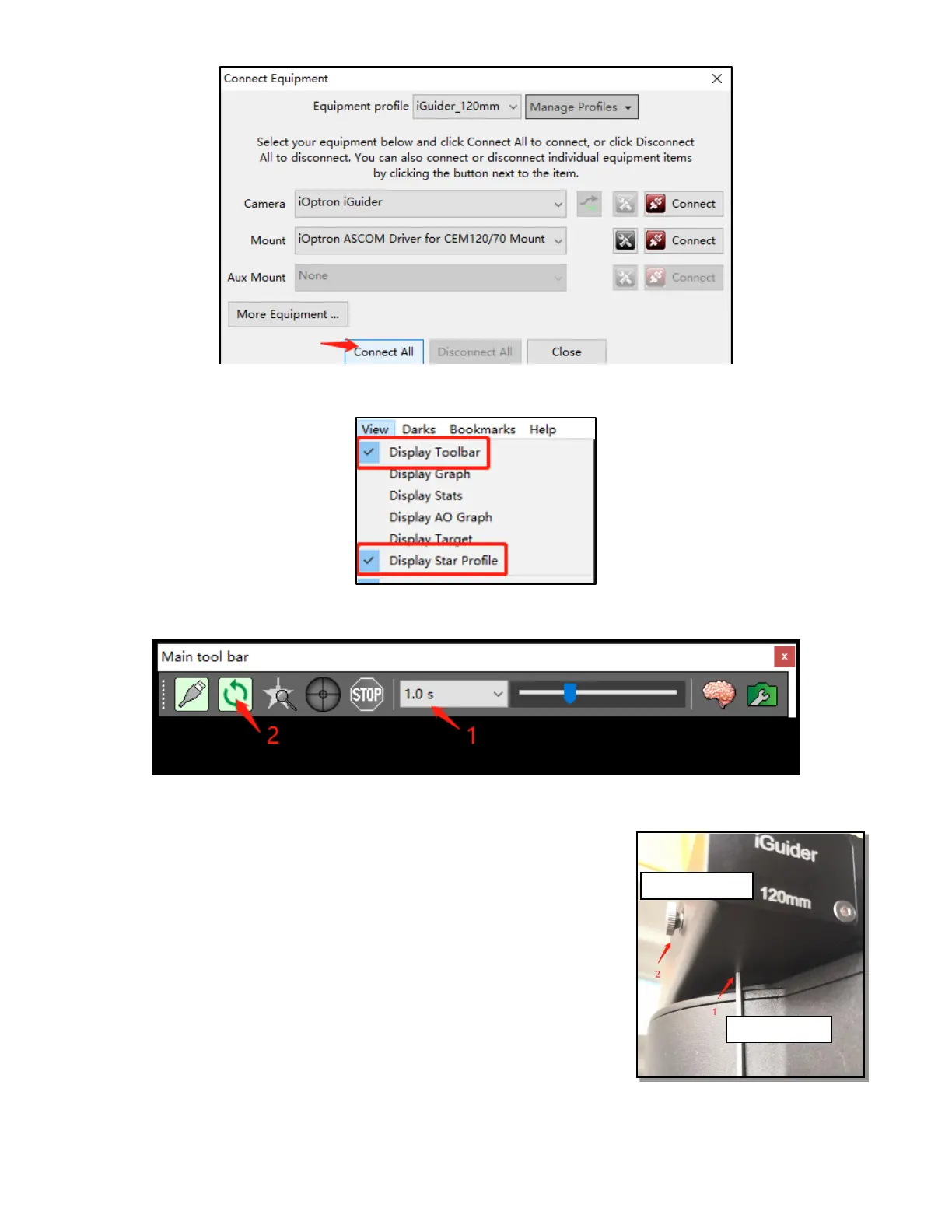
To view the image via iGuider, check “Display Toolbar” and “Display Star Profile” in View
menu.
Select proper “Exposure Time” in Main tool bar and click on “Continues Exposure”, you
should see star images in the main window. Make sure you remove the lens cover.
3. iGuiding Focus Adjustment
If you are using the iGudier the first time, you may need to adjust
the guiding camera focusing.
Set up the mount. Connect the mount to a computer. Perform
polar alignment. Set the Zero Position.
To adjust iGuider focus:
(1) Remove iGuider lens cover.
(2) Run PHD2 software and select iOptron iGuider
(3) Go to a bright star
(4) Loosen Focus Adjuster Locking Screw 1. Then adjust the
Focus Adjuster 2 to bring the star to show in the main
window.



 To Next Page