Refer to iPolar Operation Manual from iOptron’s website to perform the polar alignment:
https://www.ioptron.com/v/manuals/3339_iPolarOperationManual.pdf.
The steps are briefly outlined below:
Download and install iPolar Software (first time use)
https://www.ioptron.com/v/firmware/3339_iOptron_iPolar.exe;
Connect a miniUSB cable between the iPolar USB port and a computer USB port;
Click Connect and start polar alignment by following onscreen instructions.
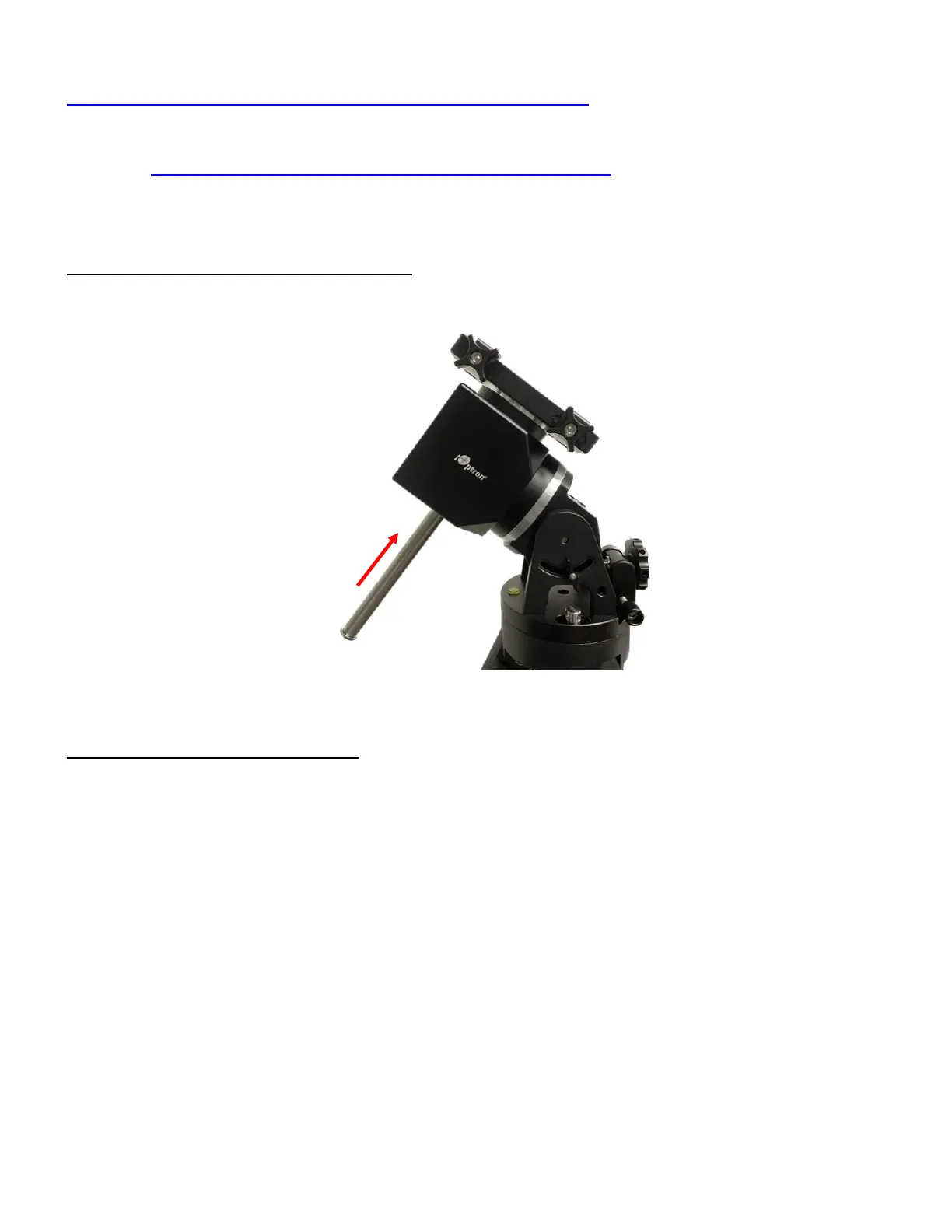
STEP 9. Install counterweight bar and CW:
The mount is designed to operate without a counterweight (CW). If you want to use an optional CW,
the CW shaft mounting hole is 3/8”-16 threaded. Thread in a CW shaft and install a 10 lbs CW.
Figure 15 Install CW shaft and a 10lbs CW
STEP 10. Set the mount in AA mode
An HAE mount can be set as either EQ or AA mode. To set the mount to operate in AA mode:
1. Switch the latitude range to 56°~90°.
2. Adjust the mount latitude to 90 degree by following Step 3.
3. Level the mount by adjusting the tripod legs to center the air bubble inside the spirit level. You may
slew the mount in AZI direction to check the leveling, during which the air bubble should stay inside
the small circle or stay at the same place.



 To Next Page