324540B-01
IOtech 640u & 650u Quick Start
USB2.0 Dynamic Signal Analyzers for Vibration Analysis & Monitoring
Before you get started
verify that you have the following items.
•
•
•
•
•
•
•
640u or 650u
USB Cable
USB2.0 port
[on PC]
Dynamic Signal Analysis CD
License Keys for purchased software;
e.g., eZ-Analyst, eZ-TOMAS, eZ-Balance, eZ-NDT
Monitor: SVGA, 1024 x 768 screen resolution
Windows 2000 and Windows XP users:
I
ntel
™
Pentium, 1 GHz or equivalent;
512 MB memory; 10 GB disk space
• Windows Vista users:
PC must be Windows Vista Premium Ready
Step 1 - Install Software
1. Close all running applications on the host PC.
2. Insert the Dynamic Signal Analysis CD into your CD-ROM drive and wait for the CD to auto-run. An Opening
Screen will appear. As an alternative, you can download software from:
www.iotech.com/ftp.html
3. Click the <ENTER SETUP> button.
Note: If you are downloading software from our website, follow instructions provided there.
4. From the hardware selection screen [which follows a licensing agreement], select the 640, 650 product-line
from the drop-down list and follow the on-screen instructions.
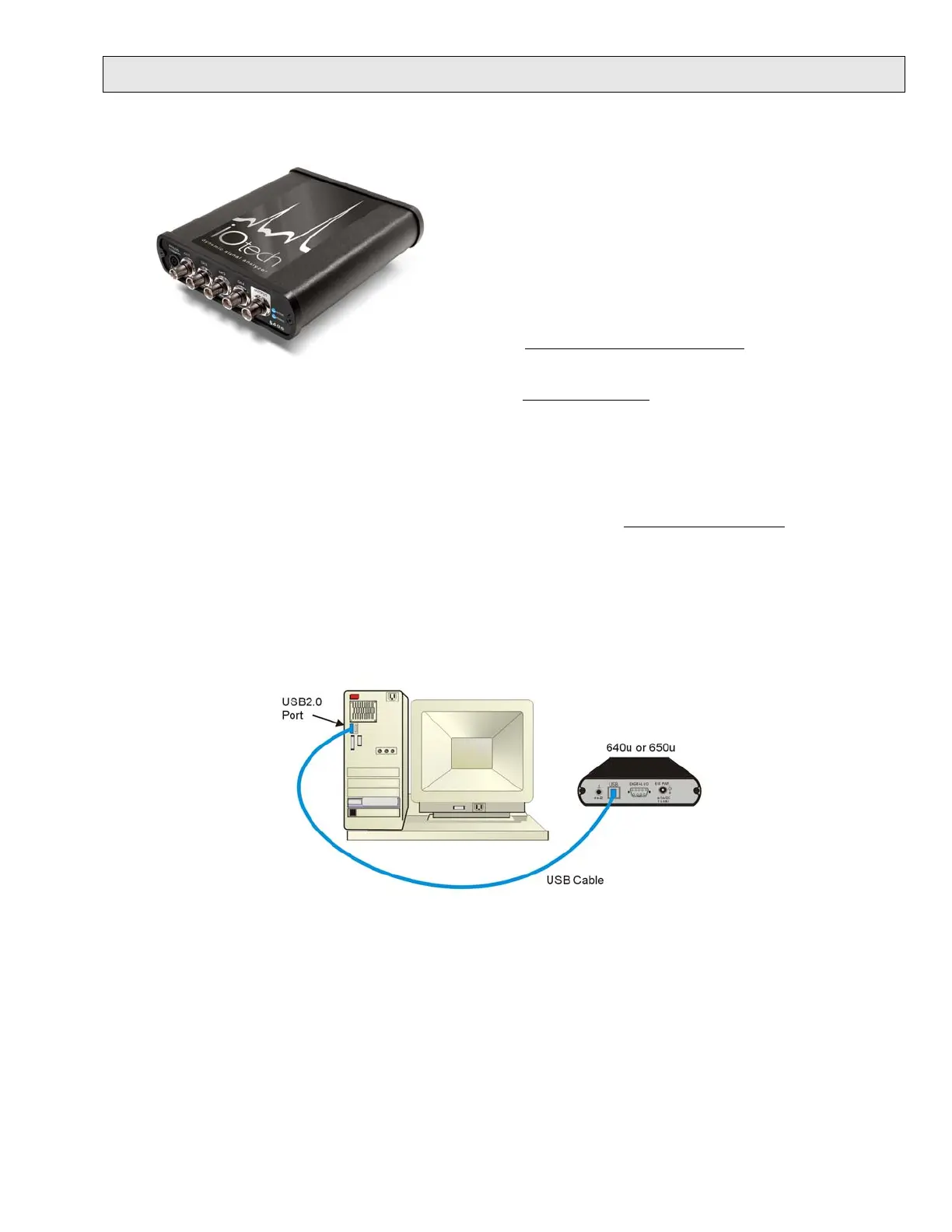
Step 2 - Connect the 640u or 650u to the Computer
1. Using a USB cable, connect the 640u [or 650u] to a USB2.0 port on the computer. USB2.0 port is required.
2. Follow the computer screen prompts as directed to allow the computer to detect your new hardware.
Note:
Power LED: The “Power” LED blinks during device detection and initialization; then remains on solid
as long as the module has power. If there is insufficient power the LED will go off.
Active LED: This LED is on whenever active communication is taking place between the 640 [or 650]
and the host PC. Note that the Active LED will be on solid during a data acquisition.



 To Next Page