Appendix B 907493 TCP/IP and Resource Tests for 640 & 650 Series B-1
Appendix B – TCP/IP and Resource Tests B
Before you run a test
Before testing the system, make sure the device has been properly installed and powered-on. Make sure all
cables are properly and securely connected.
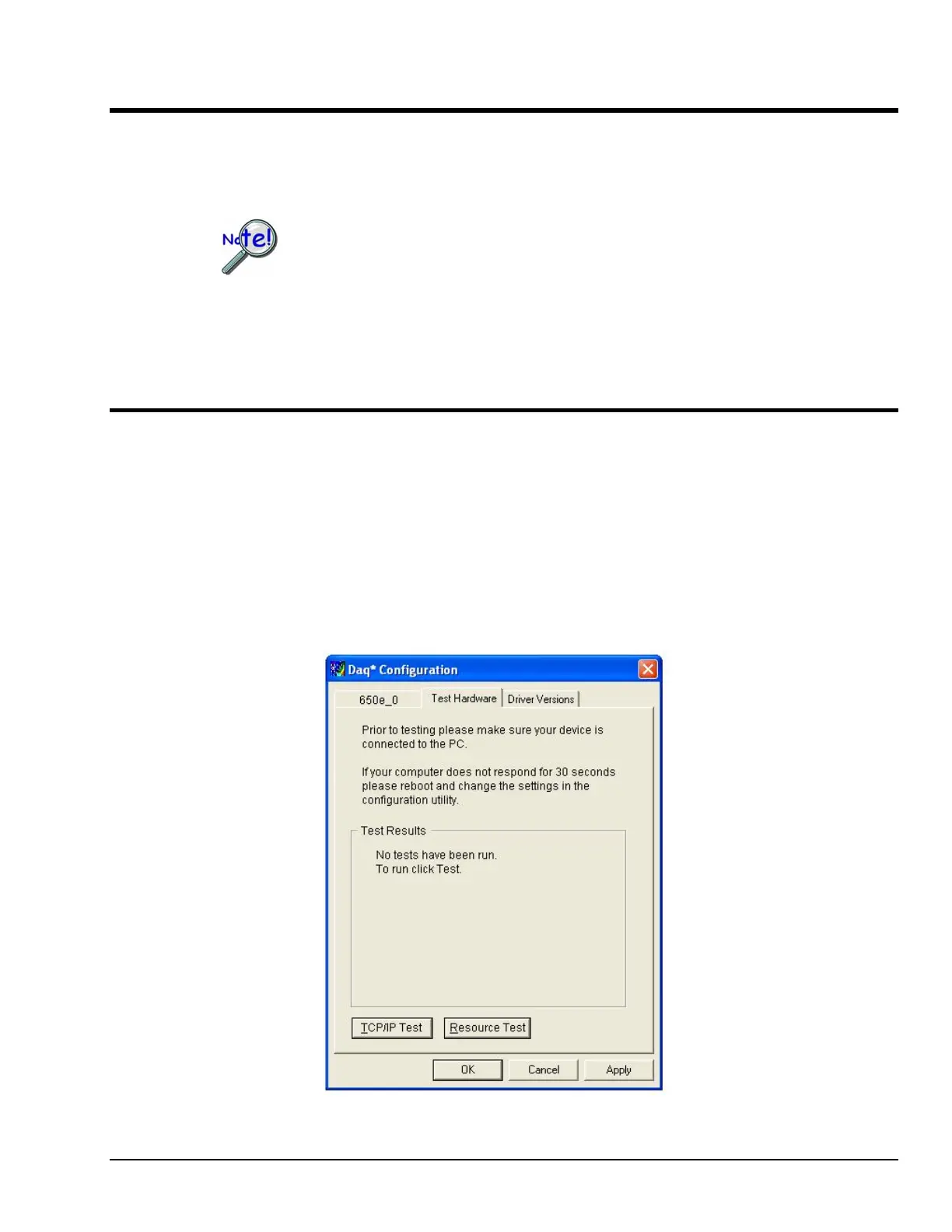
When testing a 640 or 650 Series device, if the unit does not respond within 30 seconds
perform the following steps:
1) reboot the system
2) upon power-up, re-open the Daq* Configuration applet
3) select another configuration setting
4) reinitiate the test
How to run the TCP/IP Test (The TCP/IP test is for Ethernet devices only)
The TCP/IP (Transmission Control Protocol/Internet Protocol) test is for Ethernet devices only. The test is
accessed and initiated as follows.
a. Open the Control Panel by navigating from the Windows’ Desktop as follows:
Start Menu ⇒ Settings ⇒ Control Panel
b. From the Control Panel, double-click the Daq Configuration icon.
c. Double-click on the 640e or 650e from the Device Inventory configuration tree.
d. Click the “Test Hardware” tab.
e. Click the <TCP/IP Test> button.
The Test Hardware Tab



 To Next Page