35
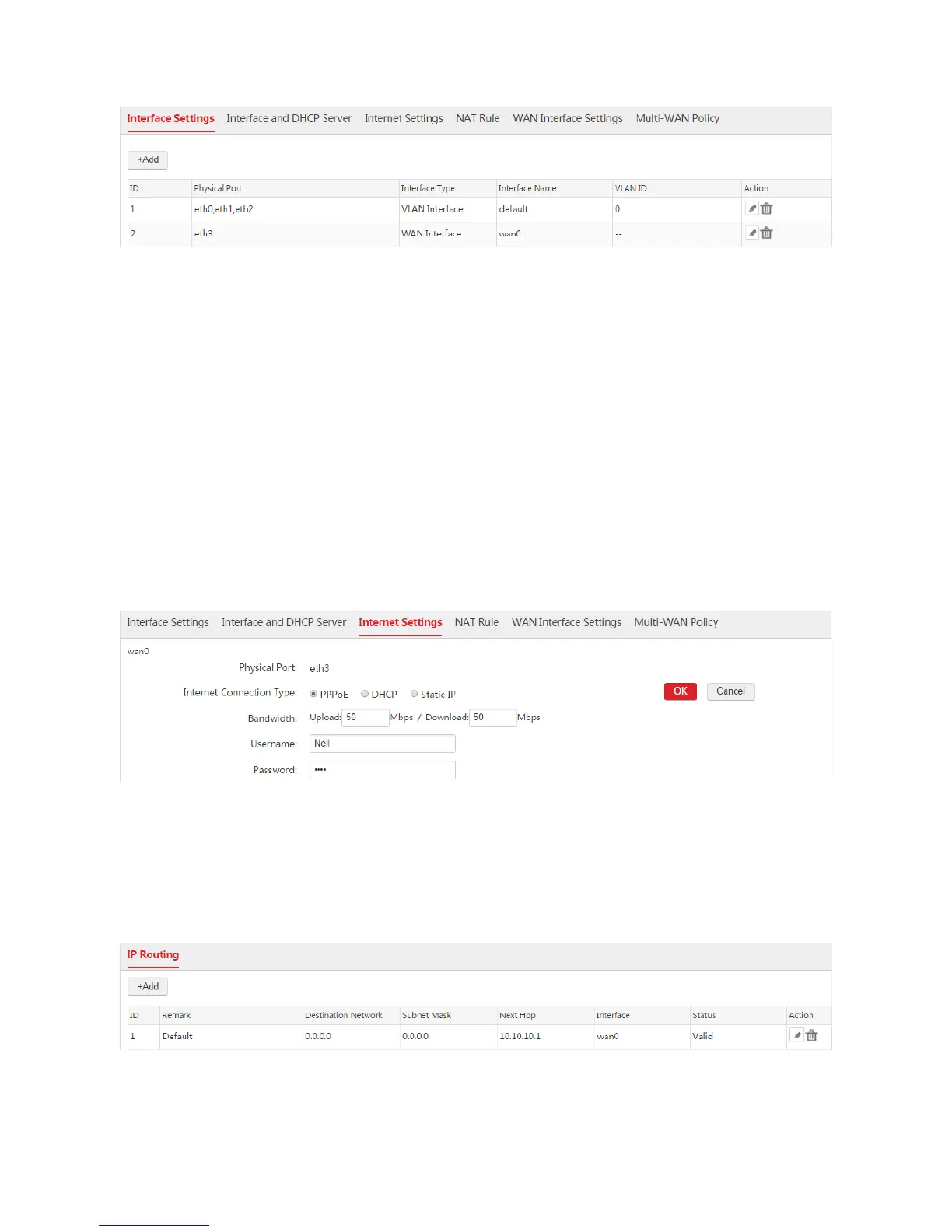
End: See the following figure.
Step 2: Configure Internet Settings
1. Choose Network Setting > Network Setting > Internet Settings, find the WAN interface "wan0",
and configure the parameters as follows.
2. Internet Connection Type: Select "PPPoE".
3. Bandwidth: Enter the bandwidth provided by the ISP. In this example, both the upload and download
bandwidth are 50Mbps.
4. Username/Password: Enter the user name and password provided by your ISP. In this example, both
the user name and password are "Nell".
5. Click OK.
6. Click Connect.
Verification
Wait a moment. When the Internet Connection Status is displayed as "Connected", the AC is
successfully connected to the internet. Besides, the AC generates a default route. You can choose
Network Setting > IP Routing to view the route. See the following figure.



 To Next Page