49
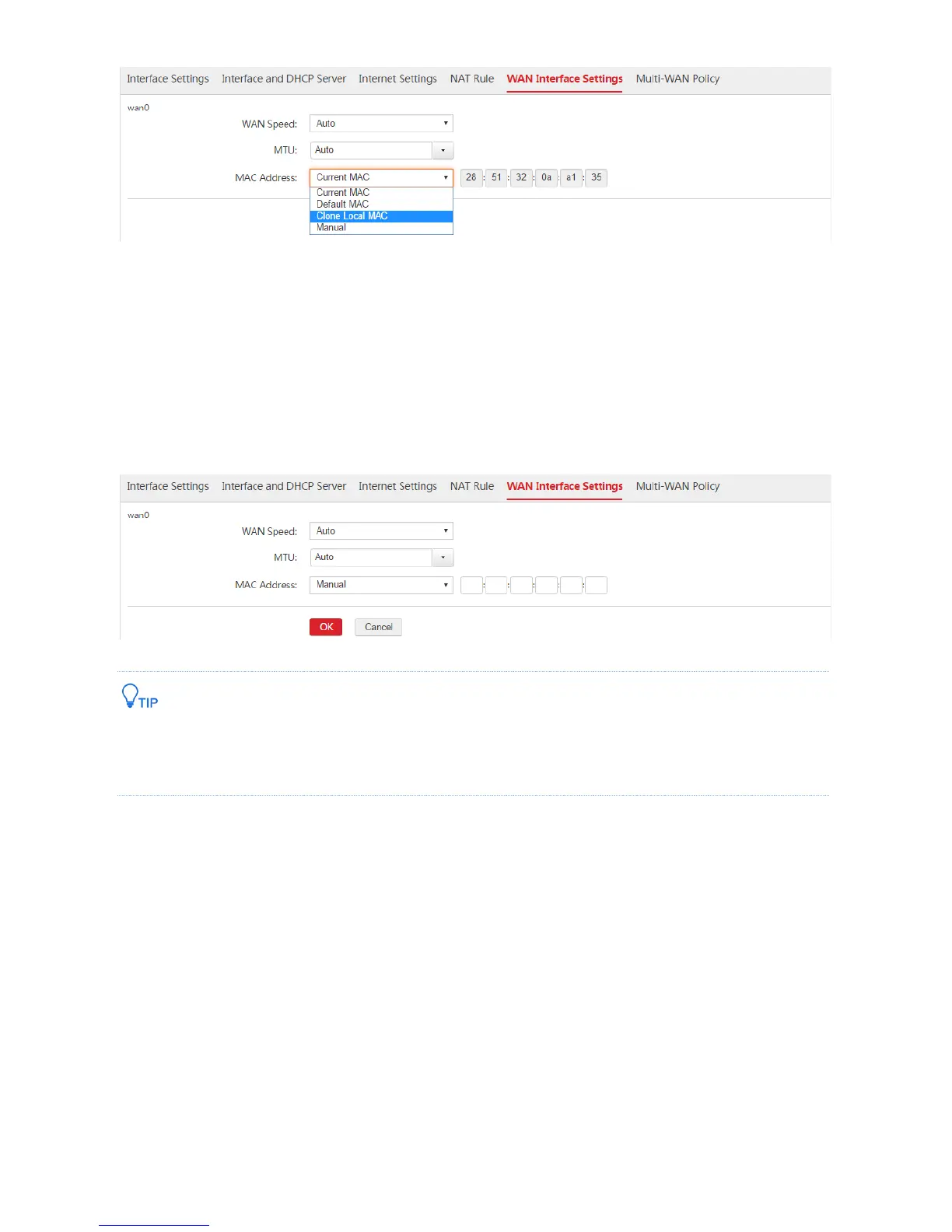
Method 2:
1. If you connect a computer without internet accessibility to the AC, log in to the web UI of the AC, and
go to Network Setting > Network Setting > WAN Interface Settings.
2. On the WAN interface to clone the MAC address, find MAC Address, select "Manual", and enter the
MAC address of the computer with internet accessibility.
3. Click OK.
If you want to restore the MAC address of a WAN interface to its default value, log in to the web UI of the AC,
go to Network Setting > Network Setting > WAN Interface Settings, find MAC Address section of the
WAN interface, and select "Default MAC".
1.6 Multi-WAN Policy
1.6.1 Overview
The AC supports a maximum of N-1 WAN interfaces. N is the number of physical ports of the AC. When
multiple WAN interfaces works simultaneously, you are recommended to set the multi-WAN policy to
improve the bandwidth usage of the AC. The AC supports the following two kinds of multi-WAN policies,
you can select one of them as required.



 To Next Page