50
ி Intelligent Load Balance
It is the default policy. The AC can automatically find the WAN interface with lower bandwidth usage to
communicate with the internet so as to decrease the labour cost. The bandwidth of all WAN interfaces
must be correctly configured on the Network Setting > Network Setting > Internet Settings page.
For example, the AC has two WAN interfaces: WAN1 and WAN2. The bandwidth usage of WAN1 and
WAN2 are 90% and 20% respectively. In this case, when users have new internet access requests, the
AC uses WAN2 to forward the requests.
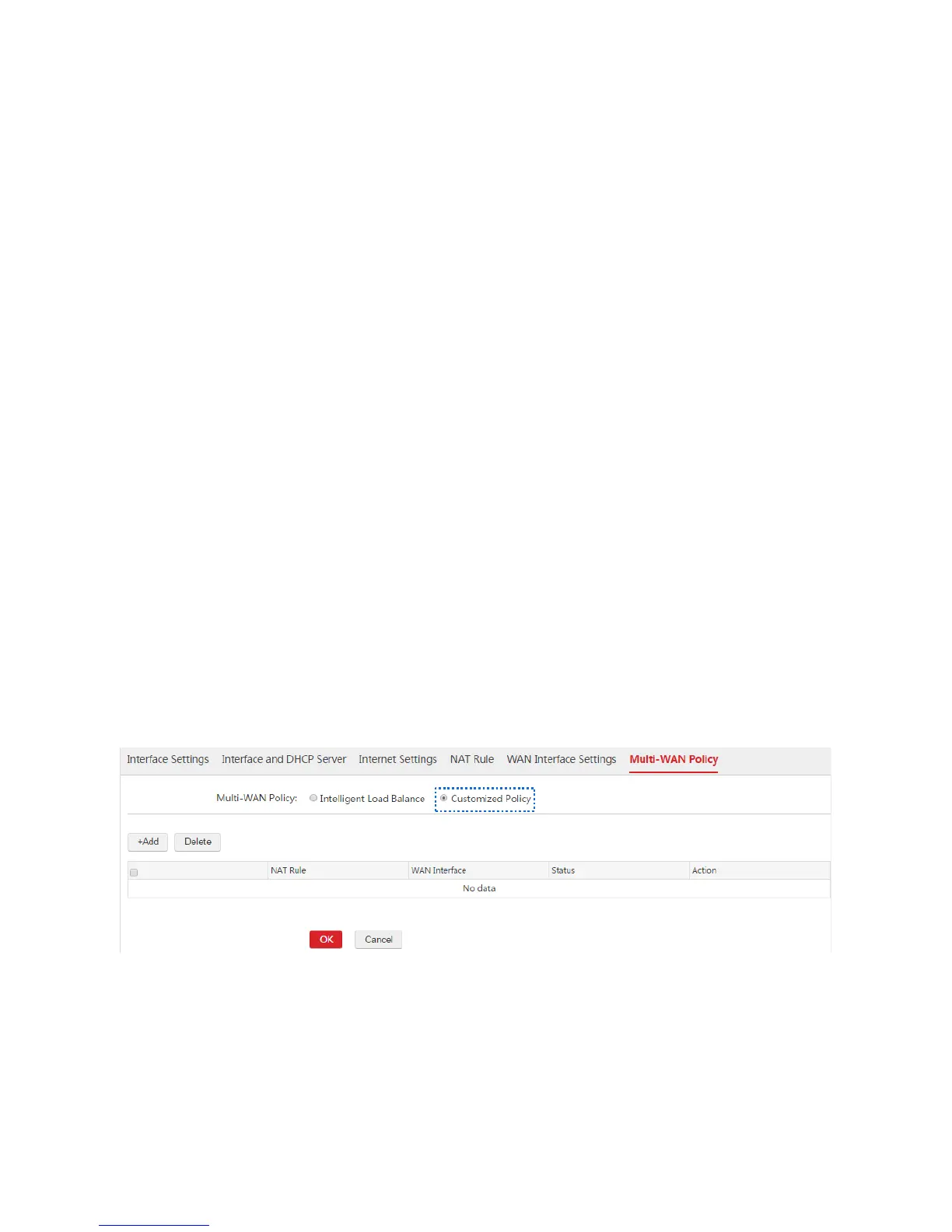
ி Customized Policy
In this case, you can specify WAN interfaces to forward data packets from certain network segments.
The data packets from disabled policies or not covered in the customized policies can use the intelligent
load balance policy. If the WAN interface matching a customized policy is disconnected from the
upstream device, the data packets matching the customized policy can use the intelligent load balance
policy.
1.6.2 Customized Multi-WAN Policy
Enabling the Customized Policy Function
1. Choose Network Setting > Network Setting > Multi-WAN Policy.
2. Multi-WAN Policy: Select "Customized Policy".
3. Click OK.
Then you can add rules of customized multi-WAN policy.



 To Next Page