51
Configuring Customized Policies
Creating a Customized Policy
1. Choose Network Setting > Network Setting > Multi-WAN Policy.
2. Click Add.
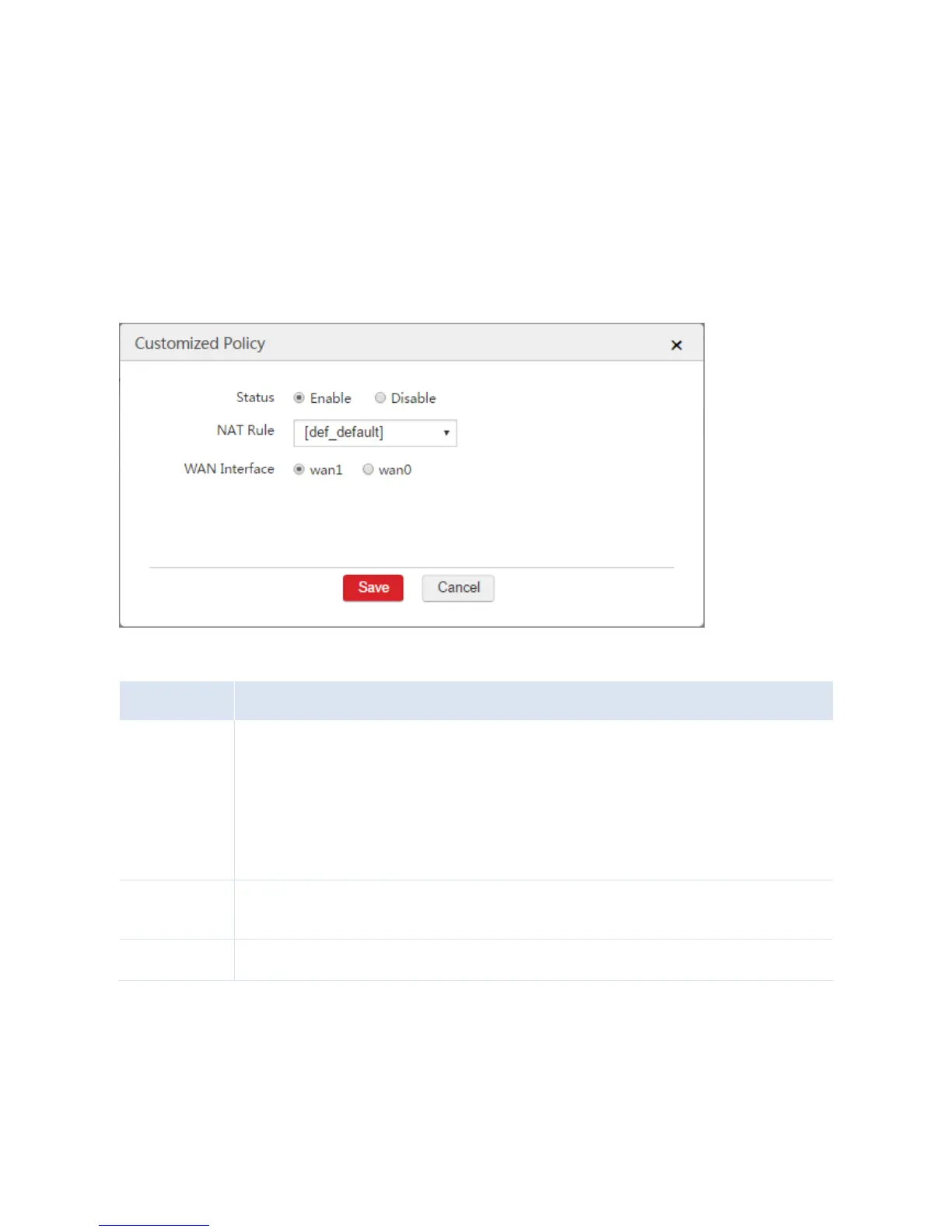
3. Configure the parameters in the window.
4. Click Save.
Parameter Description
Enable or disable the rule.
Enable: The data packets from certain NAT rule will be forwarded by a specified WAN interface.
If the specified WAN interface is disconnected from the upstream device, the data packets
matching the rule can use the intelligent load balance policy.
Disable: The data packets matching the rule use the intelligent load balance policy. Data
packets not covered in customized policies use the intelligent load balance policy.
Select a NAT rule to specify the data packets from the local network. You can configure NAT rules on
the Network Setting > Network Setting > NAT Rule page.
Select the WAN interface to forward specified data packets.
End: After the configuration is complete, you can view the information on the Network Setting >
Network Setting > Multi-WAN Policy page. See the following figure.



 To Next Page