52
Modifying a Rule
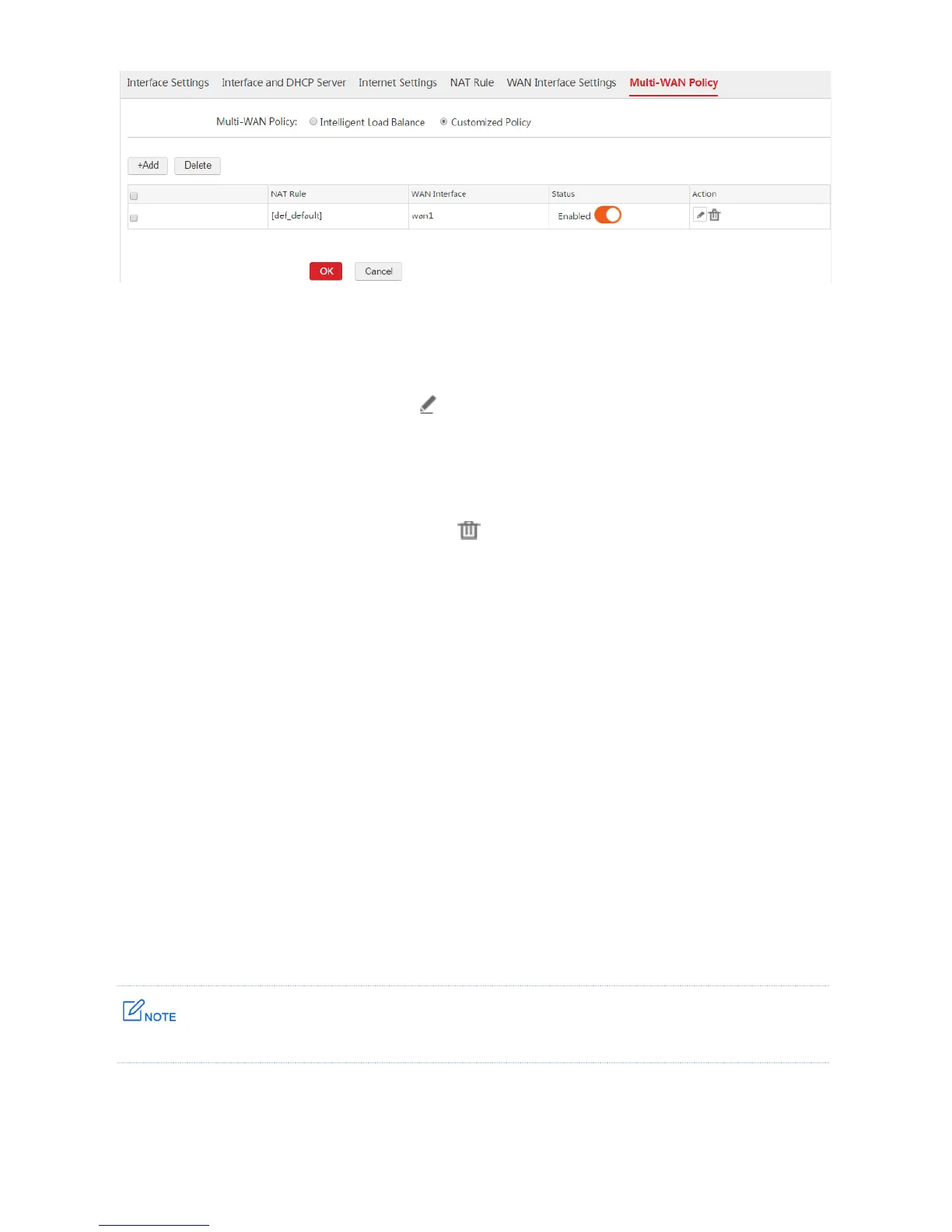
1. Choose Network Setting > Network Setting > Multi-WAN Policy.
2. Find the policy to be modified and click .
Deleting a Rule
1. Choose Network Setting > Network Setting > Multi-WAN Policy.
2. To delete one policy, find the policy and click . To delete multiple policies, select the policies and
click Delete.
1.6.3 Example of Customized Multi-WAN Policy
Networking Requirement
A hotel uses AC3000 to establish a network and already applies for two internet connection lines from
ISP1 and ISP2. Requirement:
Computers from VLAN 50 (IP address range: 192.168.50.100~192.168.50.200) access the
internet through ISP1.
Computers from VLAN 60 (IP address range: 192.168.60.100~192.168.60.200) access the
internet through ISP2.
We can use the customized multi-WAN policy function to meet the requirement.
In this example, assume that the DNS address is 202.96.134.133.



 To Next Page