ENGLISH
16
IMPORTANT
Avoid passing over puddles. If the work surface is wet, you can use the machine
only by turning off the suction fan (fig. C, ref. 2) as damp/wet dirt reduces the
performance of the suction filter.
Emptying the debris bin:
Before emptying the bin, make sure all machine functions are turned off;
IMPORTANT
When emptying the bin, always wear a mask to protect the respiratory tract from
the dust which is always present during this operation.
Front bin:
• Use the handle to release the bin (fig. B, ref. 12) 512-712.
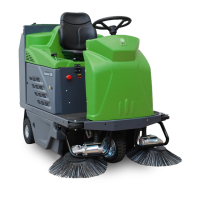
• Use the handle to release the bin (fig. B, ref. 13) 512-712 RIDER.
• Grip the bin and slide it out
• Empty the bin.
• Replace the bin.
• Use the handle to block the bin in place (fig. B, ref. 12) 512-712
• Use the handle to block the bin (fig. A, ref. 13) 512-712 RIDER
Rear bin:
• Release the bin by lifting and turning the two clips (fig. B, ref. 13) 512-712.
• Release the bin by lifting and turning the two clips (fig. A, ref. 14) 512-712 RIDER.
• Grip the bin and remove it from the machine.
• Empty the bin.
• Replace the bin.
• Block the bin in place by turning the two clips and pressing them when in position.
Stopping:
• Move the machine to the parking area
• Stop the machine by releasing the handle (fig. B, ref. 9) 512-712, releasing the
accelerator knob (fig. A, ref. 9) 512-712 RIDER.
• Turn off the brushes using the button (fig. C, ref. 3) 512-712 RIDER .
• Stop suction (fig. C, ref. 9) 512-712
• Lift the side brush using the lever (fig. A/B, ref. 11).
• Turn the key switch (fig. C, ref. 1) to the "0" position.


 To Next Page
 Loading...