GB
TECHNICAL MENU
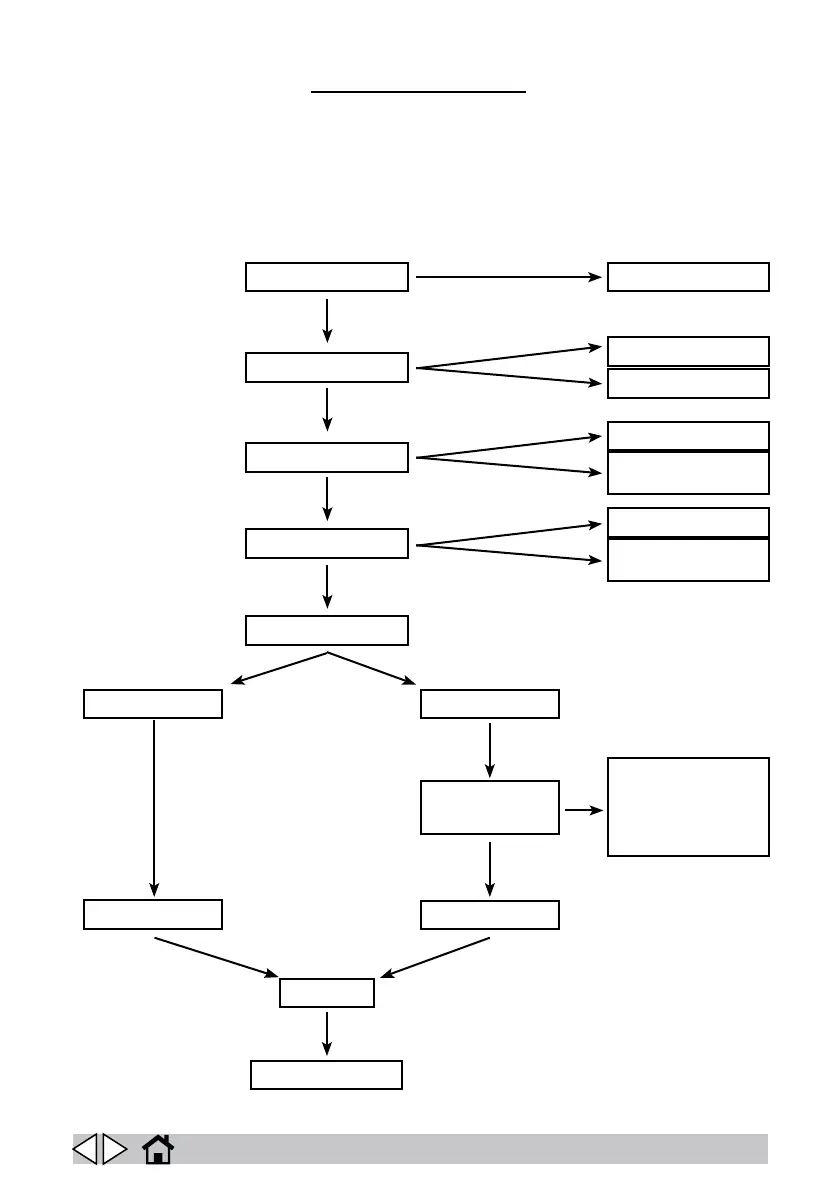
To access the technical menu, turn the main switch on then press and hold the menu and suction
buttons for three seconds.
Press the “SUCTION” button to scroll up through items or increment the selected parameter value.
Press the “FILTER SHAKER” button to scroll down through items or decrement the selected pa-
rameter value.
Press the “MENU” button to select the parameter to change. The selected parameter appears in
negative.
LANGUAGE
IT, GB, ES....
BATTERY TYPE
ACID
GEL
OFF
MANUAL
20-120 SECONDS
FROM ENGINE
STARTUP
TIME-OUT 0-10
SECONDS
AUTOMATIC 5-30
MINUTES
AUTO POWER-OFF
FILTER SHAKER
MACHINE TYPE
BATTERY DUAL POWER
SERVICE MENUSERVICE MENU
ALTERNATOR
TIME
EXIT
SAVE
39


 To Next Page