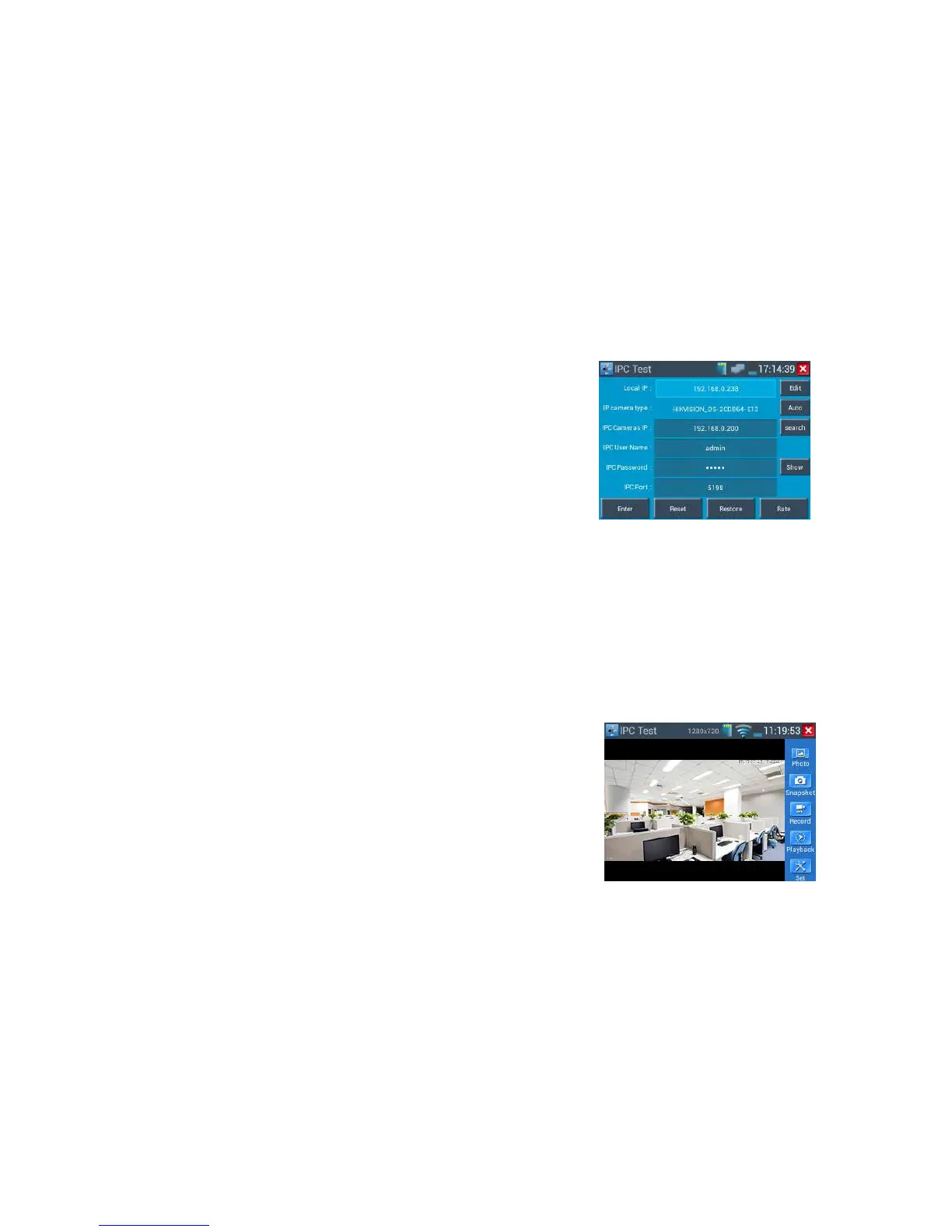
IP Camera's address: Enter IP camera’s IP address , click “deploy” add IP address of the Different
network segments, support multi- network segments’ IP camera test .
Click “Search” to auto-scan the IP camera’s IP address and display. It is better to directly connect IP
camera to the tester so that the tester will search out only one IP address. If the tester is
connected to PoE switch, it will search out several IP address.
IPC User Name: Enter IP camera’s user name
IPC Password: Enter IP camera’s login password, if default enter password, not show relevant letters,
click “display” to show the passord
IPC Port No.:Select IP camera type, it default relative camera port number, and not need change.
After setting, click “Enter” to enter image interface.



 To Next Page