C
HAPTER
4
| Basic Management Tasks
Configuring Telnet Settings
– 118 –
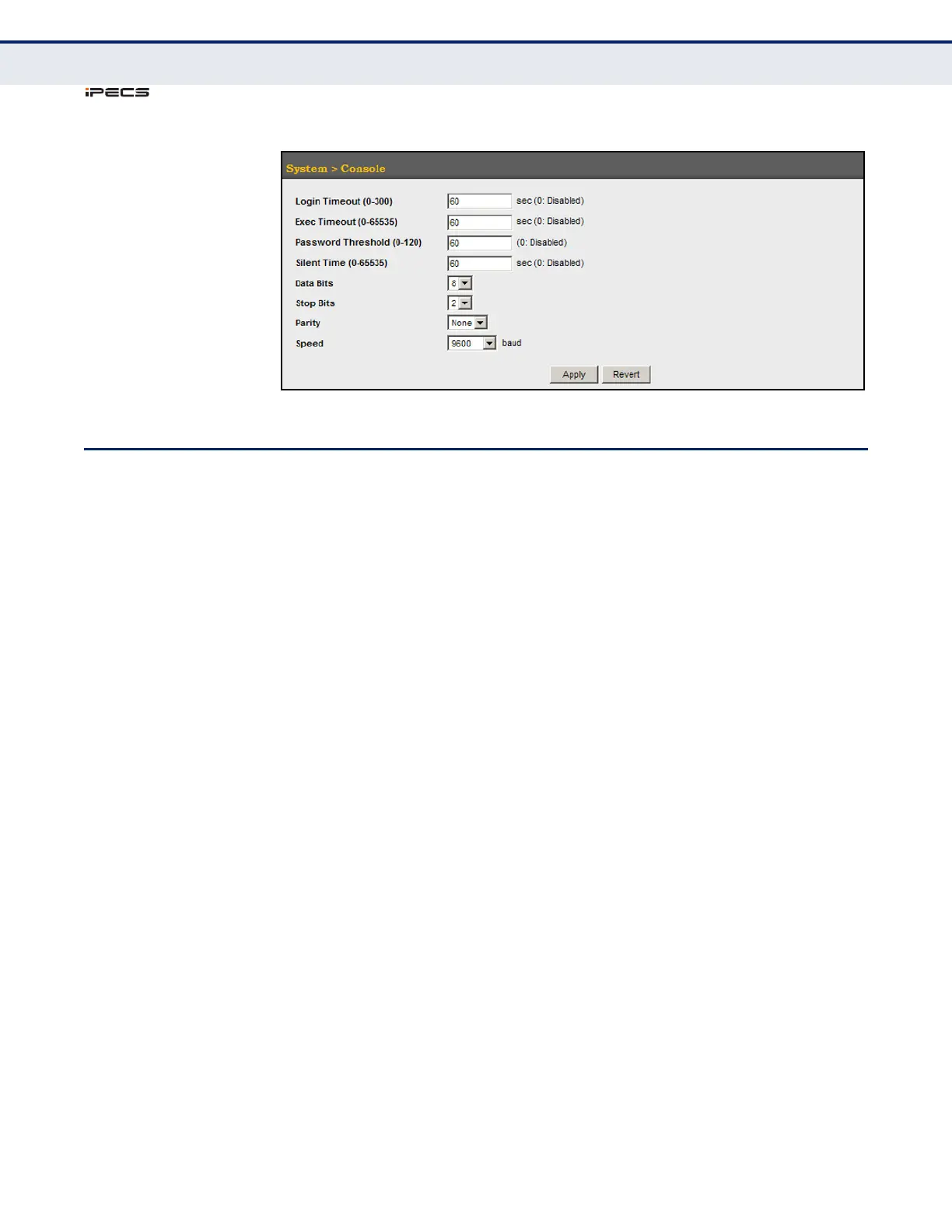
Figure 18: Console Port Settings
CONFIGURING TELNET SETTINGS
Use the System > Telnet menu to configure parameters for accessing the
CLI over a Telnet connection. You can access the onboard configuration
program over the network using Telnet (i.e., a virtual terminal).
Management access via Telnet can be enabled/disabled and other
parameters set, including the TCP port number, time outs, and a password.
Note that the password is only configurable through the CLI.) These
parameters can be configured via the web or CLI interface.
CLI REFERENCES
◆ "Line" on page 556
PARAMETERS
The following parameters are displayed in the web interface:
◆ Telnet Status – Enables or disables Telnet access to the switch.
(Default: Enabled)
◆ TCP Port – Sets the TCP port number for Telnet on the switch.
(Default: 23)
◆ Login Timeout – Sets the interval that the system waits for a user to
log into the CLI. If a login attempt is not detected within the timeout
interval, the connection is terminated for the session.
(Range: 1-300 seconds; Default: 300 seconds)
◆ Exec Timeout – Sets the interval that the system waits until user input
is detected. If user input is not detected within the timeout interval, the
current session is terminated. (Range: 1-65535 seconds; Default: 600
seconds)
◆ Password Threshold – Sets the password intrusion threshold, which
limits the number of failed logon attempts. When the logon attempt
threshold is reached, the system interface becomes silent for a



 To Next Page