C
HAPTER
13
| Security Measures
ARP Inspection
– 348 –
DISPLAYING THE ARP
INSPECTION LOG
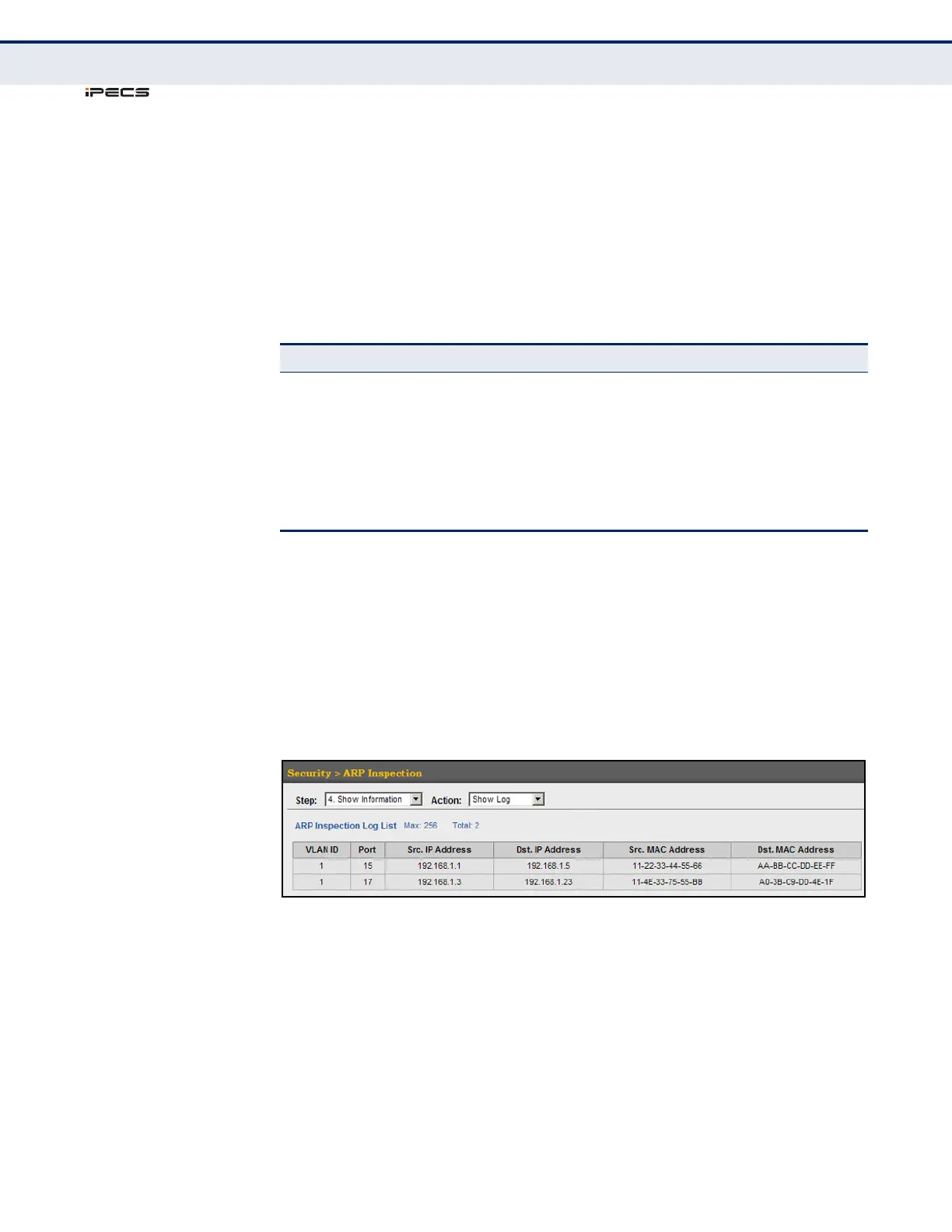
Use the Security > ARP Inspection (Show Information - Show Log) page to
show information about entries stored in the log, including the associated
VLAN, port, and address components.
CLI REFERENCES
◆ "show ip arp inspection log" on page 719
PARAMETERS
These parameters are displayed in the web interface:
WEB INTERFACE
To display the ARP Inspection log:
1. Click Security, ARP Inspection.
2. Select Show Information from the Step list.
3. Select Show Log from the Action list.
Figure 186: Displaying the ARP Inspection Log
Table 23: ARP Inspection Log
Parameter Description
VLAN ID The VLAN where this packet was seen.
Port The port where this packet was seen.
Src. IP Address The source IP address in the packet.
Dst. IP Address The destination IP address in the packet.
Src. MAC Address The source MAC address in the packet.
Dst. MAC Address The destination MAC address in the packet.



 To Next Page