C
HAPTER
13
| Security Measures
ARP Inspection
– 346 –
Setting the rate limit to “0” means that there is no restriction on the
number of ARP packets that can be processed by the CPU.
The switch will drop all ARP packets received on a port which exceeds
the configured ARP-packets-per-second rate limit.
WEB INTERFACE
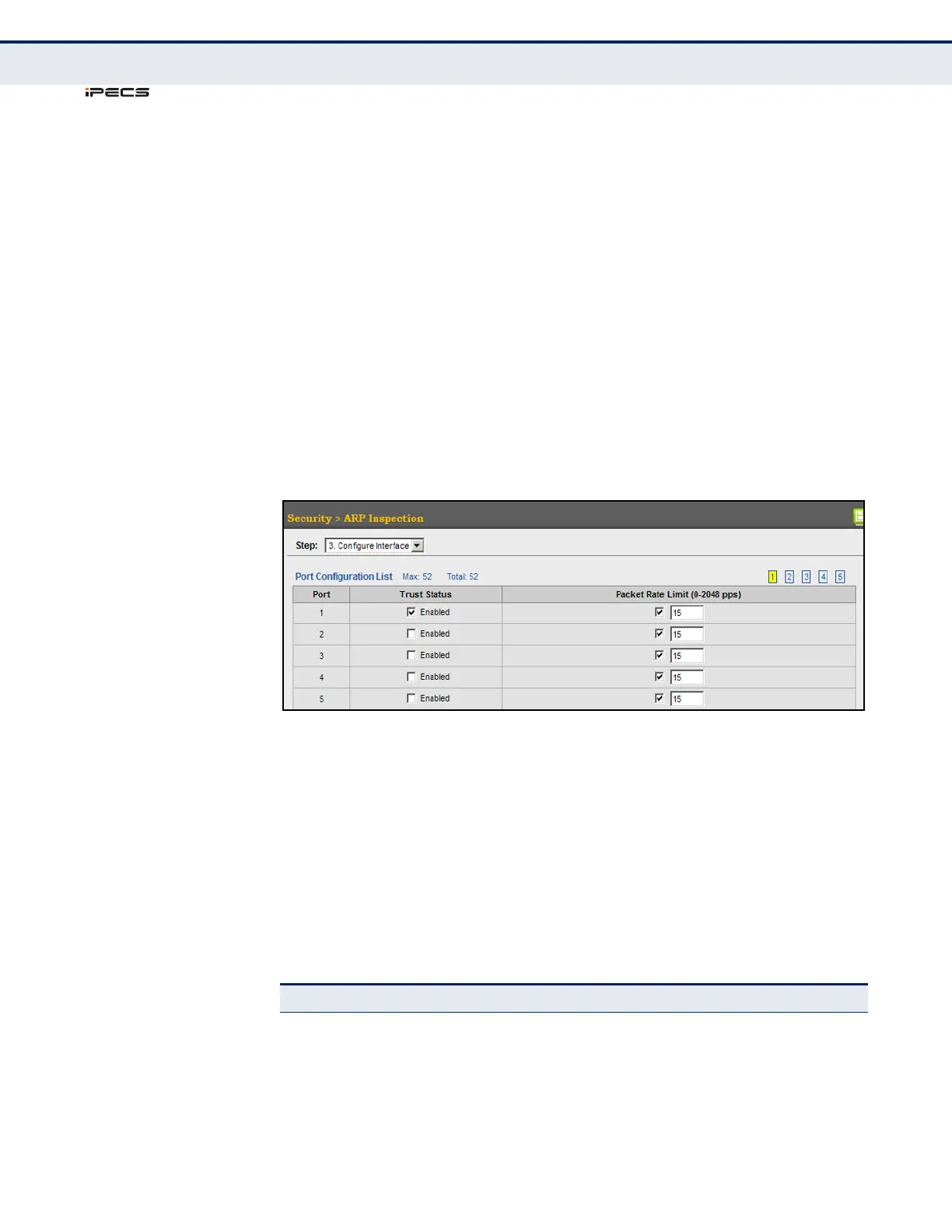
To configure interface settings for ARP Inspection:
1. Click Security, ARP Inspection.
2. Select Configure Interface from the Step list.
3. Specify any untrusted ports which require ARP inspection, and adjust
the packet inspection rate.
4. Click Apply.
Figure 184: Configuring Interface Settings for ARP Inspection
DISPLAYING ARP
I
NSPECTION
STATISTICS
Use the Security > ARP Inspection (Show Information - Show Statistics)
page to display statistics about the number of ARP packets processed, or
dropped for various reasons.
CLI REFERENCES
◆ "show ip arp inspection statistics" on page 719
PARAMETERS
These parameters are displayed in the web interface:
Table 22: ARP Inspection Statistics
Parameter Description
Received ARP packets before
ARP inspection rate limit
Count of ARP packets received but not exceeding the ARP
Inspection rate limit.
Dropped ARP packets in the
process of ARP inspection rate
limit
Count of ARP packets exceeding (and dropped by) ARP rate
limiting.
ARP packets dropped by
additional validation (IP)
Count of ARP packets that failed the IP address test.



 To Next Page