C
HAPTER
9
| Congestion Control
Storm Control
– 233 –
◆ Unknown Unicast – Specifies storm control for unknown unicast
traffic.
◆ Multicast – Specifies storm control for multicast traffic.
◆ Broadcast – Specifies storm control for broadcast traffic.
◆ Status – Enables or disables storm control. (Default: Broadcast storm
control is enabled at a maximum rate of 500 kbps in USA SKU, and
disabled in SKU for other countries. Unknown unicast and multicast
storm control are disabled for all SKUs.)
◆ Rate – Threshold level as a rate; i.e., kilobits per second.
(Range: 64-1000000 Kbps)
N
OTE
:
Only one rate is supported for all traffic types on an interface.
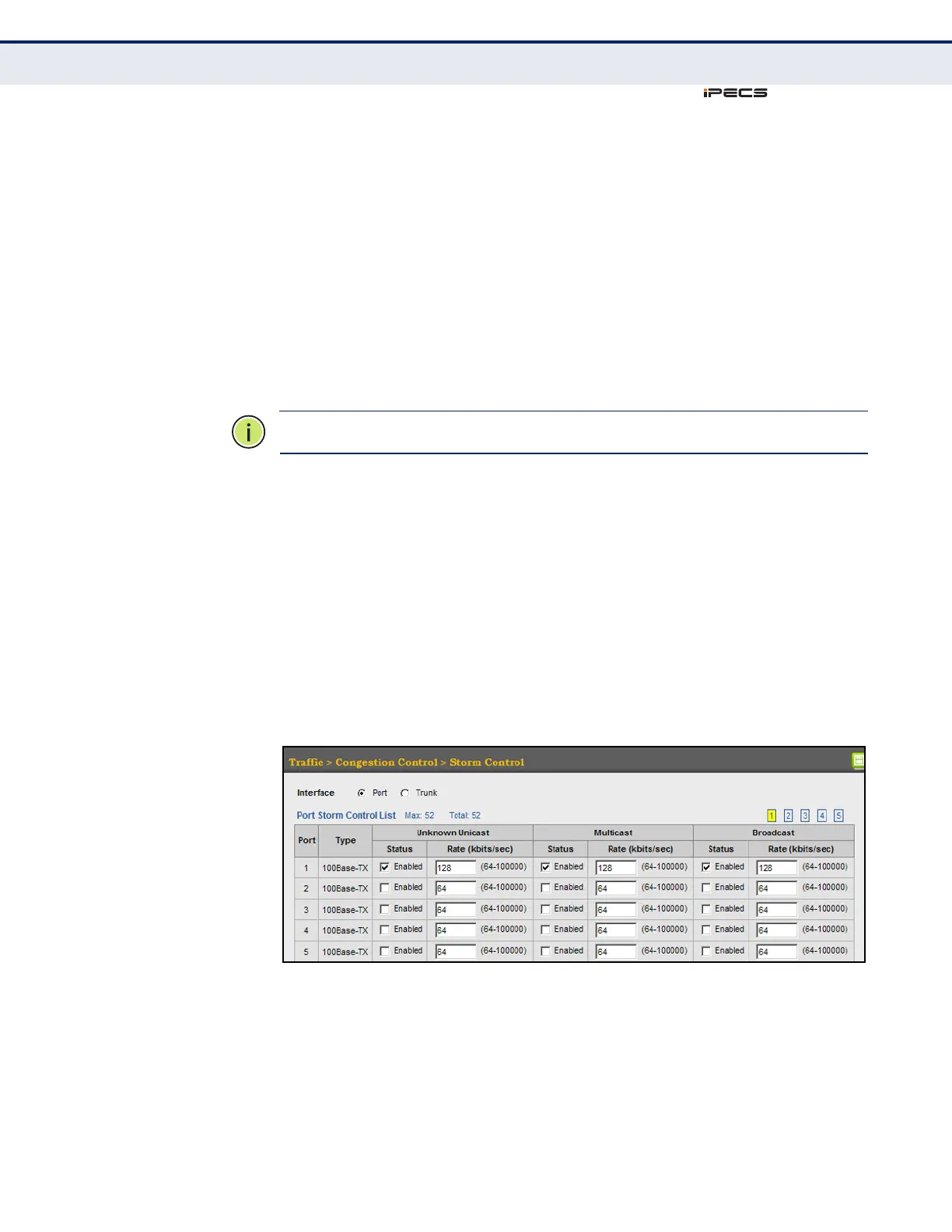
WEB INTERFACE
To configure broadcast storm control:
1. Click Traffic, Congestion Control, Storm Control.
2. Set the Status field to enable or disable storm control.
3. Set the required threshold beyond which the switch will start dropping
packets.
4. Click Apply.
Figure 109: Configuring Storm Control



 To Next Page