C
HAPTER
13
| Security Measures
AAA Authorization and Accounting
– 287 –
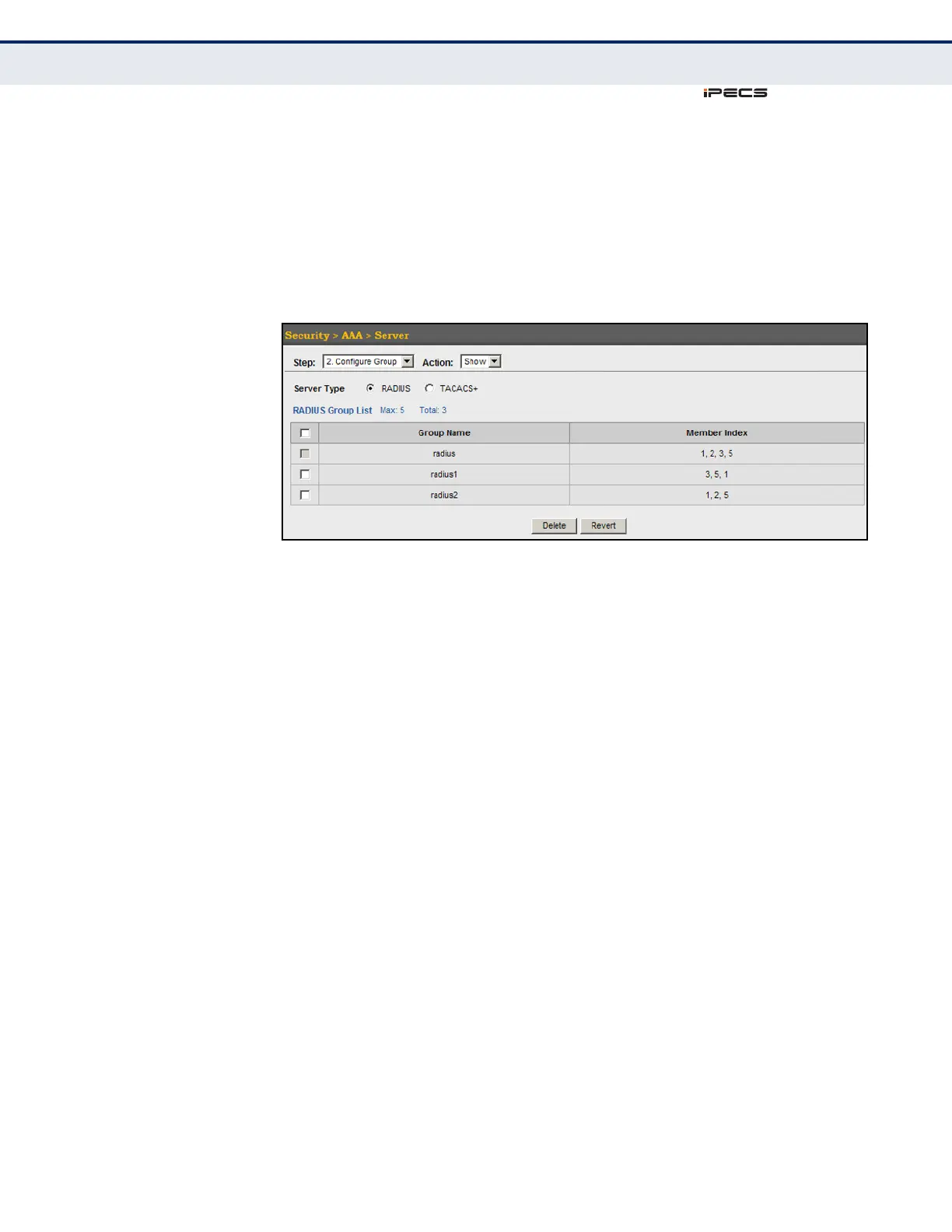
To show the RADIUS or TACACS+ server groups used for accounting and
authorization:
1. Click Security, AAA, Server.
2. Select Configure Group from the Step list.
3. Select Show from the Action list.
Figure 143: Showing AAA Server Groups
CONFIGURING AAA
ACCOUNTING
Use the Security > AAA > Accounting page to enable accounting of
requested services for billing or security purposes, and also to display the
configured accounting methods, the methods applied to specific interfaces,
and basic accounting information recorded for user sessions.
CLI REFERENCES
◆ "AAA" on page 633
COMMAND USAGE
AAA authentication through a RADIUS or TACACS+ server must be enabled
before accounting is enabled.
PARAMETERS
These parameters are displayed in the web interface:
Configure Global
◆ Periodic Update - Specifies the interval at which the local accounting
service updates information for all users on the system to the
accounting server. (Range: 0-2147483647 minutes; where 0 means
disabled)
Configure Method
◆ Accounting Type – Specifies the service as:
■
802.1X – Accounting for end users.



 To Next Page