C
HAPTER
4
| Basic Management Tasks
Displaying System Information
– 96 –
PARAMETERS
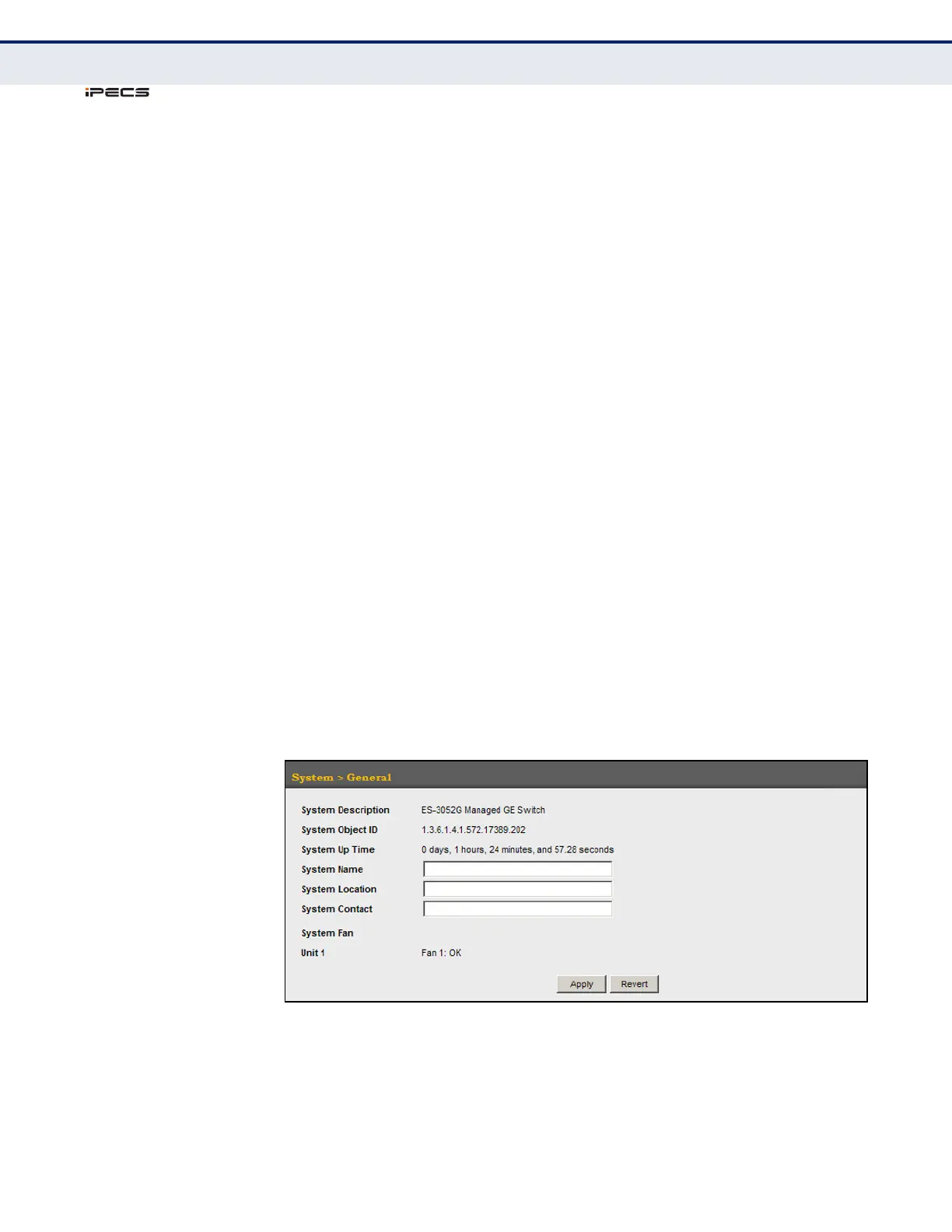
These parameters are displayed in the web interface:
◆ System Description – Brief description of device type.
◆ System Object ID – MIB II object ID for switch’s network
management subsystem.
(ES-3052G: 1.3.6.1.4.1.572.17389.202,
ES-3052GP: 1.3.6.1.4.1.572.17389.201)
◆ System Up Time – Length of time the management agent has been
up.
◆ System Name – Name assigned to the switch system.
◆ System Location – Specifies the system location.
◆ System Contact – Administrator responsible for the system.
◆ System Fan – Shows the current status of all system fans.
The number of fans provided: ES-3052G - 1, 3052GP - 3
WEB INTERFACE
To configure general system information:
1. Click System, General.
2. Specify the system name, location, and contact information for the
system administrator.
3. Click Apply.
Figure 4: System Information



 To Next Page