4
Get to Know It
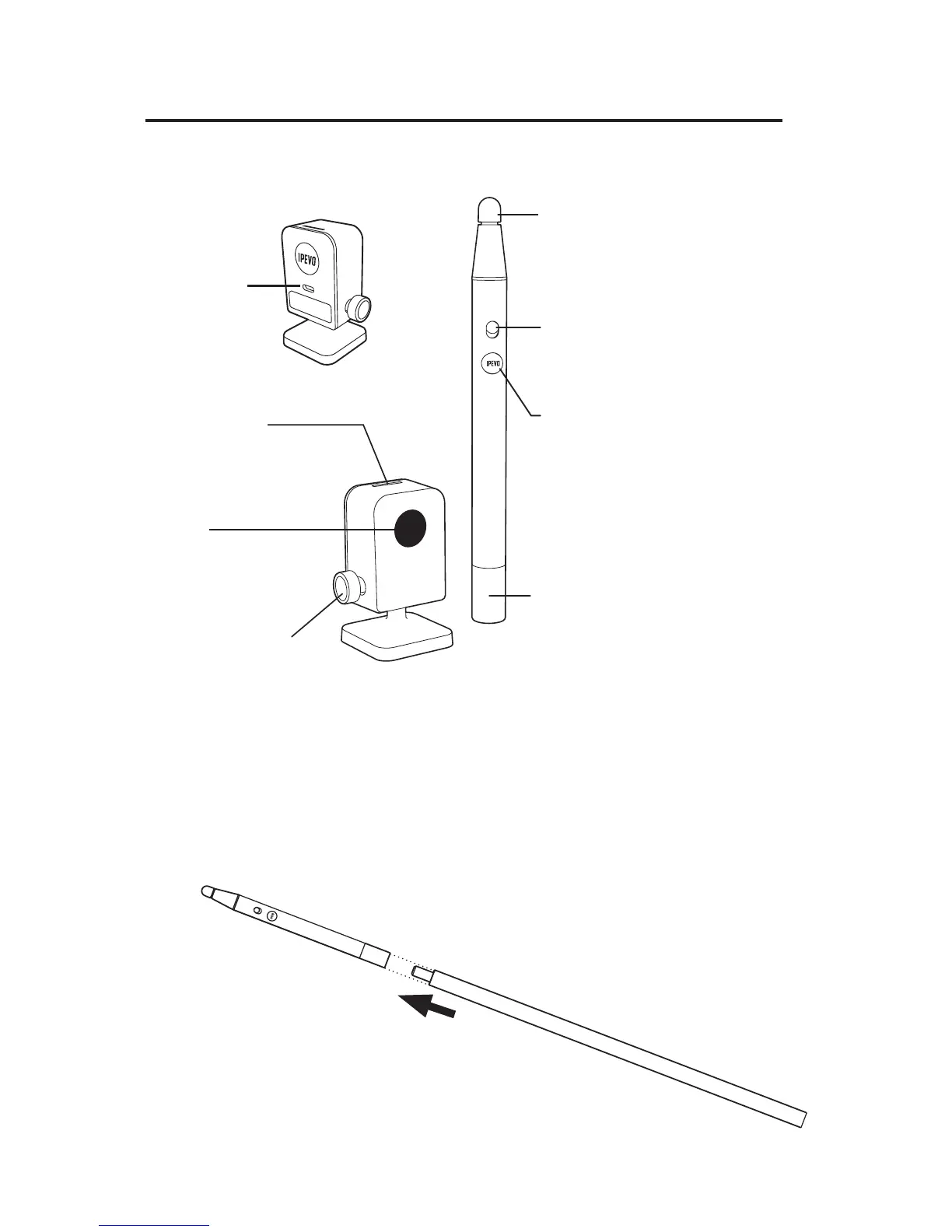
Extension Wand
When using a larger or taller screen area, attach the Extension Wand to the
Interactive Pen to help reach all areas of the screen.
Contact Sensitive Tip
Send signals for left, right, and double mouse
clicks. Brief contact performs a left click while
pressing in and holding for 2 seconds or
longer performs a right click.
IPEVO button
This is another way to perform mouse clicks.
Press for a left click, or press and hold for 2
seconds or longer for a right click.
Battery cover
Open to reveal slots for 2 AAA batteries.
Power switch
Turn the unit on and off.
LED indicator
Lights up when powered
up and connected.
USB Port
Connect USB here.
Lens
Detects signals emitted by
the Interactive Pen.
Adjustment Knob
Change and secure sensor
angle by tightening knob.



 To Next Page