12
Installing IW2 (cont’d)
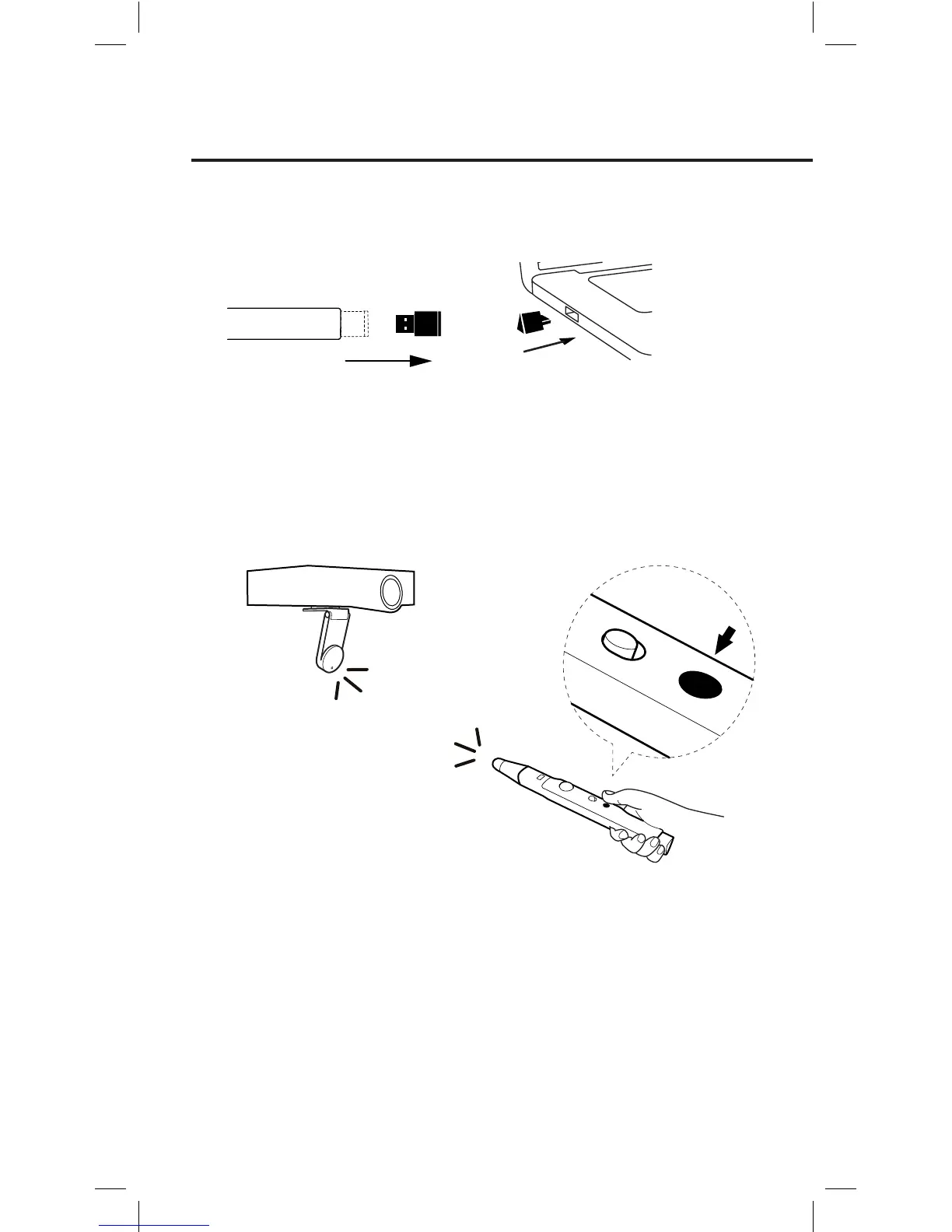
3. Turn on the Sensor Cam by pressing the Sensor Power Button
located on the Pen. Make sure the Pen is pointing at the Sensor Cam
while doing so.
4. Check the LED indicator of the Sensor Cam. The Sensor Cam’s LED
indicator will light up Green once it is successfully connected to your
computer.
Green Light
Press the
Sensor Power Button
2. Detach the Wireless Receiver from the bottom of the Pen and plug it
into the USB port of your computer.
Note: If the LED indicator shows a blinking Orange in step 4, the Wireless Receiver
might not be properly plugged into the computer’s USB port. Please check the
Wireless Receiver. If the LED indicator shows a solid Red, the Sensor Cam is in Sleep
Mode. Please press the Sensor Power Button again to turn the Sensor Cam on.



 To Next Page