4
Getting to Know IW2
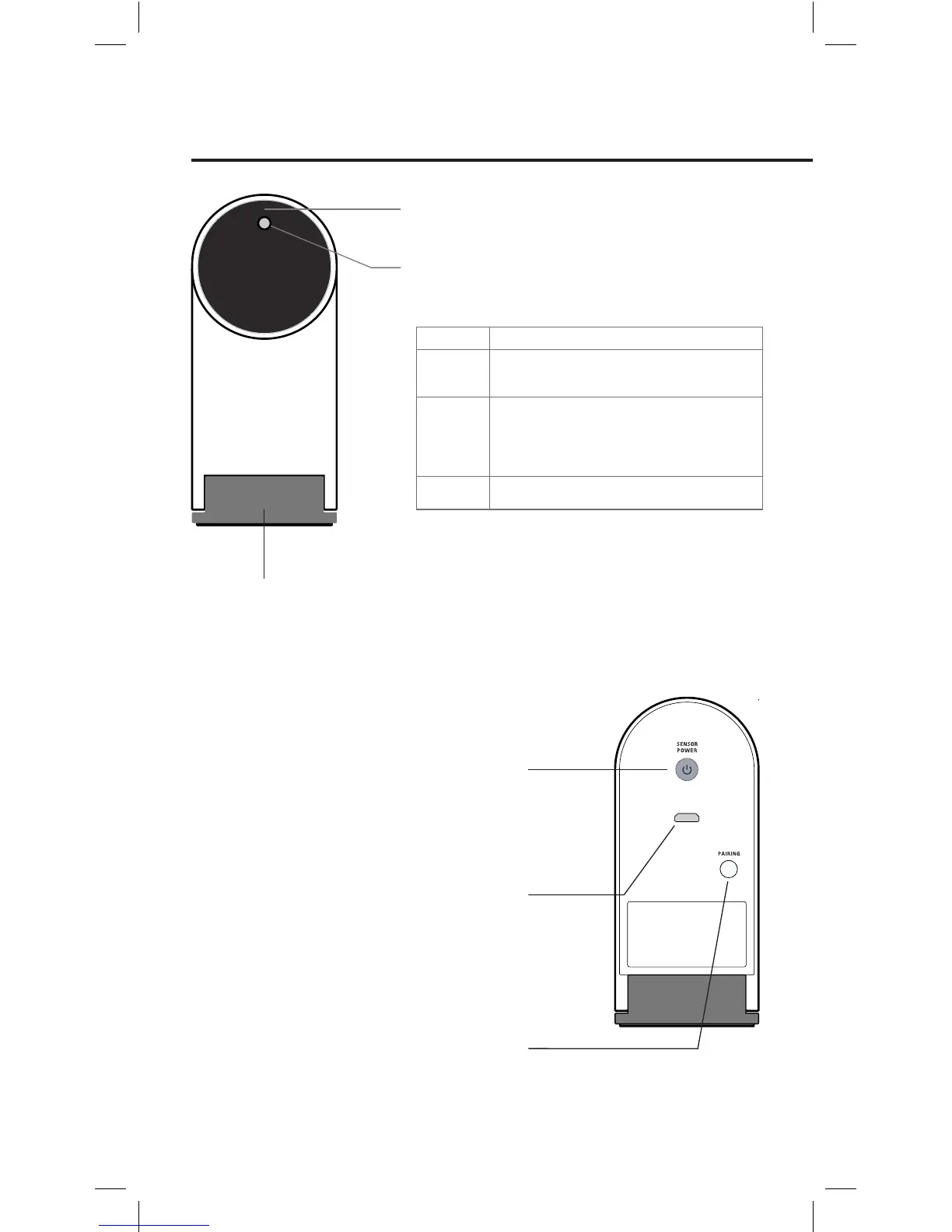
LED Indicator
Lights up when powered up and connected. Different colors
(solid and blinking) indicate various states.
Sensor Power Button
Press once to turn on Sensor Cam and enter Active Mode.
Press once again to enter Sleep Mode. To completely
power off the Sensor Cam, please unplug the power
adapter from the outlet.
Lens
Detects signals emitted by the Interactive Pen.
Hinged Metal Base
Allows adjustment of the angle
of the Lens.
Micro-USB Port
Connect Micro-USB cable here.
Note: To power the Sensor Cam, connect the other end of the Micro-
USB cable to the power adapter and plug the adapter into an outlet.
Pairing Button
Press for 3 seconds to enter Pairing Mode.
Note: By default, no pairing action is required – the Sensor Cam
and Wireless Receiver you received are already paired. Just plug the
Wireless Receiver into your computer's USB port to start using IW2.
However, if you are using a replacement Wireless Receiver or Sensor
Cam, you need to pair them before use. To pair them, please follow
the steps on Page 23-24.
Green
Color States
The Sensor Cam is powered on and connected
with the Wireless Receiver.
The Sensor Cam is not connected with the
Wireless Receiver. Check that the Wireless
Receiver is plugged into your computer and is
placed within 16 ft (5m) of the Sensor Cam.
Blinking
Orange
Red
The Sensor Cam is in Sleep Mode.



 To Next Page