8
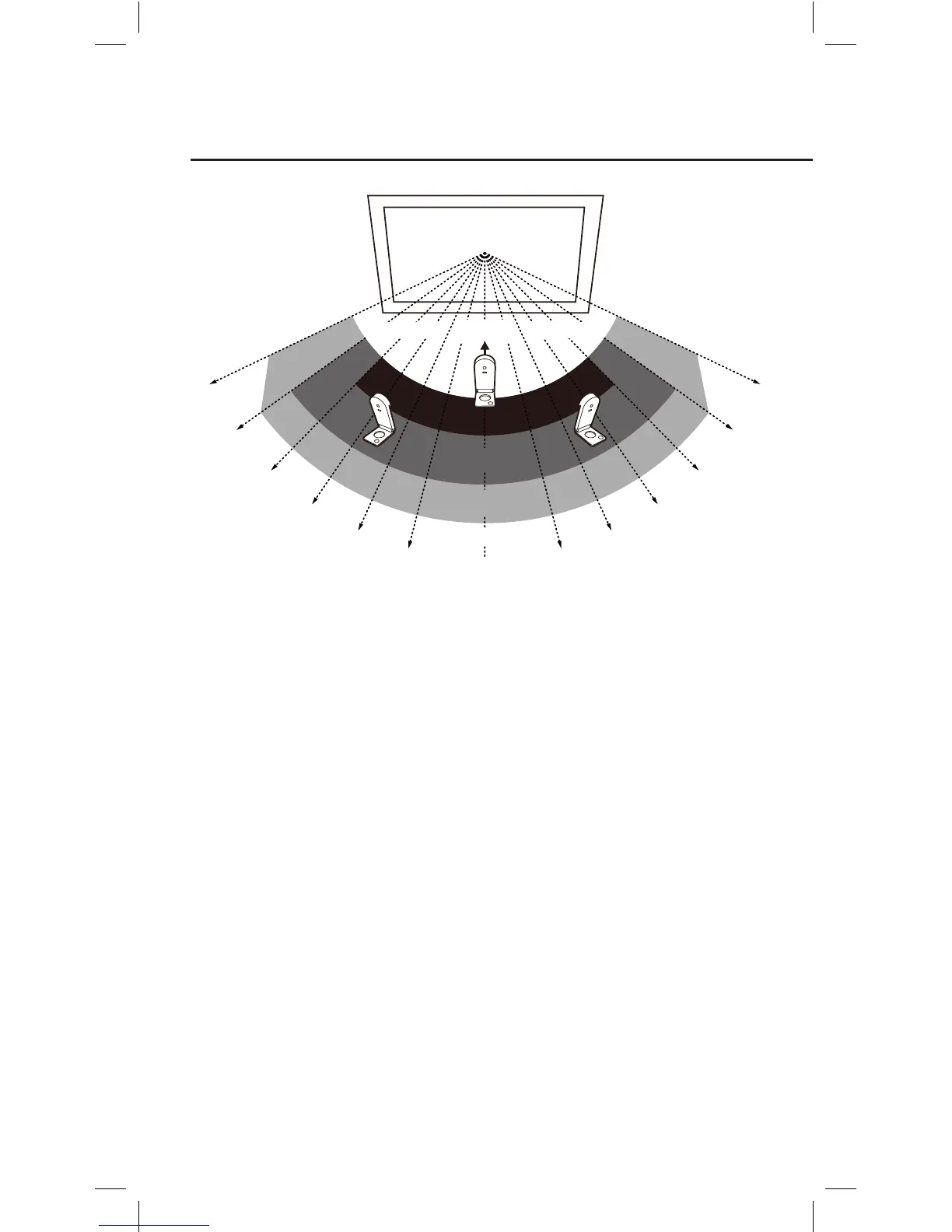
As you can see:
• Accuracy is better when the Sensor Cam is closer to the center.
• Accuracy decreases as the angle increases.
• Larger screens require more distance between the screen and the
Sensor Cam.
Note: Please keep a clear path between the Sensor Cam and the projection screen to ensure
proper operation.
It’s important to make sure your Sensor Cam is steady and secure
before use. There are three ways to secure your Sensor Cam,
depending on your setup:
3. Securing the Sensor Cam
A. Place on a table or AV cart
Use a flat, smooth tabletop or an AV cart. Make sure nothing is
blocking the Sensor Cam’s path to the screen surface. Adjust the angle
of the Sensor Cam to face directly at the center of the screen surface.
Projection screen
90˚
Excellent
Good
Acceptable
Poor
Poor Poor
75˚
65˚
55˚
45˚
35˚
75˚
65˚
55˚
45˚
35˚
25˚
Sensor Cam
Unavailable Unavailable
Installing IW2 (cont’d)



 To Next Page