Home
Ipevo
Interactive whiteboard
IW2
Page 21
Ipevo IW2 - Page 21
32 pages
Manual
Save Page as PDF
To Next Page
To Next Page
To Previous Page
To Previous Page
Loading...
19
T
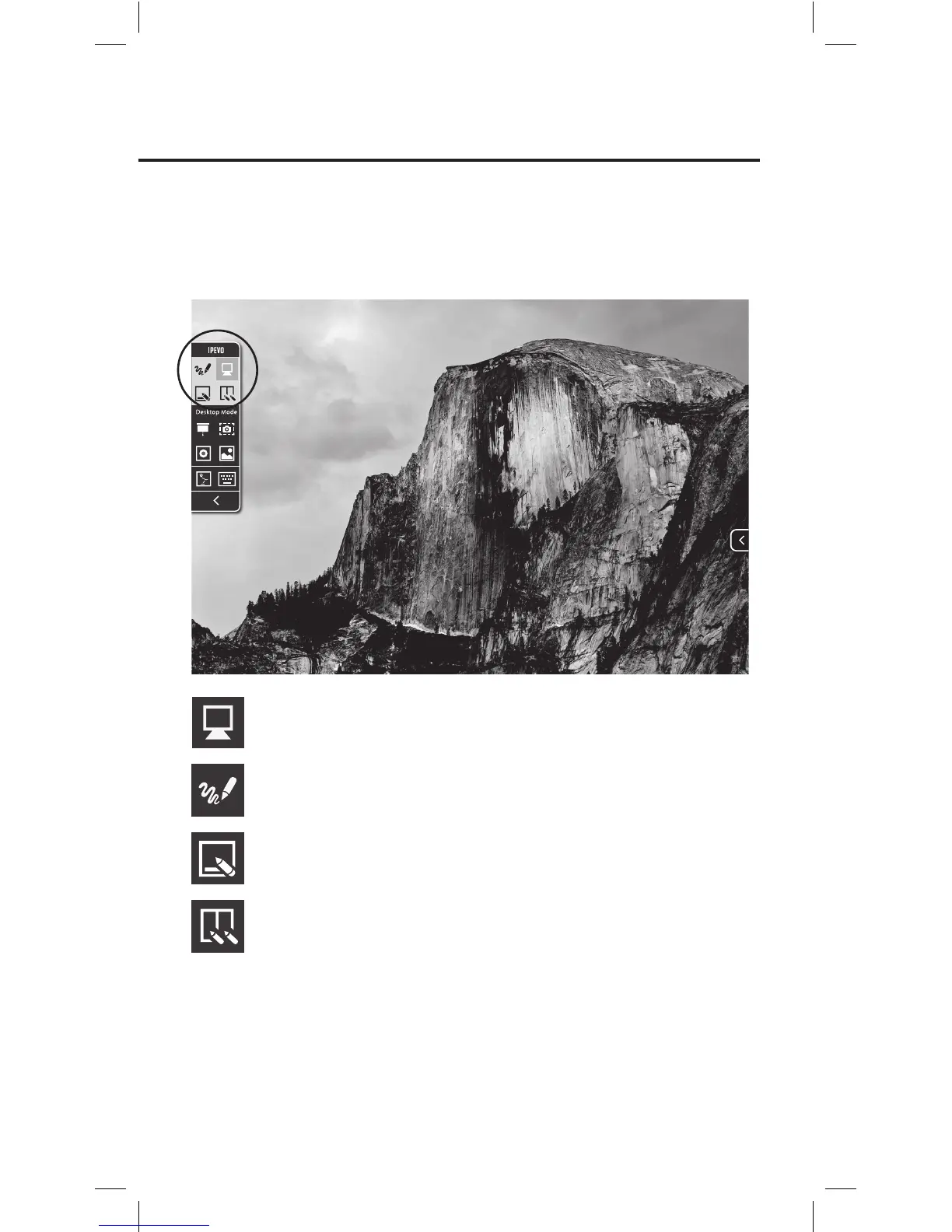
ap to select Desk
top Mode.
IPEVO A
nnotator offers f
our modes – Desk
top Mode (Annotator’s de-
f
ault mode),
Dr
awing Mode
, Whiteboar
d Mode and Multi-P
en Mode.
In ju
st a tap, you c
an ea
sily select an
y of the mode
s.
T
ap to select Dr
awing Mode
.
Th
u
01
:
57
100%
Help
W
indo
w
Go
V
iew
E
dit
F
ile
F
inder
Dr
a
wing M
ode
T
ap and Hold
Dr
a
wing M
ode
Mode selection
T
ap to select Whiteboar
d Mode.
T
ap to
select Multi-P
en Mode.
20
22
Table of Contents
Main Page
Table of Contents
2
Package Contents
3
The Basics
3
Two Ways to Use IW2
4
How IW2 Works
5
Getting to Know IW2
6
Installing IW2
8
Step 1: Driver & Software Installation
8
Step 2: Positioning the Sensor Cam
9
Step 3: Securing the Sensor Cam
10
Step 4: Readying the Interactive Pen
13
Step 5: Connecting to the Computer
13
Step 6: Calibration
15
Using IW2 Interactive Pen
18
Using the Interactive Pen as a Mouse
18
Using the Interactive Pen as a Whiteboard
20
Marker with IPEVO Annotator
20
Faq
25
Troubleshooting
27
Troubleshooting
28
Product Specifications
29
Federal Communication Commission Interference Statement
30
Related product manuals
Ipevo IS-01
20 pages



 To Next Page