44 Using iPod
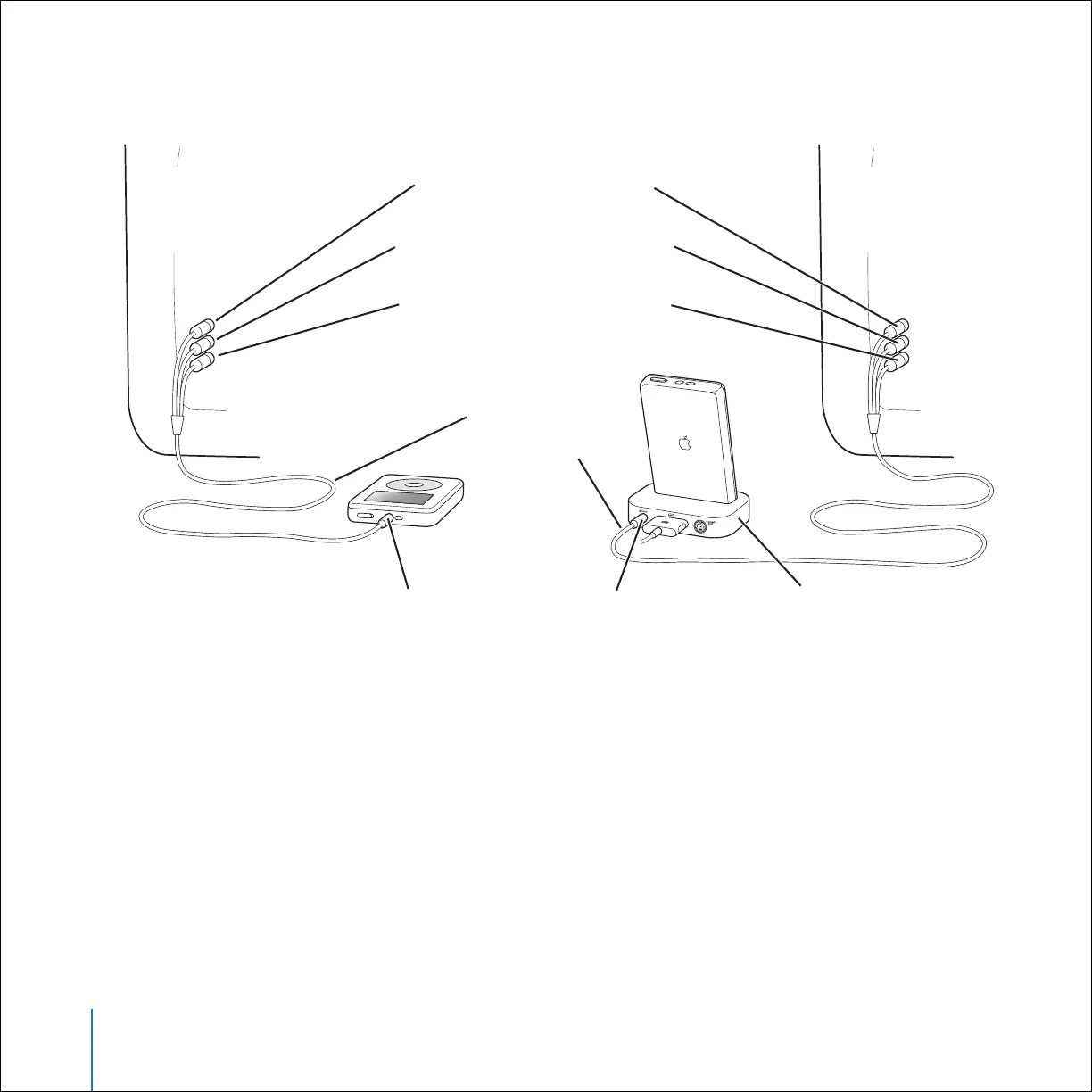
2 Connect the video and audio connectors to the ports on your television, as shown.
Video input port (yellow)
Headphones and AV port on iPod
Left sound input port (white)
Right sound input port (red)
iPod AV Cable
(optional)
Television
or other
video device
Television
or other
video device
Line Out port on Dock iPod Dock (optional)



 To Next Page